


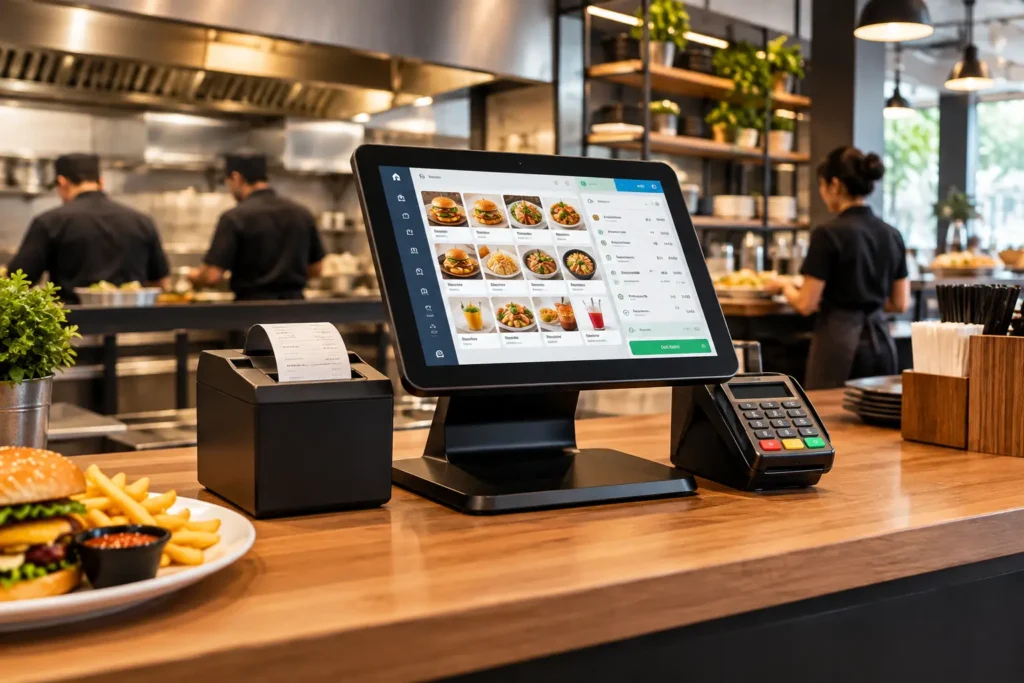
The best point of sale software for a business in Pakistan bills fast at the counter, reports every sale to FBR or your provincial revenue authority, keeps working when the internet wobbles, and fits how you actually sell. For restaurants and cafes, that means a cloud POS system with kitchen routing and multi-branch reports. For shops, it means barcode billing and stock control.
A point of sale (POS) system is the software, and the hardware around it, that takes orders, accepts cash, card and wallet payments, prints receipts and records every sale. In Pakistan it also has a legal job. FBR’s POS invoicing rules cover Tier-1 retailers as well as restaurants, cafes and snack bars, and Business Recorder’s report on the original rollout lists who was brought in. Provincial bodies such as the Punjab Revenue Authority (PRA) and the Sindh Revenue Board (SRB) have their own invoicing requirements too, and rules change, so always confirm the current position with FBR or your accountant. This guide comes from the CherryBerry RMS team in Lahore. Our cloud POS runs billing for restaurants, cafes and cloud kitchens, so that is the side of the market we know best, and we will say plainly where a different type of POS is the better fit.
What does point of sale software actually do?
At the simplest level, POS software turns every sale into data. Behind the till, a good system does a lot more:
- Takes the order, whether it comes from the counter, a table, a phone call or an online channel
- Calculates tax and discounts, then prints or sends the receipt
- Records payment by cash, card or digital wallet
- Updates stock as items sell
- Reports each sale to the tax authority where the law requires it
- Rolls everything into sales reports by branch, item and hour
That is why people search for “POS”, “POS system” and “POS software” as if they were one thing. Underneath, a cafe counter, a bakery, a clothing store and a pharmacy all need different things from it.
What makes the best POS software in Pakistan?
Ignore the feature lists for a moment. Six questions tend to separate a POS you will keep from one you will regret.
Does it handle FBR and provincial invoicing today?
This is the first filter in Pakistan. A POS that cannot produce an FBR invoice number and QR code at checkout, or report to PRA or SRB where that applies to you, leaves you doing manual work or exposed on compliance. Ask whether it is included today or only planned, and ask for a live demonstration rather than a promise. Our FBR POS invoicing system creates the invoice number and QR code when the bill is closed and reports sales to FBR, PRA and AJK for restaurants that fall under those rules.
Is it a cloud based POS system, and what happens when the internet drops?
A cloud based POS system, also called a cloud POS, a cloud POS system or a cloud point of sale, keeps your data on remote servers instead of one machine at the back of the shop. You can check sales from your phone, push a price change to every branch at once, and add an outlet without buying a server. Cloud-based point of sale software does need an internet connection, so ask exactly how it behaves during an outage. With CherryBerry RMS, staff re-open the system on any connected device and keep billing while the connection recovers, and the data syncs when it returns.
If you want the full picture, read our complete guide to cloud-based restaurant POS or the comparison of cloud POS vs traditional POS.
Is it quick enough for your busiest hour?
Watch a cashier ring up a typical order and count the taps. A system that needs six screens to close a bill costs you tables on a Friday night, and a hard-to-learn one costs you again every time a cashier leaves and someone new needs training. Check roles as well: a cashier should be able to bill, while only a manager can void. Our list of restaurant POS system features to look for goes deeper on what to test.
Do the reports tell you something useful?
Daily totals are not enough. You want sales by branch, by item and by hour, so you can see which outlet is slow on Tuesdays and which dish is quietly carrying the menu. Ask to see yesterday’s report from a demo account, not a polished screenshot. For examples of what good data changes, see how restaurant POS software boosts your food sales.
Does it connect to the rest of your business?
A POS that stands alone creates double entry. The useful ones pass each order to the kitchen, deduct stock, feed the accounts and take in online and WhatsApp orders. For a food business, that means kitchen management, inventory management, order management and restaurant accounting all running off the same data. For a shop, it means barcode, supplier and stock-count tools in the same place as billing.
Is your payment data protected?
If you accept cards, ask who holds the card data and whether the payment side follows the PCI DSS standard. The PCI Security Standards Council’s merchant resources explain what businesses of every size are expected to do. Ask about role-based permissions and backups too. CherryBerry RMS keeps data in the cloud behind restricted, role-based access, with automatic backups stored separately from the live system.
Restaurant POS or retail POS: which one do you need?
Search results blur the two, but they solve different problems. A retail POS system is built around products: barcode scanning, SKUs with size and colour variants, returns and exchanges, supplier purchase orders and stock counts. A restaurant POS is built around orders: tables, modifiers, kitchen tickets, split bills, delivery and call-in orders, and ingredients that come off stock as dishes sell.
Be honest about which one you are. CherryBerry RMS is built for restaurants, cafes, bakeries and cloud kitchens. If you run a general store, a clothing shop or a pharmacy, the right POS for retail store operations is one built around barcode and SKU workflows, and we would rather tell you that than sell you the wrong tool. If your bakery or cafe counter also sells packaged items, ask for a demo using your real product list and see whether the flow fits.
Whichever you choose, the tax rules still apply. A retail POS is not exempt from FBR integration if the shop is a Tier-1 retailer, for example an outlet of a chain or a shop inside an air-conditioned mall, so ask any retail POS vendor about FBR integration before you pay.
Best POS software in Pakistan by business type
The “best” answer changes with the counter you run. People search for POS software Pakistan, POS Pakistan, Pak POS and point of sale Pakistan as if the results would be the same for everyone, but they are not. Here is how we would shortlist, whether you are in Lahore, Karachi, Islamabad or a smaller city.
Restaurants and cafes
Prioritise FBR and provincial invoicing, kitchen tickets, table and delivery orders, and fast checkout. A cloud-based POS system for restaurants built around those jobs will save more time than a generic billing app.
Multi-branch chains
Look for one dashboard across all outlets, the ability to push a discount or price change from head office to every branch, and monitoring that tells you when a branch goes offline before a cashier does.
Cloud kitchens and delivery-led brands
Orders arrive from several channels, so the POS should pull them into a single queue. Our guide to online ordering and POS integration shows how that works, and the rider app covers the delivery side.
Bakeries and small cafes
Simple, quick checkout matters most, along with a barcode scanner if you sell packaged goods. A small team should be able to learn the system in a shift or two.
Retail shops and pharmacies
Choose a retail POS system designed for barcodes, SKUs, returns and supplier orders, and confirm FBR support if your shop is a Tier-1 retailer.
If you are in Lahore, our cloud POS system in Lahore guide covers local setup and support.
POS purchase checklist: how to test a system before you commit
Before any POS purchase, ask each shortlisted provider for a live demo and run this 30-minute test. Use your own menu or product list, not theirs.
- Ring up your most complicated order, with modifiers, a discount and a split bill (or a return, if you run a shop).
- Close the bill and check the FBR invoice number and QR code on the receipt.
- Void an item as a cashier, then as a manager, to see how permissions work.
- Change a price at head office and check that a second branch shows it.
- Pull yesterday’s sales by branch, item and hour.
- Switch off the internet on one device and keep billing, then reconnect and watch the data sync.
- Ask for the year-one total in writing, including setup, hardware and training, and compare quotes using our restaurant POS software price guide.
- Ask what happens to your data if you decide to leave.
Where CherryBerry RMS fits
CherryBerry RMS is a Lahore-based restaurant management platform, and billing is one part of it. The POS takes dine-in, takeaway, delivery, WhatsApp and phone orders into one queue, routes tickets to the kitchen, deducts stock, shows every branch on one dashboard and lets head office push discounts and price changes to all outlets at once. For restaurants covered by FBR, PRA and AJK rules, the invoice number and QR code print on the receipt at checkout. Support runs 24/7 for the features we offer, with onboarding and training for your team.
It is not the right tool for every counter, as covered above. If you run a food business and want to see it working on your own menu, book a demo with our team.
Frequently asked questions
What is the best point of sale software in Pakistan?
There is no single winner, because the best choice depends on what you sell. Restaurants and cafes should look for a cloud POS with FBR and provincial invoicing, kitchen routing and multi-branch reports. Retail shops should look for barcode, SKU and stock-count tools. Shortlist two or three providers and test each one with the checklist above.
What is a cloud based POS system?
A cloud based POS system stores your sales data on remote servers instead of a computer in your shop. You can use it from any internet-connected device, see every branch on one dashboard and add outlets without new servers. It needs internet to sync, so ask how it behaves during an outage.
Is FBR POS integration compulsory in Pakistan?
FBR’s POS integration rules apply to Tier-1 retailers and to restaurants, cafes and snack bars. Whether your business is covered depends on its type and size, and rules change, so confirm with your accountant or the official FBR website. Our FBR POS invoicing page explains how integration works at the till.
Does a cloud POS work without internet?
It depends on the provider, so ask for a demonstration of exactly what happens when the connection drops. With CherryBerry RMS, staff can re-open the system on any connected device and keep billing, and the data syncs when the connection returns.
Can one POS handle both a restaurant and a retail store?
Some platforms try, but the workflows differ. Restaurants need tables, kitchen tickets and modifiers, while shops need barcodes, variants and purchase orders. If you run both, test the system on each counter and do not assume a tool built for one will cover the other.
How much does POS software cost in Pakistan?
It varies with the pricing model, the number of terminals and branches, hardware, modules and tax integration. Our restaurant POS software price guide breaks down each factor and the hidden costs to ask about.
What hardware do I need before a POS purchase?
Most counters need a touchscreen terminal or Android POS machine, a thermal receipt printer and a cash drawer. A barcode scanner helps if you sell packaged items, and restaurants may add a kitchen printer or display. Ask whether the software works with hardware you already own before you accept a bundle.
Next step
Want to see how a cloud POS handles your menu, your branches and FBR invoicing? Contact CherryBerry RMS to book a demo.