

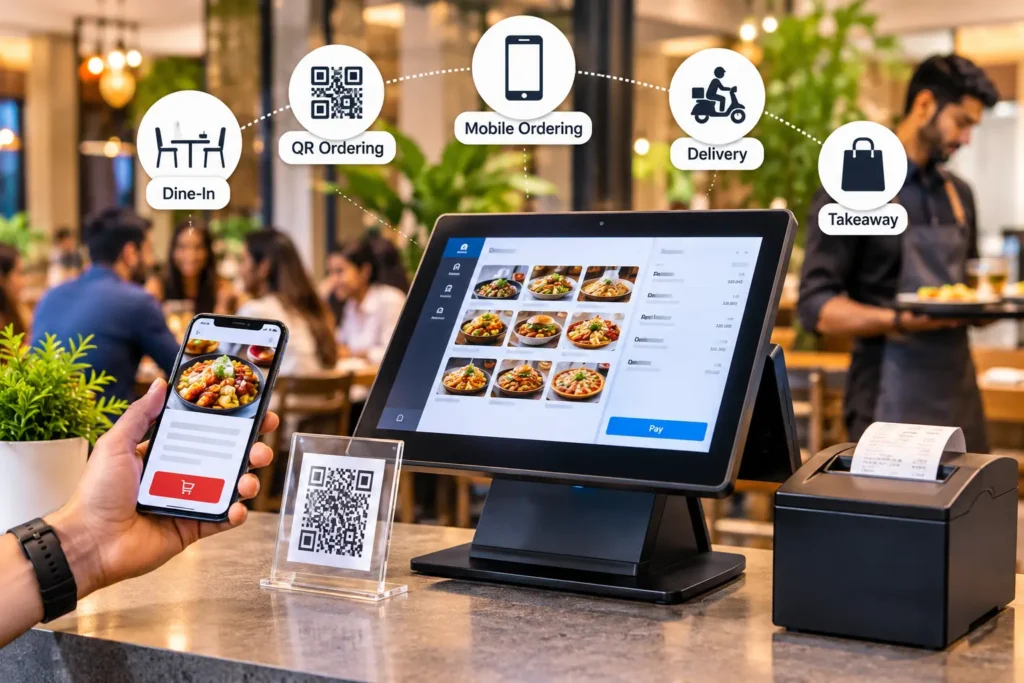
what is a POS ordering system? A POS ordering system is restaurant software that collects orders from the counter, QR codes, your website, apps, phone and delivery platforms, sends them to one kitchen queue, takes payment and updates stock and reports. It replaces re-typing orders between separate tools.
This guide covers how it works, who needs it, what it costs and what changes in Pakistan. It works best on a cloud-based POS system for restaurants, and our guide to online ordering and POS integration shows how each channel connects.
Key takeaways
- A POS ordering system takes orders from every channel (counter, QR table code, website, app, delivery platform) and sends them to one kitchen workflow.
- The online ordering market was worth about USD 28.5 billion in 2025 and is projected to approach USD 58.3 billion by 2034.
- Technology improves efficiency for most operators, but profit gains are less certain, so setup and training decide the result.
- The best system depends on your business type, not on the longest feature list.
If your team still re-types orders from the counter, the phone and three delivery tablets, you are paying for that mess in errors, delays and unhappy guests. A POS ordering system puts every order in one place.
This guide explains how these systems work, who they suit, what they cost and how the main vendors position themselves. It builds on our restaurant POS software overview and goes deeper on ordering. If your focus is the web side, pair it with our online ordering system guide.
What Is a POS Ordering System?
A POS ordering system is software, and sometimes hardware, that captures orders from every channel, routes them to the kitchen, takes payment and updates inventory and reports in real time.
It differs from two things people often confuse it with:
- A basic POS records sales and payments at the counter. It doesn’t manage digital orders.
- A standalone online ordering tool takes web orders but may not connect to your kitchen, stock or reports.
- An integrated POS ordering system combines both, so a QR order at table 7 and a website pickup order land in the same queue.
Related terms: you will also see this software called a restaurant POS with online ordering, an omnichannel POS, an order management system or unified commerce. They overlap heavily. The difference is scope: an order management system focuses on routing and status, while a full POS ordering system also handles payment, tax, stock and reporting. For a plain definition of the till itself, see what a POS system is.
How It Works: From Guest Tap to Kitchen Ticket
Here is the flow from both sides of the counter.
What the diner sees:
- Scans a QR code, opens your site or app, or walks up to a kiosk.
- Browses a menu with photos, allergens and modifiers.
- Places the order and pays, or opens a tab.
- Gets a status update when the food is ready.
What happens behind the scenes:
- The system validates the order and applies prices, taxes and discounts.
- The ticket appears on the correct kitchen station screen.
- Stock levels update, and sold-out items disappear from every channel.
- Sales data flows into live reports.
Because every channel feeds one system, you stop reconciling spreadsheets at closing time.
how does an online order reach the kitchen? The order is checked against the live menu, priced and taxed, then sent to the kitchen display or printer for the right station. The same action reduces stock and shows the order in sales reports. A kitchen management system is the screen where cooks see and update each ticket.
Who Needs a POS Ordering System? (By Business Type)
New section: different businesses need different things. Use this table to find your starting point.
Business type | Biggest pain point | Features that matter most |
Full-service restaurant | Slow table turns, split bills | Table management, handhelds, QR ordering, KDS |
Café or bakery | Morning rush queues | Fast counter flow, pre-order pickup, loyalty |
Quick-service / fast food | Peak-hour volume | Kiosks, drive-through support, KDS |
Cloud / ghost kitchen | Many aggregators, no front of house | Aggregator integration, order consolidation, inventory sync |
Food truck / pop-up | Limited space, spotty internet | Mobile POS, offline mode, quick setup |
Hotel, bar or lounge | Room service, tabs, events | Tab management, room charge, multi-menu |
Multi-location chain | Inconsistent menus and reporting | Central menu control, role permissions, group reports |
Expert note: choose by your biggest delay, not by the longest feature list. If guests wait at the counter, start with fast order entry and QR ordering. If tablets pile up beside the pass, start with channel consolidation. If your own riders deliver, check that orders pass to the restaurant rider app with live status. Write down the one delay you want gone before you book any demo.
Core Features That Change Daily Operations
Not every feature is worth paying for. These are the ones that matter.
- Omnichannel ordering. Dine-in, takeaway, delivery and pickup share one menu and one queue.
- QR table ordering. Guests scan, order and pay without waiting for a server. Our QR code menu walkthrough shows how to set one up properly, including table-level codes and payment options.
- Kitchen display system (KDS). Screens replace paper tickets, cut errors and show prep time per station.
- Inventory sync. Items go “sold out” automatically on every channel.
- Offline mode. Orders and tickets keep working when the internet drops.
- Menu management. Update prices, modifiers and availability once, and publish everywhere.
- Loyalty and customer data. Capture repeat guests so you can market to them directly.
- Track best sellers, peak hours, voids and staff performance.
- Look for accounting software, payment gateways and delivery platforms.
what features should a POS ordering system have? At minimum: one menu across all channels, a kitchen display or ticket printer, automatic sold-out sync, offline mode, tax-ready invoices, role permissions and live reports. Then check whether stock deducts from each sale, as in restaurant inventory management software.
POS Ordering System Statistics for 2026
Numbers help justify the spend, but sources often disagree, so read each one carefully.
- The global restaurant online ordering market was valued at about USD 28.5 billion in 2025, projected to reach USD 30.1 billion in 2026 and USD 58.3 billion by 2034 (Intel Market Research).
- A separate analysis puts SaaS and cloud-based deployments at roughly 78% of the online ordering market in 2025. Cloud is now the default.
- According to the National Restaurant Association’s 2024 Technology Landscape Report, 57% of limited-service customers are comfortable accessing a menu by QR code, and 52% would place an order that way. For full-service diners the figures are 59% and 48%.
- A February 2026 survey of 400 UK operators found 54% expect online ordering and delivery platforms to have the biggest operational impact this year.
- Toast reports a 9% increase in average check for restaurants using its mobile ordering and payment system. This is vendor data, so treat it as directional.
- The average restaurant profit margin is around 5%, so small efficiency gains matter.
- ROI reality check: NRA data shows 69% of operators report efficiency gains from new technology, but only 28% report better profitability. Tools help when they are configured well and used consistently.
- Why market-size numbers differ: one 2026 review found restaurant POS estimates varying roughly sixfold, depending on whether a report counts software only, terminals or all industries. Always check what a figure actually measures before you quote it.
Benefits: For Diners and for Owners
New section: a good system has to work for both sides of the table.
What diners gain:
- Shorter waits, because they can order and pay at their own pace.
- Clear menus with photos, ingredients and allergen details.
- Accurate orders and live status updates.
- Easy reordering and loyalty rewards.
What restaurant and café owners gain:
- Fewer errors, because orders never get re-typed.
- Faster table turns and shorter queues during rush hours.
- Higher order value through consistent upsell prompts and photo menus.
- Better decisions, thanks to live sales and item-level data.
- Customer ownership, since direct orders give you contact data that aggregators keep.
- Lower labor strain, because staff spend less time on order entry and more on hospitality.
Competitor Landscape: Who Targets Whom
New section: understanding how vendors position themselves helps you choose, and helps you stand out if you compete in this space.
The vendors below are generally positioned as follows. Check each one’s current offering, because features and pricing change often.
Vendor | Typical positioning | Often strongest for |
Toast | Restaurant-specific, all-in-one platform | Full-service and QSR restaurants, mostly in the US |
Square | Simple, accessible POS for small businesses | Cafés, food trucks, small independents |
Lightspeed | Flexible platform with multi-location tools | Growing groups and hospitality businesses |
Clover | Hardware-led, app marketplace | Counter-service and mixed retail-food |
Foodics | Regional restaurant platform | Restaurants and chains in the Middle East |
Petpooja | India-focused restaurant software | Indian restaurants, cloud kitchens, aggregator sync |
Olo | Enterprise digital ordering | Large chains with high online volume |
Content and keyword gaps most competitors leave open:
- Honest ROI discussion (efficiency versus profit).
- Business-type buying guides instead of one-size-fits-all advice.
- Local tax, payment and connectivity requirements.
- Realistic AI claims backed by adoption data.
- Diner experience as well as owner benefits.
If you publish or sell in this space, these gaps are your opportunity to be the clearer, more trustworthy source.
POS Ordering vs Standalone Online Ordering vs Aggregators
Factor | Integrated POS ordering | Standalone online ordering | Delivery aggregators |
Order flow | Straight to kitchen | Manual entry or add-on | Separate tablet |
Customer data | You own it | Partly yours | Mostly platform-owned |
Fees | Subscription + payment fees | Subscription + fees | High commissions |
Reporting | Unified | Fragmented | Limited |
Best for | Most restaurants | Web-only brands | Discovery and reach |
The strongest setups blend them. Use an integrated POS for control, aggregators for discovery, then guide repeat customers to direct channels where margins are higher.
Where phone and WhatsApp orders fit: guests in Pakistan often order by phone call or WhatsApp, not only through an app. A POS ordering system should receive these orders in the same queue as counter and web orders. A restaurant call center can enter phone orders for you, and WhatsApp AI ordering can take chat orders without staff typing them. Ask any vendor to show both in the demo.
Real-World Examples
These are illustrative scenarios based on common operator patterns, not named clients.
Example 1: A three-branch café group. Orders arrived by phone, WhatsApp, walk-in and two delivery apps, and staff re-entered each one by hand. After moving to an integrated system, all orders reached kitchen screens, the busiest branch added table QR ordering, and sold-out items synced across channels. Typical outcomes include fewer wrong orders, shorter ticket times and clearer reports. Managers also stop spending the first hour of each day reconciling sales.
Example 2: A cloud kitchen with four brands. One kitchen runs four virtual brands across several aggregators and a direct website. Before consolidation, staff watched five tablets. A single order queue with inventory sync cuts missed orders and stock-outs. Over time, the operator pushes repeat customers to the direct site, which improves margin per order.
The lesson: the biggest win is rarely a flashy feature. It is removing manual steps and giving the team one reliable screen.
How to Choose the Right System
Work through this checklist before you commit.
- Match your service style. Counter flow, table service and delivery-only each need different tools.
- Check integrations. Confirm payments, accounting and delivery partners work natively.
- Test the kitchen flow. Ask for a live demo using your real menu and modifiers.
- Confirm offline behavior. Ask exactly what works without internet.
- Review total cost. Include hardware, payment fees, onboarding and add-ons.
- Ask about support. Check hours, response times and language options.
- Verify data ownership. You should be able to export customer and sales data.
- Check security. Ask about payment data protection and role-based access.
- Plan for growth. Make sure adding a second location won’t require a new system.
What Does a POS Ordering System Cost?
how much does a POS ordering system cost? Costs have four parts: software subscription, hardware, payment processing and add-ons. Prices vary by outlets, terminals and modules, so compare the full three-year cost in writing. For local ranges and what to ask, read our guide to restaurant POS software price in Pakistan.
Pricing usually has four parts:
- Software subscription: monthly, per location or per terminal.
- Hardware: terminals, tablets, printers, kitchen screens.
- Payment processing: a percentage plus a fixed fee per transaction.
- Add-ons: online ordering, loyalty, advanced reporting, extra integrations.
Cloud systems usually cost less upfront than legacy on-premise setups. Compare the three-year total cost, not the headline monthly price. Ask each vendor about contract length, cancellation terms and fees for extra locations.
Expert note: use this formula to compare quotes on equal terms. Three-year cost = (monthly software fee x 36) + hardware + onboarding + add-ons + (estimated monthly card sales x payment fee rate x 36). A cheap monthly fee with high hardware or add-on charges can cost more than a higher fee that includes them.
Local Considerations: Restaurants and Cafés in Pakistan
Local fit matters as much as features. If you operate in Lahore, Karachi, Islamabad or elsewhere in Pakistan, check these before signing:
- Tax integration. Many restaurants must issue invoices linked to a provincial or federal revenue authority system. Confirm the vendor supports your authority’s current requirements.
- Local payments. Look for cards, bank transfers and wallets such as JazzCash and Easypaisa.
- Urdu and mixed-language menus. Staff and guests should read menus comfortably.
- Power cuts and weak connections make offline mode essential.
- Local support. Same-time-zone help beats overseas ticket queues.
Rules change, so verify current obligations with your tax authority or accountant.
Expert note on invoicing: depending on your province and business type, restaurant invoices may need to link to the Federal Board of Revenue (FBR) or a provincial authority such as the Punjab Revenue Authority. Ask each vendor which authority integration it supports today, how invoices are verified and what happens when the internet drops. See our page on the FBR POS invoicing system and confirm current rules with your accountant.
Allergens and digital menus: a QR or app menu is the easiest place to show ingredients and allergen notes, so keep them current whenever a recipe or supplier changes. The Punjab Food Authority lists an allergen warning among the mandatory items for pre-packed food labels, and restaurants should confirm with the authority which menu disclosure rules apply to them. Allergen data is the restaurant’s responsibility, not the software’s.
POS Ordering Trends Shaping 2026
- AI-assisted ordering, with caution. NRA’s 2026 data shows only 6% of operators use AI for customer orders, while marketing and admin tasks lead adoption. Start with upsell suggestions and demand forecasting.
- Unified commerce. Operators want in-store, online and delivery in one system.
- QR as infrastructure. QR ordering is routine in many markets and needs no extra hardware.
- Direct-channel growth. First-party ordering and loyalty protect margins from commission-heavy platforms.
- Cloud-first operations. Multi-location owners want live reports from any device.
What to verify before you buy AI features: ask which tasks the AI does, what it does when it is unsure and how a staff member takes over. Chat ordering is a different tool from a phone voice agent, so read our guides on the AI restaurant chatbot and AI voice agents for restaurants before adding either to your POS stack.
A 30-Day Rollout Plan
New section: a practical way to launch without chaos.
- Week 1: Prepare. Clean up your menu, modifiers and prices. Choose your first channel.
- Week 2: Configure and train. Set up taxes, printers and kitchen screens. Run mock orders with staff.
- Week 3: Soft launch. Go live on one channel or one branch. Collect staff feedback daily.
- Week 4: Expand and measure. Add QR or online ordering. Track ticket times, error rate and average check.
Resist the urge to switch on everything at once.
how long does it take to set up a POS ordering system? Plan for about four weeks for one outlet: menu clean-up, configuration and training, a soft launch on one channel, then expansion. Multi-branch groups should pilot one branch first.
Common Mistakes to Avoid
- Buying on price alone and ignoring integration costs.
- Skipping staff training, which causes most failed rollouts.
- Building a huge menu with unclear modifiers.
- Ignoring reports after launch.
- Running delivery tablets outside the POS.
- Forgetting the diner view: if your digital menu is slow or confusing, guests will simply call or walk out.
How CherryBerry RMS Supports a POS Ordering System
CherryBerry RMS runs the POS, ordering channels and back office in one cloud system, so an order is entered once and flows to the kitchen, stock and reports. Its service pages document:
- A cloud-based POS for restaurants, cafes, cloud kitchens and multi-branch chains.
- Online ordering and order management, plus a rider app for your own deliveries.
- Phone orders through its call center, and WhatsApp AI ordering for chat orders.
- A kitchen management system, inventory with recipe-driven stock deduction, and accounting.
- FBR POS invoicing and branch-wise reports from one dashboard.
See the full list of CherryBerry RMS features and the restaurant online ordering apps page.
Conclusion
A POS ordering system is the backbone that connects guests, staff and the kitchen. For diners it means faster, clearer ordering. For owners it means fewer errors, better data and more control over margins.
Pick the system that fits your business type, integrates with your tools and works in your local conditions. Start with a demo on your real menu, launch one channel at a time and measure the results. Let the data guide your next step.
See Every Order Channel Land in One POS Queue
Cloud POS, online ordering, kitchen display and stock in one system, built for restaurants in Lahore and across Pakistan.
Frequently Asked Questions
What is a POS ordering system?
It is software that captures orders from every channel, routes them to the kitchen, takes payment and updates inventory and reports automatically.
What is the difference between POS and online ordering?
A POS records and manages sales in the venue. Online ordering lets customers order remotely. An integrated POS ordering system combines both in one workflow.
Which businesses benefit most from a POS ordering system?
Restaurants, cafés, quick-service outlets, cloud kitchens, food trucks, hotels and multi-location chains all benefit. The right features differ by business type.
How much does a POS ordering system cost?
Expect a monthly software fee, possible hardware costs and payment processing fees. Total cost varies by size, features and region, so compare quotes over three years.
Do I need special hardware?
Not always. Many cloud systems run on tablets or phones. Kitchen screens, printers and card readers are optional add-ons.
Can a POS ordering system work offline?
Many can, but features differ. Ask vendors which functions (taking orders, printing tickets, accepting cards) work without the internet.
Is QR code ordering worth it?
For many venues, yes. Surveys show roughly half of limited-service diners would order by QR if offered, and it needs little hardware.
Will AI replace order-takers?
Not soon. Adoption for customer orders is still low, and most operators use AI for marketing and admin tasks first.
What is the best POS ordering system for restaurants in Pakistan?
There is no single best system. Choose the one that supports the tax invoicing authority for your outlet, takes cards and wallets, works offline, puts phone, WhatsApp and online orders in one queue and offers local support. Test it with your real menu before you sign.
Does a POS ordering system support FBR invoicing?
Some do. Ask whether the system integrates with the authority that applies to your outlet, how invoices are verified and what happens when the internet drops, then confirm current rules with your accountant.
Can a POS ordering system take WhatsApp and phone orders?
Yes, if it connects to those channels. Phone orders are usually entered by staff or a call center, and chat orders can be captured by a WhatsApp ordering tool. Either way, they should land in the same kitchen queue.
How do I show allergen information on a digital menu?
Add allergen notes to each item and update them whenever a recipe or supplier changes. Keep a staff process for allergy questions, and check which disclosure rules apply to your outlet.
Key Terms
- POS ordering system: software that captures orders from every channel, routes them to the kitchen, takes payment and updates stock and reports.
- Omnichannel ordering: one menu and one order queue across counter, web, app, phone and delivery.
- Kitchen display system (KDS): a screen that replaces paper tickets and shows each order by station.
- Aggregator: a third-party delivery platform that lists your menu and charges a commission.
- First-party ordering: orders placed through your own website, app or WhatsApp, where you keep the customer data.
- Tax-integrated invoice: an invoice linked to the revenue authority’s system, which some outlets in Pakistan must issue.
Sources and Further Reading
- org, Menu type: the structured data type for a restaurant’s menu sections and items.
- Punjab Food Authority, Technical Wing: labelling requirements for pre-packed food, including the allergen warning.