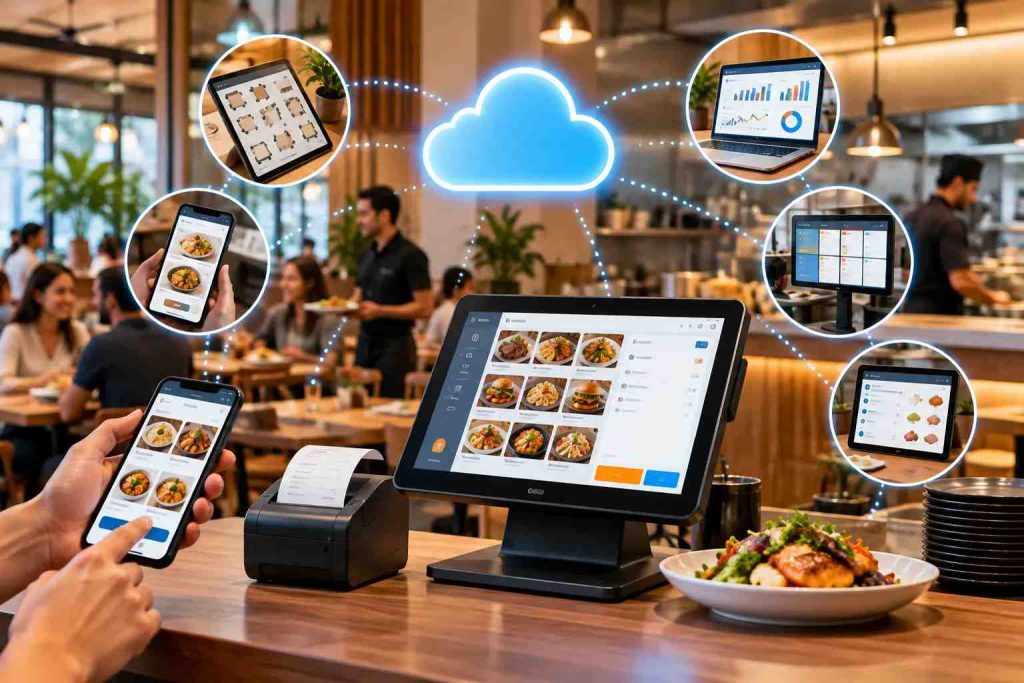
A cloud-based restaurant POS system processes orders and payments while storing all data on remote servers instead of a machine in your back office. That means you can access live sales from any device, run multiple branches from one dashboard, and recover instantly if hardware fails. It requires a reliable internet connection, so plan a backup line.
Why Your Restaurant Can’t Afford an Outdated POS System in 2026
Picture this: it’s a Friday night, your dining room is packed, your delivery orders are spiking, and your legacy POS system freezes. Orders get lost. Customers wait. The staff panic. Revenue walks out the door.
This is not a hypothetical. It’s the daily reality for thousands of restaurants still running on outdated, on-premise point-of-sale technology.
Grand View Research valued the global restaurant point-of-sale terminal market at USD 22.3 billion in 2023 and projects it will reach USD 38.16 billion by 2030, growing at a CAGR of 8.0 percent. Cloud-based restaurant POS systems are a major part of that growth, rapidly replacing legacy setups across cafes, fine dining, QSRs, and ghost kitchens alike.
If you’re still relying on a traditional system, you’re not just behind the curve, you’re losing money, customers, and competitive ground.
This guide breaks down everything you need to know about cloud-based restaurant POS systems in 2026: what they are, how they work, what to look for, and why switching could be the best operational decision you make this year.
What Is a Cloud-Based Restaurant POS System?
A cloud-based restaurant POS system is a point-of-sale platform that processes transactions, manages orders, and stores all business data on remote servers, accessible from anywhere via the internet.
Unlike traditional on-premise POS systems that store data locally on a single machine, cloud POS systems push all data to secure, third-party servers in real time. Think of it like Google Drive versus saving files only on your laptop: one gives you access from anywhere; the other ties you to one location.
Key functions include:
- Accepting and processing customer payments
- Sending orders directly to the kitchen or Kitchen Display System (KDS)
- Real-time inventory tracking and alerts
- Multi-location sales monitoring from one dashboard
- Automated reporting and invoicing
- Integration with online ordering, table reservations, and delivery apps
Cloud POS systems typically operate on a Software-as-a-Service (SaaS) model, meaning restaurants subscribe monthly or annually, rather than paying a high upfront cost for software licenses and servers.
A growing share of restaurant owners have already switched to cloud-based POS, citing ease of management and multi-location capabilities as the top drivers.
How a Cloud POS System Actually Works
The Core Architecture
A cloud POS system is built on four foundational layers:
Cloud Infrastructure: Your data lives in remote data centres run by enterprise-grade cloud providers. These servers offer redundant storage, high computing power, and advanced cybersecurity, far beyond what most restaurants could maintain on their own.
Reliable Internet Connectivity: Cloud POS systems require a stable internet connection to function at full capacity. Most modern systems also offer offline mode, so operations continue during brief outages, syncing automatically once the connection is restored.
SaaS Delivery Model: Your restaurant subscribes to the software rather than owning it. The provider manages all maintenance, security patches, and updates. This is like leasing a fully maintained commercial kitchen rather than buying and servicing all the equipment yourself.
Data Security & Backup: All transaction data, customer records, and inventory details are encrypted and stored securely. Automated daily backups and disaster recovery protocols ensure nothing is lost, even in the event of hardware failure or power outages.
Cloud POS vs Traditional POS: The Short Version
The difference comes down to where your data lives and what happens when something breaks. On a traditional system, your data sits on a machine in your back office: if that machine fails, the outlet can go down with it. On a cloud POS system, the data sits off-site, so a broken terminal is a device problem, not a business problem, and staff can pick up on any other connected device.
A few practical differences worth knowing before you evaluate providers:
- If the local server fails: traditional POS can take the whole outlet down; cloud POS has no local server to fail.
- Updates: traditional POS usually means manual, separately billed updates; cloud POS pushes them automatically.
- Multi-branch: traditional POS means managing each site separately; cloud POS gives one dashboard across all branches.
- Cost shape: traditional POS is a large upfront hardware and licence cost; cloud POS is lower upfront with an ongoing subscription.
For the full breakdown, including backups, owner visibility, and what happens when the internet itself drops, see our full Cloud POS vs Traditional POS comparison.
9 Proven Benefits of a Cloud-Based Restaurant POS System
1. Automatic Software Updates: Zero Downtime
Your system updates itself. New features, security patches, and performance improvements are pushed automatically: no IT team required, no scheduled downtime, no missed updates.
This matters more every year, as cybersecurity threats targeting food service businesses keep rising.
2. Real-Time Data Access From Anywhere
Restaurant owners and managers can access live sales data, inventory levels, and staff performance from their smartphone, whether they’re at home, at a second location, or traveling.
This is especially powerful for multi-branch operators who need a unified view of all locations without physically being present at each one.
3. Military-Grade Data Security
Cloud POS providers invest heavily in security infrastructure, including end-to-end encryption, multi-factor authentication, and role-based access controls.
If your tablet breaks or gets stolen, your data is completely safe. Log in on a replacement device, and you’re back in business within minutes.
Encryption is only half the picture. Any system handling card payments also has to meet PCI DSS, the Payment Card Industry Data Security Standard set by the PCI Security Standards Council, the global body that maintains payment card security standards. Ask your vendor directly how card data is handled and where compliance responsibility sits between you, the POS provider, and your payment processor. A vendor who answers clearly is telling you something useful about how seriously they take the rest of their security stack.
4. Smarter Inventory and Order Management
A cloud POS system automatically deducts ingredients from inventory as orders are placed. Low-stock alerts notify your team before you run out of key items.
Done well, this meaningfully reduces food waste by catching shortages and overriding before they become losses, a real saving for any high-volume kitchen.
Accuracy here depends entirely on setup. Deductions are only correct if every recipe is mapped, purchase-to-recipe unit conversions are entered correctly, and ingredients with trim loss carry a yield percentage. Get those wrong and the system will confidently report numbers that do not match your shelves. Our POS inventory management guide covers the four setup errors that cause most of it.
5. Faster Checkout and Higher Table Turnover
Cloud POS automates payment calculations, applies discounts and loyalty points, and supports contactless payments, split bills, and QR code ordering.
Faster checkout means faster table turnover. During peak hours, even saving a couple of minutes per table can meaningfully increase covers per shift.
6. Seamless Multi-Location Management
Running two, five, or twenty branches? A cloud POS system lets you manage them all from a single dashboard. Update your menu across all locations simultaneously, compare branch-level performance, and balance stock between locations, all in real time.
This is why 34% of multi-location restaurateurs cite centralized management as the primary reason for adopting cloud POS, per TouchBistro’s State of Restaurants Report.
7. Automated Reporting and Financial Insights
Your cloud POS generates detailed reports on sales, revenue, taxes, staff performance, and peak hours, automatically. No manual spreadsheets, no accountant required for routine analysis.
Restaurant accounting software integrations make it even easier to sync your POS data directly with your financial records.
8. Integrated Table Reservation Management
Cloud POS connects directly with your table reservation system giving hosts a real-time view of availability, walk-ins, and pre-booked guests.
This eliminates double bookings, reduces wait times, and improves the guest experience from the moment they arrive.
9. Optimized Cloud Kitchen and Delivery Management
For ghost kitchens and delivery-first restaurants, a cloud POS is not optional: it’s the operational backbone. It tracks order volumes, syncs with delivery platforms, manages packaging workflows, and optimizes rider dispatch routes through integrated rider app solutions.
What Switching to Cloud POS Typically Changes
Individual results vary by restaurant, but the pattern across cloud POS migrations is consistent: fewer payment processing errors, fewer inventory miscounts, and less downtime translate directly into recovered revenue. The National Restaurant Association’s 2026 report found that operational cost pressure, not just top-line sales, is the deciding factor in restaurant profitability today. That is exactly where a cloud POS earns its keep: real-time visibility catches the small losses, a miscounted delivery, a comped order that was never approved, a till that does not reconcile, before they compound over a quarter.
What “Offline Mode” Really Means
Almost every cloud POS vendor advertises offline mode, and almost none of them define it. The phrase covers at least three very different capabilities, and the difference matters a great deal on the night your connection drops.
Level one: read-only. The system displays the current order queue but cannot accept new transactions. Better than a blank screen, not much better than one.
Level two: local queueing. New orders and payments are held on the device and sync once the connection returns. This is what most operators assume they are buying when they see “offline mode” on a feature list.
Level three: full local operation. Billing, kitchen routing, and card payments all continue offline, with reconciliation afterwards. This is rare and usually expensive.
Card payments are the part that catches people out. Even with full local operation, card authorisation needs a live connection to the payment processor. Some systems store and forward the transaction instead, which quietly shifts the risk of a declined card onto you. Ask specifically how card payments behave offline, and who carries the loss if one fails on resync.
Three questions worth asking any vendor:
- Which of the three levels above does your offline mode actually provide?
- What happens to card payments specifically, and who bears the risk of a decline?
- How long can the system stay offline before data is at risk?
Actionable tip: ask them to demonstrate it. Unplug the network during the demo and watch what happens to a live order. A vendor confident in their offline handling will do this happily.
This matters more in Pakistan than most vendor marketing admits. Grid load-shedding and inconsistent broadband in many cities mean “the internet dropped” is not a rare edge case, it is a Tuesday. Whatever level of offline mode your POS supports, treat a mobile-data backup on a second network as standard kit for any restaurant running on WiFi or broadband as its primary connection, not an optional extra.
Whatever the answer, plan redundancy on your side. Put a UPS on the router rather than only on the terminal, and keep a mobile hotspot on a different network ready. No software removes the need for a working connection. It only changes how gracefully things fail.
What Features Should You Look for in a Cloud Restaurant POS in 2026?
Not all cloud POS systems are equal. When evaluating options, prioritize these must-have features:
- Offline functionality: operations continue during internet outages
- Kitchen Display System (KDS) integration: eliminate paper tickets
- Multi-platform support: works on tablets, smartphones, and browsers
- Open API integrations: connect with delivery platforms, accounting tools, and CRMs
- Granular user permissions: control what staff can access or modify
- Built-in loyalty and CRM tools: capture customer data and drive repeat visits
- 24/7 customer support from your provider, critical for businesses that operate evenings and weekends
- Customizable reporting dashboards: tailored to your KPIs
- Data export terms: confirm before signing that you can export sales history, recipes, and customer records in a structured format, whether it costs extra, and how long data is retained after cancellation
- Integration depth over integration count: one native, well-built connection beats a long list of logos on a partners page
For restaurants operating call center-based ordering or managing online ordering apps, deep integration with the POS system is essential to avoid order fragmentation and data silos.
Integration depth deserves a moment. A native integration with your kitchen management system means an order reaches the correct station the moment it is entered, with modifiers intact and nothing re-typed. A shallow connection means someone re-enters orders, and re-typing is where errors return. The same applies to online ordering channels: ask the vendor to send an order from every channel you use and show you all of them landing in one queue.
This checklist holds regardless of which vendor you are evaluating, whether that is an internationally recognised platform such as Toast, Square, or Lightspeed, or a Pakistan-focused provider. The names change; the questions to ask do not.
FBR POS Integration: What Every Pakistani Restaurant Must Know
This part is specific to Pakistan, and it is not optional. Under Chapter XIV-A of the Sales Tax Rules, 2006, the Federal Board of Revenue (FBR) requires all restaurants, cafes, and snack bars to integrate their POS with its system, whether or not the business also qualifies as a Tier-1 retailer under the Sales Tax Act, 1990. This is broader than most POS vendors let on: it is not just large chains that need it.
In practice, integration means every sale generates a unique FBR invoice number and a QR code the customer can verify through FBR’s Tax Asaan app, transmitted to FBR in real time. For restaurants operating in Punjab, sales tax on services is separately administered by the Punjab Revenue Authority (PRA), so a system built for Pakistan needs to handle FBR invoice reporting and PRA sales tax rules as two distinct obligations, not one.
What this means when you are choosing a POS:
- Built-in versus bolt-on: ask whether FBR integration is native to the system or a third-party add-on you configure separately, since the second option is where most compliance gaps happen.
- Offline behaviour: ask specifically what happens to FBR invoice reporting during a connectivity gap, the same question worth asking about card payments in the offline mode section above.
- Licensed integration: FBR requires integration to go through a licensed route, such as PRAL (Pakistan Revenue Automation Limited), rather than an ad hoc connection, so ask the vendor how their integration is authorised.
- Record retention: sales records generally need to be kept for several years, so confirm how long your POS retains exportable transaction history, not just how long it displays it on screen.
Tax rules in Pakistan change frequently, and enforcement details vary by category and notification date. This section is general information, not tax advice. Confirm your restaurant’s specific obligations directly with FBR, the PRA, or a tax advisor before you rely on any vendor’s compliance claims, including ours.
What a Cloud POS Actually Costs
The monthly subscription is the number vendors lead with. It is rarely the number you end up paying.
How vendors charge. Per terminal, so cost rises with every till and screen you add. Per location, a flat fee that favours larger outlets. Or per order as a share of sales, which is comfortable when quiet and expensive when busy. The right model depends on whether your constraint is terminals, outlets, or volume.
Costs outside the subscription: hardware and mounts, payment processing rates, integration setup if your other tools come from different vendors, menu and recipe migration, staff training including retraining as people turn over, and 24/7 support if it sits behind a paid tier.
Actionable tip: ask every vendor for a three-year total rather than a monthly figure, then ask what that becomes at your second branch. Vendors price aggressively for the first location and much less so for the fifth.
Cost is only meaningful against what it protects. The National Restaurant Association’s 2026 State of the Restaurant Industry report found that 42 percent of operators said their restaurants were not profitable in 2025, with the association pointing to operational innovation and technology as levers for easing cost pressure. Run the numbers on your own operation rather than on a vendor’s ROI calculator.
How to Migrate Without Losing a Weekend
Switching POS is the part every guide skips and every operator worries about. It is manageable if you sequence it properly.
- Clean your data before you move it. Every duplicate menu item and wrong price you import will follow you for months. This is dull work, and it is the highest-leverage thing you will do in the entire migration.
- Export your history first. Sales data, customer records, and recipes from the old system. Get them out before the account closes, not after, and confirm the format is usable, meaning structured files rather than PDF reports.
- Go live on a Tuesday. Never a weekend. Your team learns under low pressure, and the problems you find on a quiet night are the same ones that would have become a disaster on a Friday.
- Run both systems in parallel briefly. Keep the old setup available for a week or two as a fallback, and compare totals at close of service until they agree consistently.
- Train the floor, not just the office. Your cashiers and line staff use the system far more than your manager does. Put a cashier in front of it with no instructions for ten minutes and watch where they hesitate.
- Take a baseline. Record your current average transaction time and order accuracy before you switch. Without a baseline you will have opinions about whether it helped, not evidence.
Conclusion: The Smart Move Is Clear
The restaurant industry in 2026 operates at a pace that legacy technology simply cannot support. A cloud-based restaurant POS system is no longer a luxury: it’s the operational infrastructure that separates high-performing restaurants from those that struggle to keep up.
From real-time inventory alerts and automated reporting to seamless multi-location management and integrated delivery workflows, the advantages are both measurable and immediate.
Whether you’re running a single café or a 20-branch chain, the transition to cloud POS pays for itself: in efficiency, accuracy, and customer satisfaction.
See CherryBerry RMS running in a live demo, or get a tailored quote for your restaurant, whichever you would find more useful right now.
Key Takeaways
- Cloud POS moves your data off a single back-office machine, removing hardware failure and data loss as business risks, in exchange for depending on your internet connection.
- “Offline mode” is not one standard feature. Get the vendor to demonstrate it live, and ask specifically what happens to card payments.
- Ask for a three-year total across hardware, integration, training, and support tier, not just the monthly subscription figure.
- Settle data export terms before you sign, not when you want to leave.
- Migrate on a weekday, clean your menu and recipe data first, and record a baseline so you can prove the change worked.
- Integration depth beats a long list of partner logos, especially for kitchen routing and online ordering.
- If you operate in Pakistan, FBR POS integration applies to all restaurants, not just Tier-1 retailers, so confirm your specific obligations before you choose a system.
Frequently Asked Questions (FAQ)
Q1: What is a cloud-based restaurant POS system?
A cloud-based restaurant POS system is a digital platform that processes sales, manages orders, tracks inventory, and stores all data on secure remote servers, accessible from any internet-connected device, anywhere in the world.
Q2: Is a cloud POS system secure for storing restaurant data?
Yes. Cloud POS systems use end-to-end encryption, multi-factor authentication, and automated daily backups to protect sensitive data. If hardware is lost or damaged, your data remains fully safe and accessible via any device.
Q3: What happens if the internet goes down? Does the POS stop working?
Most modern cloud POS systems include an offline mode that allows you to continue processing orders and payments during internet outages. All data syncs automatically once the connection is restored.
Q4: How much does a cloud-based restaurant POS system cost?
Pricing varies by provider, number of terminals, and features required. Most cloud POS solutions follow a SaaS subscription model, with enterprise pricing available for large chains. Contact CherryBerry RMS for a tailored quote specific to your restaurant.
Q5: Can a cloud POS system manage multiple restaurant locations?
Absolutely. Multi-location management is one of the core strengths of cloud POS. You can update menus, track inventory, compare sales performance, and manage staff across all branches from a single, unified dashboard, in real time.
Q6: What is the difference between cloud POS and traditional POS?
Traditional POS stores data on a machine inside your restaurant, so a hardware failure can halt service and put your records at risk. Cloud POS stores data on remote servers, so a broken terminal is a device problem rather than a business problem, and staff can continue on any other connected device.
Q7: How long does it take to migrate to a cloud POS?
Most single-location migrations take one to three weeks including data cleanup, configuration, and training. The variable is rarely the software. It is how clean your existing menu, recipe, and pricing data is before you import it.
Q8: Can I export my data if I switch cloud POS providers later?
Confirm this before signing rather than afterwards. Ask what format the export uses, whether it costs extra, how long data is retained after cancellation, and who owns the recipe and menu data you entered. A usable export means structured files such as CSV, not a PDF summary.
Q9: Does a cloud POS work for a single small restaurant, or only for chains?
It works for both, though for different reasons. Chains adopt it for centralised multi-branch management. Single outlets benefit more from the removal of hardware risk, since a small restaurant has no second location to fall back on if its only terminal fails mid-service.
Q10: Does my restaurant need to integrate with FBR?
Yes, if you operate in Pakistan. FBR’s own guidance confirms that all restaurants, cafes, and snack bars must integrate their POS under Chapter XIV-A of the Sales Tax Rules, 2006, regardless of whether the business also meets the separate Tier-1 retailer threshold. Confirm your specific obligations with FBR or a tax advisor, since this is general information, not tax advice.