


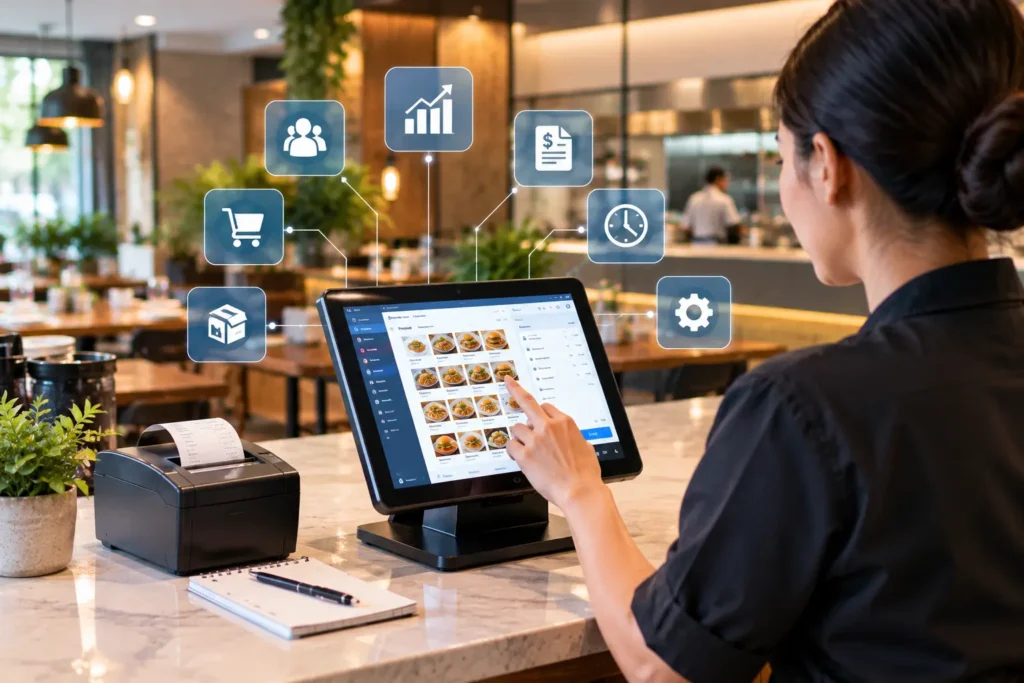
If you are searching for restaurant POS software price in Pakistan, the honest answer is that there is no single number. The price depends on five things: whether you pay a monthly subscription or a lifetime license, how many terminals and branches you run, what hardware you need, whether the system supports FBR and PRA invoicing, and which modules you add on top of billing.
This guide walks through each of those so you can read any quotation with confidence, whether you run one cafe in Lahore or a chain of outlets across Pakistan.
What does restaurant POS software price include?
A restaurant Point of Sale (POS) system is the software that takes orders, prints bills, tracks payments and records sales. The POS software price you are quoted usually covers some or all of the following:
- The core POS billing software for dine-in, takeaway and delivery orders
- Table management and order management
- Reports on daily sales, items and staff
- Setup, installation fee and staff training
- Support, updates and a maintenance fee
Ask for a written list of what is and is not included. A low headline figure that leaves out installation, hardware or support is the most common reason owners feel overcharged later.
Cloud POS vs offline POS: how pricing models differ
Most quotations in Pakistan follow one of two models, and they feel very different on your balance sheet.
- Cloud POS software price in Pakistan: usually a smaller setup cost plus a recurring POS software monthly subscription price in Pakistan. You get updates, backups and multi-branch reporting without running your own server.
- Offline POS software price: often a one-time purchase licence with optional yearly support. The upfront cost is higher, and you handle backups, upgrades and branch syncing yourself.
Neither is automatically cheaper. A restaurant that plans to open more branches usually benefits from cloud POS, because adding an outlet does not mean buying and configuring another local server. If you want the full comparison, read our guide to a cloud-based POS system for restaurants. Our comparison of cloud-based POS vs traditional POS covers the trade-offs in more depth.
Seven factors that change the price
- Pricing model. Subscription, annual or lifetime licence.
- Number of terminals. Each billing counter or tablet may carry its own fee.
- Number of branches. Some providers use per-branch pricing, others bundle branches into one plan.
- Users and roles. Extra cashiers, waiters and managers can add to the monthly cost.
- Modules. Inventory management, kitchen display system (KDS), recipe costing, accounting and online ordering are often priced separately.
- Tax integration. FBR, PRA or SRB electronic invoicing support may be included or charged as an add-on.
- Support level. Phone, WhatsApp and on-site support are priced differently.
Hardware: what you need and what it adds
Software is only part of the POS hardware and software cost. A typical restaurant counter may need:
- A touchscreen terminal or an Android POS machine
- A thermal receipt printer, plus a second printer for the kitchen
- A cash drawer
- A barcode scanner if you sell packaged items or run a bakery counter
- Screens for a kitchen display system (KDS) if you want to retire paper tickets
Existing tablets and printers can often be reused, so ask whether the provider’s software works with the hardware you already own before you accept a bundle.
FBR and PRA integration: ask before you buy
Tax invoicing rules in Pakistan differ by province and business type, so do not assume every POS handles them. Ask the provider directly whether the system supports Federal Board of Revenue (FBR) POS invoicing, and whether it also supports the provincial authority that applies to you, such as the Punjab Revenue Authority (PRA) or the Sindh Revenue Board (SRB). Then confirm the current requirements on the official FBR and PRA websites, because rules change. CherryBerry RMS explains how its FBR POS invoicing system works on its own page.
A POS software with FBR integration price can look higher than a basic billing tool, but a system that cannot invoice correctly costs far more when you have to replace it.
Hidden costs to ask about
- Setup, data migration and menu entry fees
- Staff training sessions
- Extra charges for a new branch or terminal
- Fees for payment gateway and Raast or card payment integrations
- Renewal price after the first year
- What happens to your data if you cancel
How to compare restaurant POS quotations
Put every quotation on the same footing by asking each provider the same six questions:
- What is the total cost in year one, including setup, hardware and training?
- What is the monthly or yearly cost from year two onward?
- Is pricing per user, per terminal or per branch?
- Which tax integrations are included today, not planned?
- Does the system work if the internet drops, and how does it sync afterwards?
- Can I see a live demo using a menu like mine?
Request a POS software demo and a written POS system quotation from at least two providers. Comparing the second number against the first is the fastest way to spot gaps.
POS system provider near me: choosing local support in Lahore and beyond
Many owners search for a POS system provider near me or a restaurant POS near me because breakdowns happen during dinner service, not office hours. Local support matters, but “near me” results are shaped by your location and by the provider’s Google Business Profile, so do your own checking:
- Confirm the provider has a real office or support team in Lahore, Karachi, Islamabad or your city
- Ask how fast they respond during peak hours and whether support covers weekends
- Ask for a restaurant in your city that already uses the system
- Check recent reviews rather than relying on the provider’s own claims
Cloud systems reduce the need for a technician to visit, because updates and many fixes happen remotely. Even so, good local support is worth paying for.
How CherryBerry RMS fits in
CherryBerry RMS is a restaurant management platform built for restaurants, cafes and food businesses in Pakistan. Billing is only one part of it. The same platform connects kitchen management, restaurant inventory management, restaurant accounting, order management and table reservations, so you are not paying for several tools that do not talk to each other.
Frequently asked questions
How much does a restaurant POS system cost in Pakistan?
It depends on the pricing model, the number of terminals and branches, the hardware and the modules you choose. Cloud systems usually combine a setup cost with a monthly plan, while offline systems often charge a one-time licence. Ask for a written year-one total so quotes are comparable.
Is restaurant POS software a one-time purchase or a monthly subscription?
Both models exist. Cloud POS is typically a monthly or annual subscription. Offline POS is often a one-time licence with optional paid support. The better choice depends on how many branches you plan to run.
What hardware do I need for a restaurant POS?
Most restaurants need a touchscreen terminal or Android POS machine, a thermal receipt printer and a cash drawer. A barcode scanner and kitchen printer or display are common additions.
Does restaurant POS software support FBR integration in Pakistan?
Some do and some do not. Ask the provider whether FBR invoicing is included today, whether your provincial authority such as PRA or SRB is supported, and confirm current rules on the official websites.
Does a POS system need an internet connection?
Cloud POS needs internet to sync, but a good system keeps taking orders during short outages and syncs afterwards. Ask the provider exactly how offline mode works.
What is the difference between cloud POS and offline POS?
Cloud POS stores data online, updates automatically and supports multi-branch reporting. Offline POS runs on local equipment and needs manual backups and upgrades.
What are the hidden costs of POS software?
Common ones are setup and data migration fees, training, extra terminals or branches, payment integration fees, renewal price increases and charges for extra modules.
How do I find a POS system provider near me?
Search with your city, check that the provider has a real support presence there, read recent reviews, and ask for a restaurant nearby that already uses the system.
Next step
Want a clear quotation for your restaurant? Contact CherryBerry RMS to book a demo and get a written proposal built around your branches, terminals and menu.