

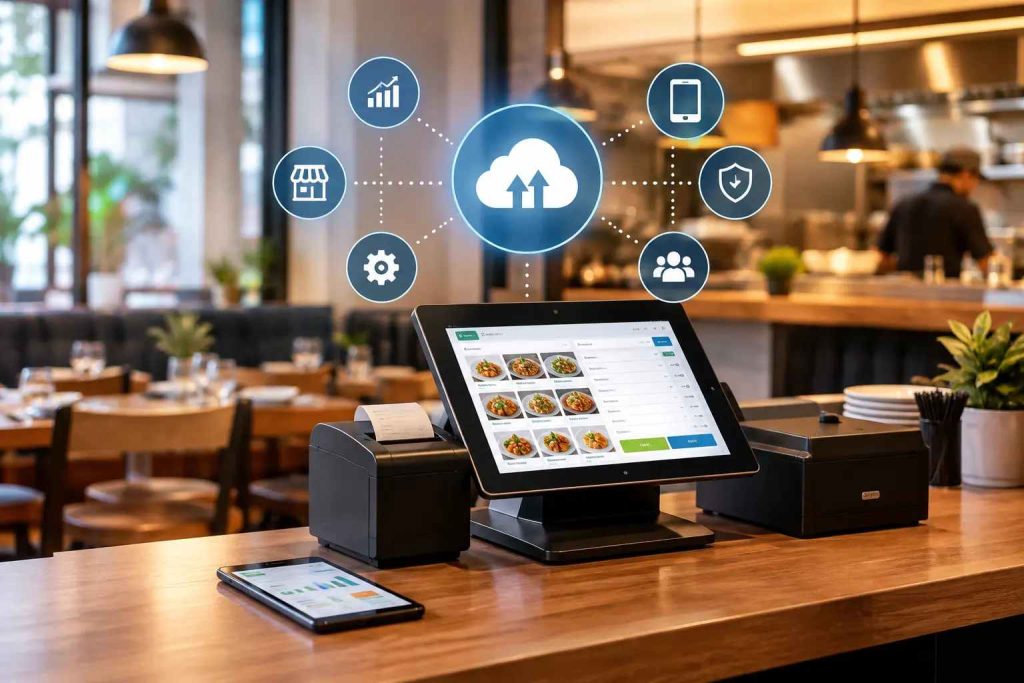
The main benefits of cloud based POS for restaurants are live sales visibility across branches, fewer billing and stock errors, tax-ready invoicing, one order queue for every channel and data that stays safe off-site. This guide explains each benefit for Pakistan and how to test it before you pay.
Many owners still run their outlets through evening phone calls and WhatsApp reports from managers. A cloud POS replaces that guesswork with numbers you can open on your phone. It does not fix everything, though, and we cover its limits honestly further down.
What Is a Cloud-Based POS System for Restaurants?
A cloud-based POS is billing and order-management software that stores data online instead of on a single counter computer. Every sale, refund and stock change updates in real time and shows on any approved device. For a restaurant, it usually connects the counter to the kitchen, stock and online orders. You can read the basics in our guide on how cloud-based POS systems for restaurants work.
8 Benefits of Cloud Based POS for Restaurants in Pakistan
1. See Every Branch Live From Your Phone
The biggest everyday gain is visibility. Instead of calling three managers to ask how the lunch rush went, you open one dashboard and see sales by branch, shift and hour. Head office can compare outlets in Lahore, Karachi and Islamabad on the same screen. CherryBerry’s cloud-based POS system for restaurants also monitors the connection of each branch, so you hear about a terminal going offline before a cashier calls you.
2. Tax-Ready Invoices Without Extra Steps
In Pakistan, a POS is also where tax reporting happens. FBR requires POS integration from notified persons, and the process runs through a licensed integrator, as its own guidance explains in its electronic invoicing FAQs. Whether your outlet is covered depends on your registration and notifications, so check your position with FBR, your provincial authority or your accountant.
A cloud POS makes compliance simpler because the invoice number and QR code are created when the bill is closed, inside the same system your cashier already uses. Our FBR POS invoicing system page shows how this works. Be careful with vendors who say “FBR ready” without a live invoice demo.
3. Fewer Billing and Order Errors
Hand-written or retyped orders cause wrong items, missing modifiers and disputed bills. In a connected system the order is entered once and goes straight to the kitchen as a ticket with modifiers and notes. That is the idea behind CherryBerry’s kitchen management, and it matters most in the Friday night rush, when memory fails first.
4. Stock That Moves With Every Sale
Counting stock only at month end hides waste and theft for weeks. With ingredient-level recipes, each dish sold deducts its ingredients, so you can compare what should have been used with what was actually used. Low-stock alerts then tell you what to reorder. See how restaurant inventory management software connects sales and stock, or read our guide to tracking stock and reducing waste.
5. One Queue for Counter, WhatsApp, Phone and Delivery Orders
Pakistani restaurants take orders from the counter, phone calls, WhatsApp, their own app and platforms such as Foodpanda. When each channel lives in a different place, orders get missed. A cloud POS brings them into one list. Learn how order management software works, how WhatsApp AI ordering feeds the same queue and how a restaurant rider app handles delivery.
6. One Menu and Price List for Every Outlet
With separate tills, a price change means visiting or calling every branch. In the cloud, you update the menu once and each outlet receives it, while still allowing branch-level differences where you need them. This keeps customers from seeing different prices for the same dish and saves your managers hours of manual updates.
7. Reports You Can Act On
Good reports go beyond total sales. Look for sales by hour, item, cashier and branch, plus voids and discounts by user. During Ramadan and Eid, hourly and item-wise numbers tell you what to prepare tomorrow. Ask to see the exact day-end report in your demo, not a sample screenshot.
8. Safer Data, Access Control and Easier Growth
A single counter PC can fail, get stolen or be switched off by a power cut, taking your records with it. Cloud systems keep data off-site, so a broken terminal does not erase your history. Role-based logins also let you decide who can void a bill or change a price, and every action is traceable to a user.
If you accept card payments, ask how the vendor handles card data. The PCI Security Standards Council publishes the security standard for payment card data, and it is reasonable to ask which parts apply to the system you are buying. Growth is simpler too: adding a branch means adding a login and a terminal, not building a new server.
Cloud POS vs Traditional POS: The Quick Difference
A traditional POS keeps data on one local computer or server. It can work well at a single counter, but remote reports, backups, updates and branch syncing need extra setup. A cloud POS shares one live record across every device and branch, and the provider handles updates. The trade-off is dependence on internet, which is why the offline test below matters. Our complete guide to cloud-based restaurant POS goes deeper on the comparison.
Which Restaurants Gain the Most?
- Multi-branch groups: one dashboard, one menu, branch-level permissions
- Delivery-heavy outlets and cloud kitchens: one queue, rider assignment, recipe-level stock
- Cafes and bakeries: fast checkout, loyalty and wastage tracking
- Full-service restaurants: table plans, split bills and kitchen routing
Owners who are rarely on site benefit the most, because the system gives them the numbers without a phone call. If you run one small counter and are always present, the gain is smaller, and a simple setup may be enough.
What a Cloud POS Does Not Fix
Honesty protects you from bad purchases. A cloud POS depends on connectivity and power, and load-shedding is a daily reality in Pakistan. Plan for it on two levels. First, protect hardware with a UPS for the terminal, printer and router, and consider a backup mobile data connection. Second, ask what the software does when the internet drops.
Some systems keep billing offline and sync later, and some do not. Never accept “works offline” without watching it: disconnect the internet during a demo, bill two orders, reconnect and check for duplicates and correct invoice numbers. A cloud POS also will not fix poor menu pricing, untrained staff or weak supplier control. It shows these problems faster.
What Does a Cloud POS Cost in Pakistan?
Prices vary by branches, terminals, modules, hardware and support, and vendors often quote different things under the same word “POS”. Treat any single price as incomplete until you know what it includes. Use this formula to compare written quotations in PKR: year-one cost = (monthly subscription x 12) + hardware + setup + training + integrations + extra branches or users.
Ask which items are one-time and which recur, whether FBR integration is included, and what renewal costs. A low monthly fee can hide expensive setup or hardware. Our restaurant POS software price in Pakistan page explains the cost factors in more detail.
How to Test These Benefits Before You Buy
- Give each shortlisted vendor the same demo script, using your own menu with modifiers.
- Open two branches and a head office login at once, then change a price in one place.
- Close a bill and ask to see the FBR invoice number, QR code and the integration route.
- Sell a dish and confirm that stock deducts and a low-stock alert appears.
- Send orders from the counter, WhatsApp and a delivery channel and check the single queue.
- Run the internet-off test and note what works and what does not.
- Compare written PKR quotations using the year-one formula, and check data export and renewal terms.
Is CherryBerry RMS the Right Cloud POS for Your Restaurant?
CherryBerry RMS connects POS, kitchen, inventory, delivery and ordering in one platform, which suits restaurants, cafes, fast-food outlets and cloud kitchens that want fewer separate tools. It may be less suited to a very small stall that needs only a printed bill. Browse the full feature list to see which modules apply to you, then book a free demo and bring your menu, branch list and order channels.
Key Takeaways
- Cloud POS gives live visibility across branches, tax-ready invoices, one order queue and stock that follows sales.
- In Pakistan, check your FBR or provincial tax position and ask for a live invoice demo.
- Cloud POS depends on power and internet, so test offline behaviour and plan a UPS.
- Compare written PKR quotations with the year-one cost formula.
Frequently Asked Questions About Restaurant POS Software in Karachi
What are the main benefits of a cloud-based POS for restaurants?
The main benefits are live multi-branch reporting, fewer order and billing errors, tax-ready invoicing, automatic stock deduction, one queue for all order channels, consistent menus and prices, and off-site data storage with role-based access.
Is a cloud POS better than a traditional POS for restaurants?
For multi-branch restaurants and those selling online, usually yes, because data is shared live and reports are available anywhere. A single outlet with stable power and a technician nearby can still work with a locally installed system. Test offline behaviour either way.
Does a cloud POS work without internet in Pakistan?
It depends on the vendor. Some keep billing and printing offline and sync later, others need a connection. Test it by disconnecting the internet during a demo, and pair the software with a UPS for the terminal, printer and router.
Is a cloud POS FBR compliant?
Only if the vendor integrates your outlet correctly. FBR guidance says notified persons integrate through a licensed integrator. Ask for a live invoice with an FBR number and QR code, and confirm your obligations with FBR or your accountant.
How much does a cloud POS cost for a restaurant in Pakistan?
Cost depends on branches, terminals, modules, hardware, support and tax integration. Ask for a written PKR quotation that separates one-time and recurring items, then compare vendors with the year-one cost formula.
Can a cloud POS manage multiple restaurant branches?
Yes, this is one of its strongest uses. Confirm that each branch can have its own menu, prices, stock and permissions while head office sees consolidated and branch-level reports under one login.
Can a cloud POS handle Foodpanda and WhatsApp orders?
Some can. Ask the vendor to show how each channel reaches the POS and kitchen, how menu changes sync and how delivery orders are assigned to riders. Integrations differ by vendor and plan.
How long does it take to move to a cloud POS?
It depends on menu size, number of branches, hardware, data migration and training. Ask the vendor for a written timeline and a go-live plan, and run the new system alongside the old one for a short period if you can.
Can I export my data if I change vendors?
You should be able to. Ask for export in a standard format, such as spreadsheet files, and confirm who owns the data and what happens to it when the contract ends.
Is my restaurant data safe in a cloud POS?
Data is stored off-site, so a broken or stolen terminal does not erase it. Ask the vendor about backups, access roles, encryption and how card data is handled, and ask for a data export option.