


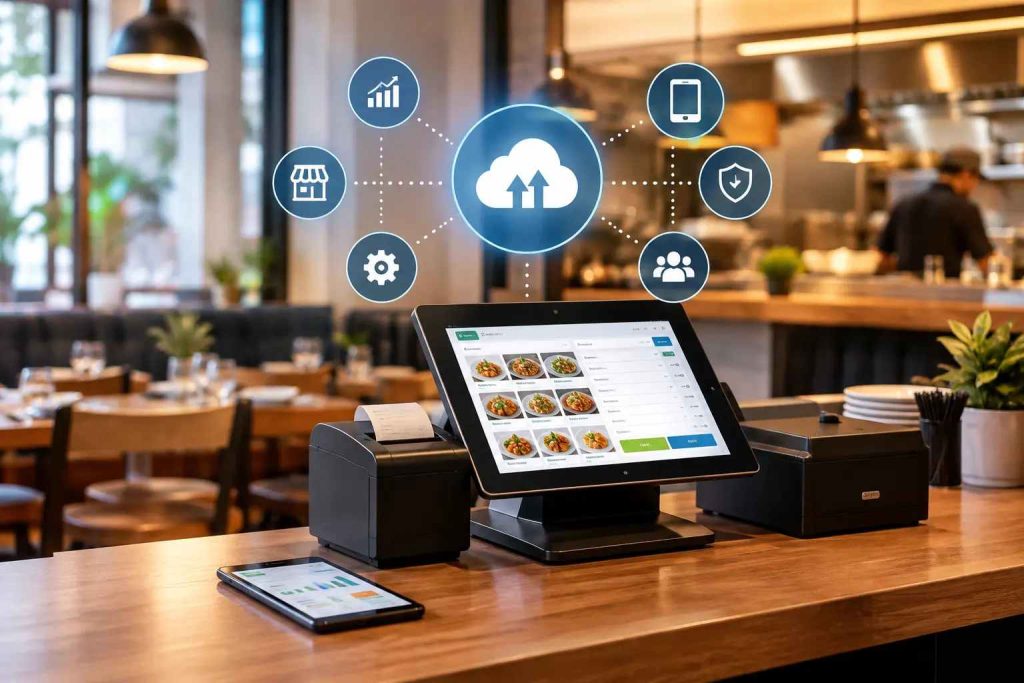
A cloud-based POS system stores restaurant data on remote servers instead of a machine in your back office. The main benefits are fewer manual errors, live sales analytics from any device, remote multi-branch management, consistent pricing across locations, automated promotions, ingredient-level inventory control, customer insight, and faster service. The trade-off is dependence on a reliable internet connection.
In today’s fast-paced food industry, technology has become the backbone of restaurant success. From managing kitchen operations to tracking real-time sales, reliable cloud-based POS systems for restaurants can transform how your business operates.
Whether you own a café, a small diner, or a multi-branch restaurant, switching from a traditional POS to a cloud-based solution offers unmatched advantages. In 2026, the restaurant industry is witnessing unprecedented digital transformation, and cloud POS systems have become essential for survival and growth.
Traditional POS systems are becoming obsolete due to their high maintenance costs, limited scalability, and inability to provide real-time data access. Cloud-based solutions, on the other hand, operate on remote servers accessible via the internet, eliminating the need for expensive on-site hardware and complex installations.
1. Improved Accuracy and Error Reduction with Cloud-Based POS Systems
One of the biggest challenges restaurants face is inaccurate data entry, manual errors, and mismatched inventory. Traditional registers often rely on manual inputs that lead to costly mistakes.
With a cloud-based POS system, everything is automated and synced in real-time.
Key benefits include:
- Automatic order recording and sales tracking
- Real-time synchronisation across devices and branches
- Accurate stock levels and pricing consistency
- Reduction in human errors during peak hours
- Elimination of handwritten orders that chefs struggle to read
- Instant order transmission from server to kitchen or bar
Cloud hosting ensures a single source of truth for sales, menus, and inventory across all locations. Each update reflects instantly, eliminating confusion and enhancing staff performance.
Modern cloud POS systems in 2026 utilise AI-powered error detection that flags unusual transactions or inventory discrepancies before they become costly problems. This proactive approach saves restaurants thousands of dollars annually in prevented losses.
2. Valuable Business Insights and Real-Time Analytics
A POS is no longer just for billing. Modern cloud-based systems gather detailed analytics that help you make smart business decisions.
You can easily track:
- Top-selling dishes and menu performance
- Customer buying habits and preferences
- Peak hours and seasonal trends
- Recipe-level ingredient consumption tracking
- Cost analysis for each menu item
- Customer lifetime value and repeat visit patterns
These insights enable restaurants to create targeted promotions, optimise pricing, and forecast future demand.
Cloud-based analytics let managers access live dashboards anytime, anywhere, ideal for franchise owners or multi-branch operators. Sales data can be sliced by time, location, staff, menu items, payment types, and much more, providing a holistic view of business health.
In 2026, advanced cloud POS systems offer predictive analytics powered by machine learning, helping restaurant owners anticipate demand patterns and reduce food waste by up to 30%.
The data-driven decision-making capabilities transform restaurant management from reactive to proactive, giving you a competitive edge in an increasingly crowded market.
3. Manage Your Restaurant from Anywhere with Cloud-Based POS Systems
With a cloud POS, restaurant owners can stay in control, even when away from the restaurant. All business data is stored securely online and can be accessed via laptop, tablet, or mobile phone.
Advantages of remote management:
- Monitor live sales and staff performance remotely
- Compare branch performance through dashboards
- Manage menu updates and pricing instantly
- Track customer feedback and order delivery in real-time
- Update combos, discounts, and promotional offers from anywhere
- Receive instant notifications about critical inventory levels
- Access comprehensive reports without being physically present
Expanding your restaurant chain becomes easier with centralised control. Add a new branch, push the updated menu, and assign user permissions remotely; no need for on-site setups.
This mobility is crucial for restaurant managers who travel frequently or operate multiple locations. With just an internet connection and a smartphone, you can oversee every aspect of your restaurant operations, making informed decisions on the go.
The system automatically syncs all changes across every device in your restaurant network, ensuring consistency and eliminating the need for manual data transfer.
4. Consistency Across All Locations
Uniformity in pricing, offers, and customer service builds trust. A Cloud-based POS ensures that every branch follows the same pricing and promotional rules.
Key benefits:
- Centralised price and menu updates
- Automatic synchronisation between outlets
- Reduced pricing discrepancies
- Improved brand image and customer satisfaction
- Standardised service quality across all locations
- Unified customer experience regardless of the branch visited
Consistency not only reduces customer confusion but also strengthens your restaurant’s brand reputation online, helping improve ratings and repeat business.
In multi-location operations, maintaining consistency is one of the biggest challenges. Cloud POS eliminates this issue by ensuring that any change made at headquarters is instantly reflected across all branches, from menu prices to promotional campaigns.
This centralised approach also simplifies compliance with health regulations and corporate standards, as all locations operate under the same guidelines and procedures.
5. Effortless Promotions and Discounts
Managing multiple offers manually can be overwhelming. Cloud-based POS systems simplify this with built-in promotion and loyalty tools.
You can easily:
- Create custom discounts or seasonal offers
- Set start and end times for each promotion
- Track which promotions generate the most revenue
- Integrate loyalty programs for repeat customers
- Design time-based promotions (happy hours, early bird specials)
- Implement customer segmentation for targeted marketing
- Automatically apply discounts without manual intervention
Use loyalty points, coupons, and customer segmentation to retain high-value guests and build stronger relationships.
Modern loyalty programs integrated with cloud POS track customer preferences and order history, enabling personalised recommendations and special offers for VIP patrons. This level of personalisation significantly increases customer retention and lifetime value.
In 2026, AI-driven promotion engines can automatically suggest optimal discount levels and timing based on historical data, competitor analysis, and seasonal trends, maximising profitability while driving sales.
6. Advanced Inventory Control and Management
Inventory management is one of the most crucial aspects of restaurant success. With cloud-based POS systems for restaurants, managing stock becomes more accurate and stress-free.
Main benefits:
- Real-time tracking of food and beverage stock
- Low-stock alerts and automatic reorder triggers
- Ingredient-level tracking for recipes
- Integration with suppliers for seamless restocking
- Recipe costing that calculates exact ingredient usage per dish
- Waste tracking to identify areas of improvement
- Automated purchase order generation based on consumption patterns
Modern systems even calculate recipe-based consumption, allowing you to see exactly how much of each ingredient is used per order, reducing waste and food costs.
Restaurant operators have more complex inventory needs compared to retail merchants. Cloud POS systems address this by monitoring when key ingredients run low, ensuring your chef always has what’s needed to prepare customer favorites.
The system helps calculate production costs for each menu item, enabling you to identify instances where you may be overpaying or where profit margins are being squeezed.
By maintaining optimal inventory levels, restaurants can reduce holding costs, minimize spoilage, and improve cash flow management.
One caution worth stating plainly, because it decides whether any of this works. Automatic deduction is only as accurate as the setup behind it. Every recipe has to be mapped, purchase-to-recipe unit conversions have to be entered correctly, and ingredients with trim loss need a yield percentage. Get those wrong, and the system will report numbers with total confidence that do not match your shelves. Our guide to POS inventory management covers the setup errors that cause most of it.
7. Identify Patterns and Customer Preferences
Understanding your customers is key to growing your business. With POS analytics, you can uncover purchasing patterns and tailor your menu or offers accordingly.
You can identify:
- Which dishes sell best during lunch or dinner
- Seasonal menu trends
- High-value customers for loyalty targeting
- Sales reports by day, week, or month
- Customer dietary preferences and allergy information
- Average spending per customer segment
- Most profitable table sections or service times
Use this data to design local promotions, optimise menu pricing, and enhance your customer retention strategy. It’s like having a built-in marketing assistant in your POS.
The system retains customer preferences and ordering history, allowing for personalised service and marketing initiatives. This centralisation of guest data into a single dashboard provides a complete picture of each customer.
When reservations and payments are connected, you’ll have access to comprehensive guest information, including average spending, dietary needs, and allergies, all at once, enabling effective upselling and maintaining high service standards.
This guest information not only helps deliver personalised experiences that distinguish your restaurant from competitors but also satisfies the demands of today’s diners, who expect customised service.
8. Faster Operations and Better Customer Experience
Speed matters in the restaurant world. Long wait times and slow checkouts can lead to poor reviews and lost customers. A cloud POS speeds up every aspect of your service.
Performance improvements include:
- Quick order entry and billing
- Automatic order transfer to the kitchen
- Faster checkout and payment processing
- Real-time sync with online orders and delivery apps
- Tableside ordering using tablets for immediate service
- Multiple payment options, including contactless, e-wallets, and QR codes
- Split payment functionality for groups
- Automated tipping options that improve staff satisfaction
Integration with online ordering and rider apps improves delivery accuracy and reduces customer wait times, ideal for restaurants offering dine-in, takeaway, and delivery.
Servers can submit orders from the table or counter and quickly send them to the kitchen or bar, whether for outdoor tables or multi-level dining areas. This eliminates the old-fashioned method of writing down orders and hoping the chef can read them.
The reduction in wait times and improved accuracy leads to higher table turnover and more opportunities to enhance customer experience with personalised upsells.
Processing transactions anywhere in the restaurant, from the bar to the terrace, gives visitors convenience while keeping your team in control of the guest experience, rather than having customers line up to pay after their meal.
Additional Benefits That Set Cloud POS Apart
Cost-Effectiveness and Lower Total Ownership
Traditional POS systems require expensive hardware, servers, and extensive on-site installation. Cloud platforms significantly reduce these costs with remote server infrastructure and mobile device integration.
Instead of large upfront capital expenditures, restaurants pay affordable monthly subscriptions for seamless access across locations.
Installation differences are substantial: Conventional systems necessitate heavy server and wiring footprints within the store plus lengthy setup processes, while cloud systems can be deployed in hours, not weeks.
Software updates and maintenance that once required costly technician visits are now handled automatically in the cloud, reducing both expenses and downtime. Backups ensure no data loss if systems go down.
Between savings on equipment, IT maintenance, downtime, and repairs, cloud POS provides a higher return on investment despite monthly subscription fees.
The cost shape is worth understanding, not just the total. Traditional POS is a capital expenditure: a large payment upfront, then another when the hardware needs replacing, typically somewhere between year four and year seven. Cloud POS is operating expenditure: smaller, recurring, and indefinite. Ask any vendor for a five-year total rather than a monthly price, then ask what that becomes when you open a second location. Traditional roughly doubles because you buy the whole setup again; cloud usually adds an incremental subscription. For a fuller side-by-side, see our comparison of cloud POS vs traditional POS
Enhanced Security and Compliance
Data security is paramount for restaurants processing thousands of credit card transactions daily. Cloud platforms provide enterprise-grade security beyond the scope of typical on-premises systems.
Security features include:
- Provider firewalls and intrusion detection
- Role-based employee access controls
- Encrypted data transmission (end-to-end encryption)
- Automatic security patch updates
- Built-in failover and disaster recovery infrastructure
- Multi-factor authentication for sensitive operations
- Regular security audits and compliance reporting
By leveraging security experts, cloud platforms safeguard data integrity and privacy without burdening lean restaurant IT teams. Automated backups to the cloud ensure data is routinely secured and always recoverable.
Card payments sit under a separate framework worth knowing about. The PCI Security Standards Council, the global body that develops and maintains payment card security standards, sets the requirements any system handling card data has to meet. When you evaluate a provider, ask three direct questions: how card data is handled, where it is stored, and how compliance responsibility is divided between you, the POS vendor, and your payment processor. A vendor who answers those clearly and specifically is telling you something useful about how seriously they take everything else.
Seamless Integration Capabilities
Software add-ons can be easily integrated with cloud-based POS systems through open APIs, creating a flexible ecosystem that adapts to your restaurant’s evolving needs.
Popular integrations include:
- Accounting software (QuickBooks, Xero)
- Delivery platforms (Zomato, Foodpanda, Careem)
- Marketing and analytics tools
- Customer relationship management (CRM) platforms
- Payment gateways
- FBR tax compliance and reporting tools
In 2026, integration capabilities have become a critical differentiator, with leading cloud POS systems offering hundreds of pre-built connectors and customizable APIs for unique business requirements.
Scalability for Business Growth
As your restaurant expands, so do your requirements. A cloud-based POS system scales effortlessly to accommodate growth.
Scalability advantages:
- Easily add new locations without complex installations
- Quickly onboard additional terminals or devices
- Expand features and functionality as needed
- Handle increased transaction volumes without performance degradation
- Add new service models (delivery, catering) with simple configuration
- Seasonal capacity adjustments without hardware changes
Updates for legacy systems must be performed on-site, taking weeks or months to program terminals across locations. With cloud POS, updates happen instantly and simultaneously across all terminals.
Improved Communication and Order Accuracy
Ineffective communication between servers and kitchen staff is a guaranteed way to create problems. Cloud POS eliminates this issue.
Communication improvements:
- Orders entered digitally by waiters
- Tickets sent directly to the kitchen displays or printers
- No room for misunderstandings or illegible handwriting
- Special instructions and modifications clearly displayed
- Real-time order status updates for front-of-house staff
- Allergy alerts and preparation notes highlighted
Automation frees up time for restaurant staff to focus on high-value activities like customer service and upselling rather than repetitive, low-skill tasks.
The quality of that handoff depends on how deeply the two systems are connected. A native link means the ticket reaches the correct station the moment it is entered, with modifiers and allergy notes intact and nothing re-typed anywhere. A shallow one means someone reads an order off a screen and enters it again, which puts every error you just removed straight back into the process. If your kitchen runs on screens rather than printers, the routing logic in your kitchen management system matters as much as the POS sending the order. Ask a vendor to send one dish that touches two stations and show you how both are sequenced.
More Ways Cloud POS Helps Day to Day
Beyond the eight main benefits, a few smaller gains add up over a year of running a restaurant.
Ingredient-level costing. When the system tracks stock against each recipe, you see when a key ingredient is running low and what each dish actually costs to make, so overpaying a supplier shows up quickly.
Staff scheduling and time tracking. Many systems can clock staff in and out and help plan shifts around busy and slow periods, which takes some of the manual work out of managing a rota.
Loyalty and repeat customers. Order history and saved preferences make it easier to run loyalty offers and targeted promotions for guests who already eat with you.
Lighter hardware. Because data lives online, the core terminal can be a tablet or similar device rather than a dedicated machine, with printers and kitchen screens added only where you need them.
What Cloud POS Does Not Solve
Every article on this topic, including the eight benefits above, is written by people who sell or use the technology. So it is worth being straight about the limits, because knowing them is what makes the benefits believable.
It does not remove your dependence on connectivity. A cloud system needs a working connection. What you gain is that your data is never trapped on a single machine. What you take on is responsibility for redundancy: a backup line on a different network, and a UPS on the router rather than only the terminal. Ask any vendor exactly what happens when the connection drops, and make them show you rather than tell you.
It does not fix bad data. Analytics, food cost reporting, and demand forecasting all sit on top of whatever you entered at setup. Wrong recipes and wrong unit conversions produce wrong reports, delivered with complete confidence. The software cannot tell the difference.
It does not replace management. A dashboard showing that your Thursday margin is slipping is useful only if someone looks at it and acts. Plenty of restaurants buy excellent reporting and never open it after the first month.
It does not fix a menu that does not work. If a dish loses money at its current price, a POS will tell you faster and more precisely. It will not change the price for you, and it will not make the dish profitable.
None of this is an argument against cloud POS. It is an argument for buying it with clear expectations, which is also the best predictor of whether a restaurant still uses the system properly a year later. That matters more now than it used to: a report found that 42 percent of operators said their restaurants were not profitable in 2025, pointing to operational innovation and technology as levers for easing cost pressure. Technology helps, but only where it is actually used.
How to Verify Each Benefit Before You Buy
Every vendor claims all eight benefits. The difference between a good system and a demo that looked good is what you test before signing. Take this table into the meeting.
|
Benefit |
What to ask the vendor to demonstrate live |
|
Accuracy and error reduction |
Ring up an order with a modifier, then change the modifier and watch whether the kitchen ticket updates or a second one appears |
|
Real-time analytics |
Show a real exported report from a live account, not a mock-up with sample charts |
|
Remote management |
Log into the same account on a phone while the demo is running and change a price |
|
Multi-location consistency |
Push a single price change to every branch at once and count the clicks |
|
Promotions |
Build a time-limited discount from scratch during the demo |
|
Inventory control |
Set up one ingredient with a purchase unit, a recipe unit and a trim loss percentage |
|
Customer insight |
Show how a guest’s order history and allergy notes appear at the point of service |
|
Speed of service |
Send an order from every channel you use and show all of them landing in one queue |
Actionable tip: score each row pass or fail and compare vendors on the total. It cuts through the halo effect a polished salesperson creates, and it turns a subjective impression into something you can put in front of a business partner.
Why Choose CherryBerry RMS for Cloud POS Systems?
CherryBerry RMS provides the most interactive cloud-based POS systems for restaurants, with outstanding services tailored to the local market’s unique needs.
What makes CherryBerry RMS different:
- Local market expertise with an understanding of modern restaurant operations
- FBR integration for seamless tax compliance and reporting
- On-ground support with responsive customer service
- Affordable pricing structured for current market conditions
- Customizable solutions for restaurants of all sizes and types
Our cloud-based POS systems are secure, affordable, and customizable to meet your restaurant’s unique needs, whether you’re operating a small café or managing a multi-branch restaurant chain.
Conclusion: The Future is Cloud-Based
In a competitive food industry, staying ahead means embracing innovation. A cloud-based POS system not only simplifies daily operations but also helps you make data-driven decisions, reduce costs, and enhance customer satisfaction.
Key takeaways:
- Streamline operations with automation and analytics
- Improve visibility across branches
- Save time and reduce human errors
- Scale your business effortlessly
- Access real-time data from anywhere
- Enhance security with enterprise-grade protection
- Integrate seamlessly with modern business tools
- Provide superior customer experiences
- Plan for connectivity redundancy from day one, since it is the one dependency cloud introduces
- Get recipe and unit-conversion data right at setup, because every report downstream depends on it
- Make vendors demonstrate each benefit live rather than describe it
- Compare five-year totals, not monthly prices, and ask what changes at your second branch
Migrating point-of-sale systems to the cloud transforms restaurants through greater flexibility, actionable insights, engaging customer experiences, and risk mitigation. Despite monthly subscription fees, the improved scalability, reduced hardware costs, and lower overhead provide superior value compared to large capital expenditures on legacy systems with limited capabilities.
As technologies continue advancing in 2026 and beyond, cloud-based POS systems offer restaurants an easier path to innovation and prime them for future growth.
If you’re ready to take your restaurant to the next level, explore CherryBerry RMS’s complete POS solutions.
Choose a POS provider that offers end-to-end data encryption for safe payment processing, protecting both your business and your customers.
Frequently Asked Questions (FAQs)
1. What is a cloud-based POS system?
A cloud-based POS system stores data online, allowing business owners to access sales, inventory, and customer information from anywhere with internet connectivity. It offers real-time updates and automatic backups, making it ideal for multi-location businesses.
2. How does cloud-based POS work?
Cloud-based POS processes transactions through internet-connected devices and stores data on remote servers. When a sale is made, information is instantly uploaded to the cloud, enabling real-time synchronisation across all devices and locations.
3. What is the difference between Cloud POS and traditional POS?
Traditional POS requires on-premises servers and local storage, while cloud POS operates entirely online and is accessible remotely. Cloud systems offer automatic updates, lower upfront costs, and easier scalability compared to traditional systems.
4. What are the most common problems in POS systems?
Common issues include internet connectivity problems, slow transaction processing, hardware malfunctions like printer or card reader failures, and software glitches. Security vulnerabilities and integration problems with inventory systems are also frequent concerns.
5. Why should you choose a cloud-connected point-of-sale system?
Cloud POS offers flexibility to manage a business from anywhere, lower upfront costs, and automatic updates. It provides better data security with automatic backups, real-time analytics, and seamless integration with modern business tools.
6. What is a reliable cloud POS system for small coffee shops?
Small coffee shops benefit from systems like CherryBerry RMS, which offer quick order processing, inventory tracking, and customer loyalty programs. The ideal system should have offline mode, mobile payments, and easy menu customization.
7. What happens to a cloud POS when the internet goes down?
It depends entirely on the vendor. Some systems become read-only and only display the current queue. Some hold new orders on the device and sync once the connection returns. A few keep full local operation, including billing. Ask which of the three you are buying, ask specifically how card payments behave, and plan a backup connection regardless.
8. How long does it take to switch to a cloud POS?
Most single-location migrations take one to three weeks, including data cleanup, configuration, and staff training. The variable is rarely the software. It is how clean your existing menu, recipe, and pricing data is before you import it. Go live on a quiet weekday, not a weekend.
9. Can I export my data if I change POS providers later?
Confirm this before you sign rather than afterwards. Ask what format the export uses, whether it costs extra, how long your data is retained after cancellation, and who owns the recipe and menu data you entered. A usable export means structured files such as CSV, not a PDF summary report.
10. Does a cloud POS work for a single small restaurant or only for chains?
Both, though for different reasons. Chains adopt it for centralised multi-branch control. A single outlet benefits more from the removal of hardware risk, because it has no second location to fall back on if its only terminal fails during service.