

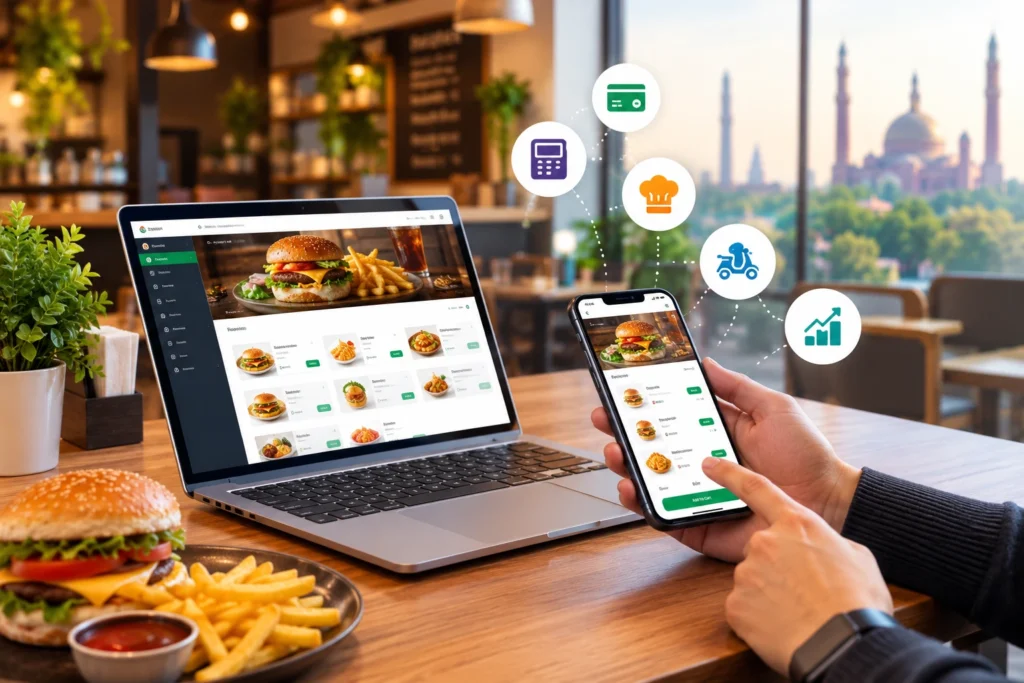
A web app for online ordering in Lahore Pakistan lets customers browse a restaurant’s digital menu, customize meals, choose pickup or delivery and pay from any browser, while each order flows into the restaurant’s POS and kitchen display system (KDS). It gives restaurants in Lahore, Karachi and Islamabad a direct sales channel, so orders, payments and customer data stay with the restaurant instead of a third-party delivery marketplace.
Many restaurants still take orders by phone, WhatsApp, a website form and delivery apps at the same time, and then retype each one by hand. That is where wrong items, late tickets and lost sales begin. This guide explains how a web app works, how it can raise revenue, which features matter and how to choose one. Our page on restaurant online ordering apps gives the wider product overview.
What Is a Web App for Online Ordering?
A web app for restaurant online ordering lets customers browse a digital menu, customize meals, select pickup or delivery and submit an order through a browser on any phone or computer. For the restaurant, it is a digital sales channel that connects with POS software, order management, payment processing and delivery operations, so direct orders stay under its control.
How Does a Restaurant Ordering Web App Work?
- The customer opens your ordering link from Google, Instagram, WhatsApp or a QR code.
- They build a basket, choose modifiers and select pickup or delivery.
- They pay online or choose cash on delivery.
- The order appears on your dashboard and triggers an alert.
- The POS and kitchen display system receive the order without retyping.
- The customer sees status updates until the order is ready or delivered.
Web App vs Restaurant Website vs Mobile App
A web app runs in the browser, so customers need no download. A mobile app is installed from a store, and a plain restaurant website usually only shows the menu. A web app can often be installed to the home screen as a progressive web app, which gives it an app-like feel. Our guide to mobile and web-based ordering compares them in depth.
| Restaurant website | Ordering web app | Mobile app |
Opens through | Browser | Browser or home screen | App store install |
Takes orders | Usually no | Yes | Yes |
Customer effort | None | Low, no download | Higher, must install |
Best for | Menu and contact details | Direct orders from any link | Frequent repeat customers |
How Online Ordering Web Apps Help Restaurants Increase Revenue
Results depend on your menu, area and effort. These are the levers a web app gives you, not guaranteed gains.
Generate More Direct Orders
A shareable link lets customers who find you on Google, social media or WhatsApp order straight from you. Marketplaces charge commission and fees, while a direct channel has its own costs, such as a subscription and payment fees. Add up both for the same month and compare.
Increase Average Order Value Through Upselling
Average order value (AOV) is the average amount spent per order. A web app can suggest a drink, a side or a deal at the basket stage, which a busy phone agent often skips. Track AOV before and after you turn on suggestions.
Encourage Repeat Orders and Customer Loyalty
Order history lets a customer reorder in a few taps, and loyalty offers give them a reason to come back. Repeat purchase rate, the share of customers who order again, is the number to watch. Customer records also let you send a relevant offer to someone who has not ordered for a while.
Reach Customers Beyond Dining Capacity
Even though the seating at your restaurant may be full, you can essentially increase it by using online ordering platforms. Takeaway and delivery orders do not need a table, so busy evenings and weekends are no longer limited by the dining room.
10 Essential Features of a Restaurant Online Ordering Web App
Check each feature in a live test, not only on a feature list. These are the ones that matter most for direct ordering.
Digital Menu and Real-Time Menu Updates
In the quick-paced restaurant industry, your menu and capacity might alter at any time. Menu items should be simple to activate or disable to reflect availability.
Meal Customization and Add-Ons
Guests should be able to choose size, extras and special instructions, and those choices should reach the kitchen exactly as entered.
Restaurant POS Integration
Orders should enter the POS directly, so billing, reports and the kitchen all see the same order. This removes retyping, the most common cause of wrong items.
See how orders and billing connect in our cloud-based restaurant POS. |
Secure Online Payment Options
Ask which payment gateway the app uses and how card data is handled. Check for cash on delivery, cards and mobile wallets such as JazzCash and Easypaisa. Also ask about Raast, which the State Bank of Pakistan calls the country’s first instant payment system.
Delivery and Pickup Management
The app should support pickup and delivery as separate flows, with delivery zones, charges by area and pickup timing for scheduled orders.
Track and assign deliveries with our restaurant rider app. |
Real-Time Order Notifications
Staff need a clear alert for every new order. Customers need status updates, so they do not call to ask where their food is.
Kitchen Display System Integration
A KDS shows each order to the kitchen in sequence, with modifiers and timing, so tickets are not lost on a counter or a phone.
Customer Data and Order History
Contact details, order history and favourites should be stored in a system you can export from, not held only by a third party.
Promotions and Loyalty Programs
Look for discount codes, limited-time offers and loyalty points that work the same way online and in the restaurant.
Sales Reports and Analytics
Reports should show orders, sales, AOV, cancelled orders and top items by day, channel and branch.
Direct Online Ordering vs Third-Party Food Delivery Platforms
Both models can work together. Marketplaces help new customers find you, while a direct web app helps you keep and re-engage them.
Factor | Direct web app | Third-party marketplace |
Cost per order | Subscription and payment fees | Commission and other fees per order |
Customer data | Held by the restaurant | Mostly held by the platform |
Branding | Your logo, menu and offers | Your listing sits among competitors |
New customer discovery | You must bring the traffic | The platform brings its own audience |
Delivery | Own riders or a delivery partner | Often provided by the platform |
Menu and price control | Full control | Platform rules apply |
Direct ordering is not automatically more profitable, because you still pay for delivery and for marketing. A sensible plan is to use marketplaces for discovery and invite repeat customers to your own web app.
How to Choose the Right Restaurant Ordering Web App
Use the five checks below. For a longer step-by-step buying list, see our checklist for choosing an online ordering app.
Compare Pricing and Transaction Fees
Remember that you will be making a long-term investment in your online ordering system. Ask for one written price list covering subscription, setup, payment fees and any per-order charge, then compare the total.
Test the Customer Ordering Experience
Place a test order on a phone, as a customer would. Although there will always be a learning curve, you don’t want to waste time and energy on debugging or training. Ask a cashier to try it too.
Check POS and Hardware Compatibility
Confirm that it works with your POS, receipt printers and kitchen screens, and ask for a live test order.
Review Data Ownership and Security
Ask who owns customer data, whether you can export it and what happens if you cancel. Ask how payments and personal data are protected.
Evaluate Technical Support
Nothing is more frustrating than having a technical problem or defect that has to be fixed and being unable to contact IT. Get support hours and response times in writing.
Common Online Ordering Problems and How to Prevent Them
An illustrative example, not a client case: a restaurant has 40 online orders during its dinner rush. Some come through a website, some by phone and some through third-party platforms. Without one system, staff enter orders by hand, check availability on each channel and call the kitchen. Orders get delayed, a modifier is missed, and pickup and delivery tickets are confused.
Problem | How to prevent it |
Manual entry errors | Send orders straight to the POS and KDS |
Menu shows items that are sold out | Switch items off in one place, synced across channels |
Pickup and delivery tickets mixed up | Use separate order types with clear labels |
Payment failures, refunds and cancellations | Agree a refund and cancellation process, and reconcile payments daily |
Missed orders | Use loud alerts and a rule for unaccepted orders |
No view of online sales | Use reports by channel, day and branch |
An order management system collects every channel in one queue, which prevents most of these problems.
How CherryBerry RMS Supports Restaurant Ordering Operations
CherryBerry RMS is a restaurant management platform built by TechBridge Consultancy in Lahore, Pakistan. Based on its order management page, it supports:
- Orders from your website, branded app and WhatsApp in one dashboard.
- Orders synced to the POS and kitchen display system.
- Live order status: placed, kitchen preparation, out for delivery and delivered.
- Customer order history, so guests can reorder in a few taps.
- Multi-branch management from one dashboard.
- Push notifications and promotions, plus sales and customer analytics.
CherryBerry RMS describes its ordering platform as a zero-commission model. Ask for the full fee list, including payment fees, in writing at your demo.
Frequently Asked Questions
What is a web app for restaurant online ordering?
It is a browser-based ordering tool where customers browse a digital menu, customize meals, choose pickup or delivery and pay. Orders flow to the restaurant’s POS and kitchen.
How does an online ordering web app work?
The customer opens your link, builds a basket and pays. The order reaches your dashboard, POS and kitchen display system, and the customer sees status updates.
How can restaurants increase revenue through direct online ordering?
By capturing orders from your own channels, using upsell prompts to raise average order value and bringing customers back with loyalty offers. Compare your fees with marketplace costs.
What is the difference between a restaurant website and an ordering web app?
A website mainly shows information. An ordering web app also takes orders, payments and pickup or delivery choices, and connects them to your systems.
How does online ordering integrate with restaurant POS software?
Through an integration that sends each order straight into the POS and keeps menu items and prices in sync. Ask the vendor to show a live test order.
Can restaurants manage pickup and delivery orders from one platform?
Yes, if the app treats them as separate order types with their own timing and charges, and lets staff assign and track deliveries.
How can online ordering encourage repeat customers?
Order history makes reordering quick, and customer records let you send relevant offers. Track repeat purchase rate to see if it works.
How do online ordering apps reduce manual order errors?
Orders are entered by the customer and sent to the POS and kitchen without retyping, so there are fewer wrong items and missed tickets.
What features should a restaurant online ordering web app have?
A digital menu with live updates, meal customization, POS and KDS integration, payment options, delivery and pickup management, notifications, customer data, promotions and reports.
Is a web-based ordering platform better than a third-party food delivery marketplace?
Each has strengths. Marketplaces bring new customers and delivery, while a web app gives you control of data, branding and repeat business. Many restaurants use both.
Build a Better Digital Ordering Experience with CherryBerry RMS
Turn more online orders into restaurant revenue with CherryBerry RMS. It brings restaurant ordering and operational management together, so you can manage customer orders and coordinate your daily operations. Bring your menu, branches and payment methods to a demo and see how a connectedordering workflow would work for you.