

The best POS system for cafes in Pakistan bills fast at the counter, handles drink modifiers and combos, tracks ingredients like milk and beans, accepts card, wallet and QR payments, and supports FBR invoicing. This guide explains what a cafe POS does, which features matter, what it costs and how to choose.
A cafe is not a small restaurant. Orders are quicker, tickets are smaller, and your margin hides inside a few litres of milk and a few kilos of beans. The right POS software protects that margin. The wrong one just slows your counter.
This guide is published by CherryBerry RMS, a restaurant management platform with a cloud POS used by restaurants, cafes, bakeries and cloud kitchens in Pakistan. We cover what to look for in any system first, and where CherryBerry RMS fits at the end.
Key Takeaways
- A cafe POS should put speed, modifiers, recipe-based stock and wastage tracking ahead of table plans.
- Test every system with your most complicated real order before you buy.
- Record cash, card, wallet, and QR payments separately so end-of-day figures match your statements.
- Ask exactly what works offline, and see it demonstrated.
- Check FBR and provincial invoicing rules for your category with the authority itself.
- Get a written PKR quote that separates software, hardware, setup, training and support.
What Is a POS System for Cafes and How Does It Work?
A POS system for cafes is point-of-sale software and hardware that takes orders, prints bills, records payments, and tracks stock at a coffee shop or bakery counter. It replaces the notebook, the calculator and the end-of-day guesswork with one connected record.
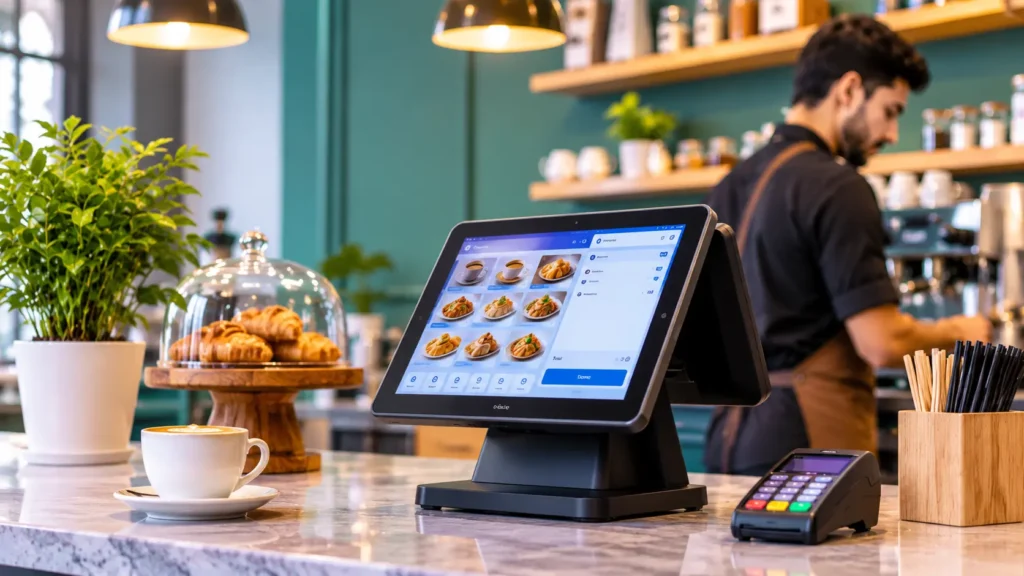
During a normal sale, the cashier selects the drink, adds modifiers such as size or milk type, and takes payment. The system prints the receipt, sends food items to the kitchen, deducts ingredients from stock, and adds the sale to your reports. Many owners call this cafe software or coffee shop management software because it covers billing, order management, menu management, and inventory control together.
Why a Cafe Needs a Different POS from a Full-Service Restaurant
A cafe needs speed, accuracy, and tight stock control on a small set of ingredients, while a fine dining room needs table plans, course timing, and long kitchen tickets. A queue at 9 a.m. or 6 p.m. costs you walk-away customers, and one wrong order costs you a drink and a review.
That is why a generic billing tool often fails a cafe. Look for restaurant management software or a coffee shop POS system built around quick counter service, modifiers, and recipes, and make sure bakery and dessert items are handled properly too. If you are new to the topic, our guide on what a POS system is covers the basics.
Where a Busy Cafe Quietly Loses Money
Most cafe losses are small, daily and invisible: orders made but not billed, stock that expires unseen, and discounts nobody recorded. They add up because no single one looks serious.
- Wrong or forgotten modifiers, such as oat milk or an extra shot, that are made but never billed
- Milk, syrups and pastries that expire because nobody saw the stock falling
- Manual discounts applied at the till without a record
- Delivery orders typed twice, once on the app and once on the POS
- Daily sales reconciled only when the owner has time
Types of Cafes in Pakistan and What Each Needs
The right POS depends on your format, because a kiosk in a mall and a multi-branch chain do not run the same way. Match the system to the cafe you actually operate.
Cafe type | What matters most | POS features to prioritise |
Takeaway coffee kiosk | Speed, simple menu, quick payments | Fast counter billing, QR and wallet payments |
Bakery cafe | Freshness and waste | Batch and expiry tracking, wastage logs |
Specialty coffee shop | Detail and cost control | Modifiers, recipe costing, bean tracking |
Dessert and juice bar | Variety and delivery | Combos, delivery orders, seasonal price changes |
Cafe chain | Consistency across branches | Multi-branch inventory, central menu control, branch reports |
POS System for Cafes in Lahore, Karachi and Islamabad: Local Realities
A cafe POS in Pakistan has to work across provinces, rules, and everyday conditions that differ by city. A cafe on MM Alam Road or in Johar Town in Lahore, a coffee shop in Karachi’s DHA, and a cafe in Islamabad deal with different footfall, rents, and tax authorities.
Tax administration is provincial for many services, so check which authority applies to you: the Punjab Revenue Authority in Punjab, the Sindh Revenue Board in Sindh, and in Islamabad, confirm with FBR whether federal or Islamabad Capital Territory rules apply to your business. Cafes in Khyber Pakhtunkhwa should check with the provincial revenue authority there. Ask your tax advisor to confirm the current position before you configure invoicing.
Local conditions matter as much as rules. Load-shedding, unstable internet, and busy evening peaks are everyday facts, so the real question for any Lahore or Karachi cafe is whether the system still works on a bad day. Ask the vendor to show offline behaviour live, and confirm that support is available in your time zone and language.
10 Features That Matter in a POS System for Cafes
1. Fast counter billing
A cashier should close an order in a few taps. Large buttons for top sellers, a clean menu layout, and quick payment options keep the queue moving. Try the system yourself at demo speed before you commit.
2. Modifiers, sizes and combos
Coffee orders come with options: size, milk type, extra shot, syrup, no sugar. A good cafe POS lets staff add these quickly and charge for them correctly, and prices combos such as a coffee and a croissant automatically. Ask the vendor to enter your messiest real order live.
3. Recipe-based inventory
A recipe-based system deducts millilitres of milk and grams of beans with every sale, so stock reflects reality. This is the core idea behind restaurant inventory management software, and it is where most cafes find their hidden waste. Check that recipe management and multi-branch inventory are included in the price, not sold as extras. Our page on restaurant inventory management software explains how this works.
4. Wastage and expiry tracking
Dairy and baked goods spoil quickly. Look for low-stock alerts, expiry or batch tracking and a way to log waste by reason. When you can see what you throw away each week, you can adjust how much you prepare and order.
5. Kitchen tickets for food items
If you serve sandwiches, pasta, or breakfast plates, orders must reach the kitchen without a runner. A kitchen printer or screen does that. See how kitchen management works alongside the POS.
6. Card, wallet and QR payments
Digital payments are now a large part of everyday retail in Pakistan. The State Bank of Pakistan’s payment systems review reports 87.3 million QR merchant transactions in January to March 2026. Customers may pay through Raast QR, JazzCash, Easypaisa or a card, so your POS should record cash, card, wallet, and QR separately and match your bank and wallet statements at the end of the day.
7. Staff roles and controls
Not every employee should void a bill or give a discount. Role-based access lets a cashier take orders while only a manager approves voids and changes. That keeps your till honest without you watching every transaction.
8. Sales reports by item and by hour
You should see which drinks sell most, which hours are slowest, and how each branch performs. A morning coffee special or an afternoon dessert offer only makes sense once the gap shows up in the numbers.
9. Online and WhatsApp orders
Many cafes take orders from delivery apps, a website, or WhatsApp. These should land in the same queue as counter orders and deduct stock the same way. See how a restaurant online ordering app and WhatsApp ordering connect to a POS.
10. Tax invoicing and compliance
FBR’s POS integration rules cover restaurants, cafes, coffee shops, eateries, and snack bars, according to KPMG Pakistan’s summary of the rules [add FBR primary source link]. In practice, each sale may need an FBR invoice number and QR code. Ask whether a product is FBR compliant out of the box or needs an add-on, and read how FBR POS invoicing works. Confirm your own category with FBR or a tax advisor, and check provincial invoicing requirements with PRA or SRB where they apply [add PRA and SRB source links.
Want to see these features on your own menu? Request a CherryBerry RMS demo and bring your hardest order.
Cloud POS or Offline POS for a Cafe?
A cloud POS suits cafes that want remote reporting and multi-branch control, while an offline POS suits a single counter with unreliable internet. Most cafes in Pakistan need to know exactly what keeps working when the connection drops.
Cloud POS | Offline (local) POS | Hybrid | |
Where data lives | Online | On one local computer | Local, synced to the cloud |
Remote reporting | Yes, from your phone | Limited | Yes, once synced |
Multi-branch control | Strong | Weak | Strong |
Internet outage | Depends on the product | Keeps working | Keeps working, syncs later |
Main risk | Connectivity | One computer failing | Setup complexity |
Ask the vendor to unplug the internet in the demo and show what keeps working. For a closer comparison, read our guide to the cloud-based restaurant POS system.
Hardware: What a Cafe Actually Needs
Most cafes can start with a tablet or touchscreen terminal, a thermal receipt printer and a cash drawer, and add the rest only if the menu needs it.
Item | Must-have or optional | When you need it |
Tablet or touchscreen terminal | Must-have | Every cafe |
Thermal receipt printer | Must-have | Every cafe |
Cash drawer | Must-have | Any cash handling |
Kitchen printer or screen | Optional | You serve cooked food |
Barcode scanner | Optional | You sell packaged items |
Weighing scale | Optional | You sell by weight |
UPS for router and terminal | Strongly recommended | Power cuts and load-shedding |
Backup internet from a second provider | Strongly recommended | Unstable connectivity |
A UPS and a backup connection cost little compared with a lost lunch rush. Confirm that your chosen software works with the hardware you already own.
What Does a Cafe POS Cost in Pakistan?
There is no single price, because cost depends on terminals, branches, modules, hardware, and support, so this guide does not quote one figure. Most providers charge a monthly or annual subscription, and some add charges for setup, training, or extra branches.
Cost component | What to ask |
Software subscription | Monthly or annual? Per terminal or per branch? |
Setup and menu import | One-time fee? Who builds the menu? |
Hardware | Bought, rented or bring your own? |
Training | Included or charged per session? |
Support | Hours, channels, response time |
Extra branches and modules | Price per added branch, inventory or invoicing module |
Always ask for a written PKR quote that separates each line, and compare total cost, not just the monthly fee. Software that is cheap but lacks inventory or invoicing can cost more once you add other tools. Our guide to restaurant POS software price in Pakistan explains how to compare quotes. [Add a team-approved starting price or range here if available.
How to Set Up Your Cafe Menu in a POS the Right Way
A clean menu setup decides whether the POS saves time or creates new mistakes. Work in this order:
- Group items into clear categories such as hot drinks, cold drinks, bakery, breakfast, and desserts.
- Create modifier groups once, for example, milk type, size, extra shot, and syrups, and attach them to the right drinks.
- Link every item to its recipe with realistic quantities, so stock deducts correctly and your recipe costing is true.
- Set up combos and happy hour prices, and decide who can change them.
- Run a test week with real orders before your first busy day.
Ingredient prices move, so recipe costs need regular review. Flour, milk, and sugar sit behind most cafe menus, and even small price changes alter your margin. Recipe-based stock tracking shows you when a drink has quietly stopped being profitable.
A Rush-Hour Test You Can Run in Any Demo
Vendors usually demo a calm, perfect order, so ask for a messy one. This takes ten minutes and tells you more than any brochure.
- Enter a five-item order with two modifiers on each drink and one combo.
- Apply a discount and see who is allowed to approve it.
- Split the bill between a card payment and a QR payment.
- Void one item and check that it needs a manager and leaves a record.
- Send a delivery order into the same queue and check that stock deducts.
- Pull the end-of-day report and match totals by payment method.
Comparing Cafe POS Options: What Kinds of Providers Exist?
You will meet three broad types of providers, and knowing the difference saves weeks of demos.
Provider type | Strength | Weakness |
Basic billing tools | Cheap, quick to learn | Weak on recipes, wastage, and reports |
Retail POS products | Good for packaged goods and barcodes | Often poor at modifiers and kitchen tickets |
Restaurant or all-in-one POS platforms | Orders, kitchen, stock, delivery and tax in one system | Usually higher price |
Compare what is included, what costs extra, how support works, and what happens when you add a second branch. Put each shortlisted vendor side by side against your five biggest problems.
How to Choose the Right POS System for Your Cafe
Choose by testing against your real problems, not by reading feature lists. Follow these steps, and avoid the common mistakes listed after them.
- List your five biggest problems, such as queues, waste, discounts, or reconciliation.
- Run the rush-hour test above with each vendor, using your most complicated real order.
- Check whether recipes, stock, and wastage are built in or sold as extras.
- Confirm card, QR, and wallet support and FBR invoicing for your category.
- Get a written PKR quote with setup, hardware, training, and support included.
- Check local support hours and how fast problems are fixed.
- Start with one counter, measure for a month, then roll out.
Common mistakes to avoid
- Choosing on price alone and ignoring inventory and reports
- Buying a retail POS that cannot handle modifiers or recipes
- Skipping staff training and expecting the system to fix habits
- Leaving discounts open to everyone
- Assuming offline mode works without seeing it demonstrated
How CherryBerry RMS Fits a Cafe
CherryBerry RMS is a restaurant management platform whose cloud POS works for restaurants, cafes, bakeries, and cloud kitchens. Counter, takeaway, delivery, WhatsApp and phone orders land in one queue; the kitchen ticket prints automatically and ingredients come off stock by recipe.
For a cafe, that includes role-based controls where only a manager can void a bill, discounts and promotions pushed from head office to every branch, and sales reports by item, hour, and branch. The platform also describes a zero-downtime mode that keeps billing going when the internet briefly drops, and for covered restaurants it reports to FBR, PRA, and AJK with an invoice number and QR code on the receipt. [Add modifiers, combos, and QR payment handling here only after the product team confirms them.
Explore the CherryBerry RMS cloud POS page, browse the CherryBerry RMS features, or read our comparison of point of sale software in Pakistan.
Next Step: Request a Demo or Get a Written Quote
The fastest way to judge any cafe POS is to see it with your own menu. Request a demo, bring your hardest order and your five biggest problems, and ask for a written quote that lists software, hardware, setup, training, and support. You can talk to an expert on the CherryBerry RMS contact us page and book a free consultation.
Frequently Asked Questions About POS Systems for Cafes in Pakistan
What is the best POS system for a cafe in Pakistan?
The best one fits your workflow: fast counter billing, modifiers, recipe-based inventory, digital payments, reports, and local support. Compare vendors with your own menu and ask for a live demo.
Do cafes need a restaurant POS or a retail POS?
A restaurant-style POS suits cafes better because it handles modifiers, recipes, kitchen tickets, and combos. A retail POS may lack these. Bakeries selling packaged goods may also need barcode support.
Can a POS system track milk and coffee bean usage?
Yes, if it supports recipe-based inventory. Each drink is linked to its ingredients, so stock reduces with every sale. Accuracy depends on correct recipes and regular stock counts.
Is a cloud POS good for a small coffee shop?
It can be, because you can check sales remotely and avoid managing a local server. Ask the provider what continues to work when the internet drops.
Do cafes in Pakistan need FBR POS integration?
FBR’s integration rules cover restaurants, cafes, coffee shops, eateries, and snack bars, according to KPMG Pakistan’s summary. Confirm your own obligations with FBR or a tax advisor.
Can a cafe POS accept QR and card payments?
Many can record cash, card, wallet, and QR payments. Ask which methods the system supports and how they reconcile with your bank and wallet statements.
How much does a cafe POS cost in Pakistan?
It depends on terminals, branches, modules, hardware, and support. Ask for a written PKR quote that separates subscription, setup, hardware, and training.
What hardware does a cafe POS need?
Most cafes start with a tablet or terminal, a receipt printer, and a cash drawer. Add a kitchen printer or screen, barcode scanner, or scale if your menu needs them.
Can I manage several cafe branches from one POS?
Yes, if the system offers multi-branch management. You should be able to compare branch sales and manage menus and prices from one place.
Can a POS connect to delivery apps and WhatsApp orders?
Some can. Ask which channels are supported natively and whether orders arrive in the same queue and deduct stock like counter orders. CherryBerry RMS brings counter, delivery, WhatsApp, and phone orders into one queue.
What is a POS system for cafes?
It is point-of-sale software and hardware that takes orders, prints bills, records payments, and tracks stock at a cafe or coffee shop. A good one also handles modifiers, recipes, reports, and tax invoicing.
Is there a POS system for coffee shops in Lahore?
Yes. CherryBerry RMS and several other providers serve Lahore cafes. Compare them on counter speed, recipe-based stock, payment support, FBR and provincial invoicing, offline behaviour, and local support, and ask each for a demo with your own menu.
How do I test a POS before buying?
Run a live demo with your own menu, enter a complicated order, test a payment, try a void with a manager, and ask what happens during an internet outage.