How Do Cloud-Based POS Systems For Restaurants Work?
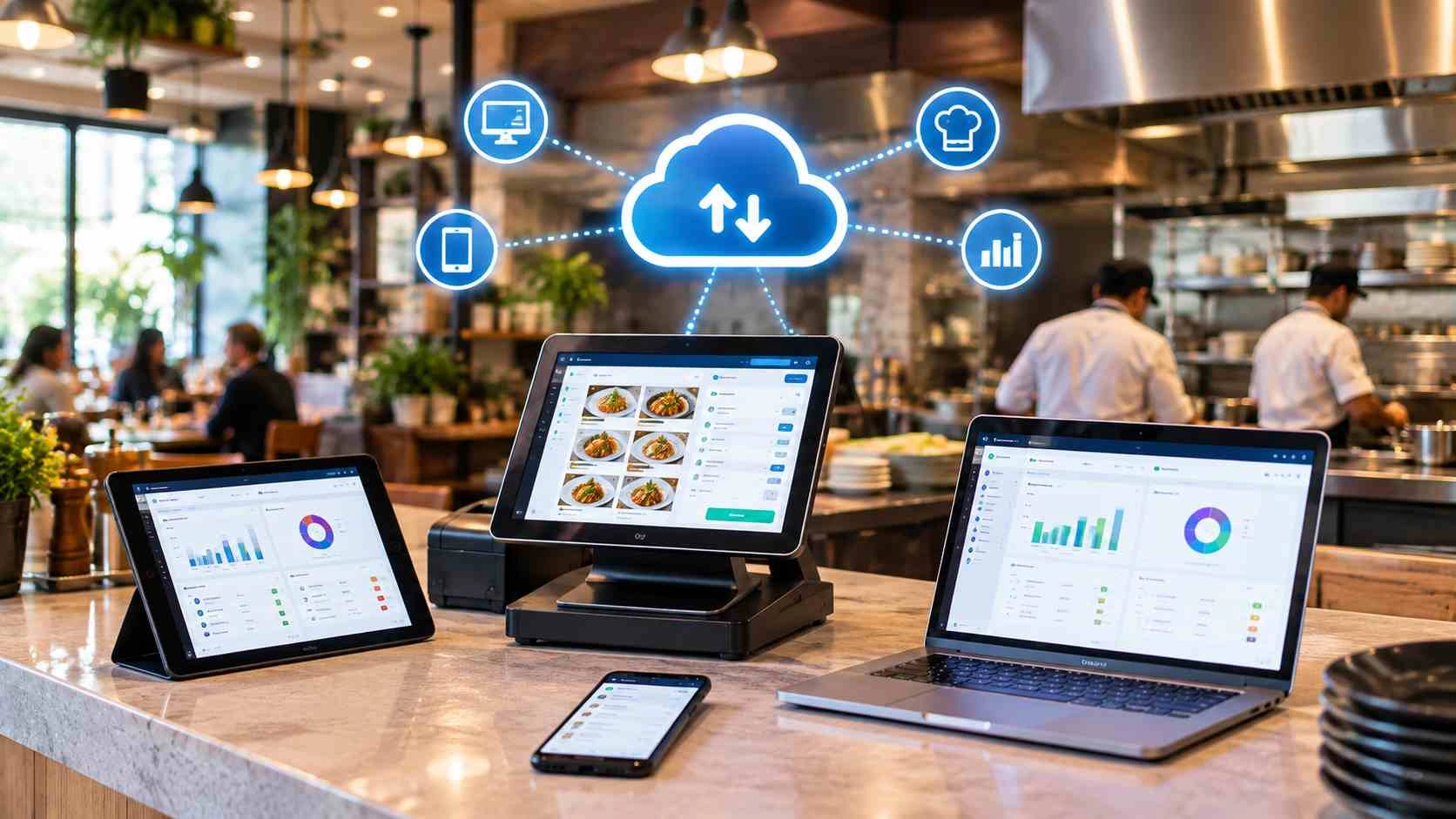
A cloud-based restaurant POS works by sending every transaction over the internet to remote servers rather than storing it on a machine in your restaurant. An order entered on a tablet is transmitted to the cloud, processed, and pushed back out to every connected device within seconds, so the kitchen screen, the manager’s phone, and the sales report all update at the same time.
Running a restaurant today means managing a million things at once. Orders are flying in from dine-in, takeaway, and delivery apps. Inventory running low at the worst possible time. Staff schedules that need constant updates. Sound familiar?
Here’s the thing: traditional server-based POS systems just weren’t built for this chaos. But cloud-based POS systems for restaurants? They’re changing the game entirely. And the shift is real: Grand View Research values the global restaurant point-of-sale terminal market at USD 22.3 billion, growing toward USD 38.16 billion by 2030, and cloud deployments are the fastest growing part of that.
Let’s explore exactly how these systems work and why they might be the upgrade your restaurant desperately needs.
What Is a Cloud-Based POS System For Restaurants?
Think of a cloud-based POS system as your restaurant’s brain, but instead of living in a clunky computer under your counter, it lives on the internet. Wild, right?
Here’s the simple version: instead of storing all your data on a local server that sits in your back office collecting dust, everything gets stored on remote servers (the “cloud”). You access it through any internet-connected device, such as tablets, smartphones, or traditional POS terminals.
The beauty? Your data isn’t trapped in one place anymore. You can check yesterday’s sales from your couch at midnight. Your manager can update the menu from their phone. Your accountant can pull reports without bugging you for access.
It’s basically software as a service (SaaS) designed specifically for restaurant operations. No massive upfront hardware costs. No IT person needed on speed dial. Just subscription-based pricing, and you’re good to go.
It is worth being precise about the word “cloud”, because vendors use it loosely. The National Institute of Standards and Technology defines cloud computing around characteristics including on-demand self-service, broad network access, resource pooling, and rapid elasticity. Applied to a restaurant, that means something specific: you do not own or maintain the servers, you reach the system over the internet from any device, and capacity grows without you buying anything. A system that simply backs up to the internet overnight is not cloud POS; it is a local system with off-site backup. Ask any vendor where the software itself actually runs.
How Does Cloud POS Actually Work Behind the Scenes?
When a customer orders food at your restaurant, here’s what happens in those few seconds:
The Order Flow:
- Your server or customer enters the order on a tablet or mobile terminal
- That data instantly shoots up to cloud servers through your internet connection
- The cloud processes the information and syncs it across all your devices in real-time
- Kitchen display systems get updated immediately
- Sales reports update on the fly
The magic ingredient? Real-time data syncing. Every device in your restaurant talks to the cloud constantly, making sure everyone’s on the same page.
What Actually Happens When a Customer Pays
The order flow above covers the food. The money takes a different path, and almost no article on this topic explains it, even though it is the part restaurant owners are most nervous about.
Here is the sequence when a card is tapped or inserted:
Step 1: The card is read and immediately tokenised. The card reader converts the card number into a meaningless substitute value called a token. Your POS never stores the real number. This is the single most important security step in the whole chain, and it happens in the reader rather than in the software.
Step 2: The token goes to the payment processor. Not to your POS provider. The processor is a separate company, even when your POS vendor resells the service, which is why payment issues and POS issues sometimes need two different phone calls.
Step 3: The processor routes it to the card network and then the issuing bank. The bank checks the funds and the fraud rules and returns an approve or decline. This round trip is what the few seconds of waiting actually are.
Step 4: The approval comes back and the POS closes the sale. The kitchen ticket may already have fired before this point, depending on your setup. Worth knowing which, because it determines what happens on a declined card.
Step 5: Settlement happens later, usually in a batch overnight. Approval is not the same as money in your account. The gap between the two is why your POS sales figure and your bank balance never agree on the same day.
Two practical consequences follow from this. First, your POS uptime and your payment uptime are separate things: the POS can be working perfectly while the processor is down, and vice versa. Second, the security requirements sit with several parties at once. The PCI Security Standards Council, the global body that maintains payment card security standards, sets the requirements any system touching card data has to meet.
Actionable tip: ask any vendor three questions about this chain. Who is the payment processor, and are they a separate contract? Does the kitchen ticket fire before or after payment approval? And how is compliance responsibility divided between you, the POS provider and the processor? A vendor who answers all three specifically is worth taking seriously.
What About Internet Connectivity?
Restaurants also ask: what if my Wi-Fi goes down? Good news, most modern cloud-based POS systems for restaurants let you keep running locally and sync everything back up once you’re online again.
The system uses data encryption and secure payment processing to keep everything protected, with two-factor authentication as a standard feature.
What “Running Locally” Actually Means
Offline mode is one of the most loosely used phrases in POS marketing, and vendors rarely spell out what they mean by it. In practical terms it splits into three tiers, and knowing which one you are buying decides what happens on the night your connection drops.
At the lightest end, the system goes read-only: staff can see the current order queue but cannot ring in anything new. It beats a dead screen, but not by much.
The middle tier, and the one most operators picture when they hear “offline mode”, is local queueing: new orders and cash sales are held on the device itself and pushed up to the cloud the moment the connection comes back.
The top tier is full local operation: billing, kitchen routing, and even card payments keep running with no connection at all, reconciling everything once you are back online. Few systems genuinely offer this, and the ones that do usually charge more for it.
Card payments are where this gets complicated, and it follows straight from the payment chain above. Authorisation needs a live line to the processor. Some systems get around this by storing the transaction and forwarding it later, which sounds convenient until you realise it quietly shifts the risk of a declined card onto you. Ask directly who absorbs that loss.
Three questions worth putting to any vendor:
- Of the three tiers above, which one does your system actually deliver?
- Specifically for card payments: what happens, and who carries the risk if a decline surfaces on resync?
- How long can the system run offline before there is a real risk of losing data?
Better than asking is watching. Have them unplug the network mid-demo and show you a live order going through. A vendor who is confident in their offline handling will not hesitate.
Whatever tier you end up with, build redundancy on your side regardless. A UPS belongs on the router, not just the terminal, and a mobile hotspot on a different network should be sitting ready. No software eliminates the need for a working connection; it only changes how gracefully things fail when you do not have one.
The Core Features That Make Restaurant Operations Smoother
Let’s talk about what actually matters, the stuff that makes your day easier.
Customer Management and Reports
Want to know who your best customers are? Cloud systems track:
- Order history for every customer
- Preferred dishes and dietary restrictions
- Average cart value and spending patterns
- Visit frequency and timing
This isn’t just data for data’s sake. Use it to send birthday discounts or create targeted promotions that actually work. Understanding your buyer persona becomes effortless with these insights.
Mobile and Online Ordering Integration
Here’s where cloud-based POS systems for restaurants really shine. They integrate seamlessly with:
- Third-party delivery apps
- Your own online ordering platform
- QR code ordering for tableside ordering service
- Curbside pickup management
All orders, whether they come from dine-in, online, or delivery apps, flow into one centralised system. No more tablets cluttering your counter or orders getting lost in translation. Delivery management becomes a breeze.
The phrase doing the heavy lifting there is “flow into one centralised system”, and it is worth testing rather than assuming. A genuine integration means an aggregator order arrives in the same queue, in the same format, with the same timing rules as a dine-in ticket. A shallow one means a second tablet sits on your counter and somebody has to remember to check it, which is where missed delivery orders come from. Ask a vendor to send an order from every channel you actually use during the demo, including your online ordering system, and show all of them landing in one place.
Table Management and Kitchen Operations
Front-of-house (FOH) and back-of-house (BOH) coordination becomes a breeze:
- Visual table layouts that update in real-time
- Kitchen Order Tickets (KOT) sent directly to kitchen printers
- Order tracking from table to kitchen to customer
- Table service optimization
Your kitchen display system gets instant updates, so there’s no more shouting orders across the restaurant or dealing with illegible handwriting. Menu management and order management all sync perfectly.
One detail worth understanding here, because it separates a system that helps from one that just moves paper onto a screen: routing. A ticket should reach the specific station that makes the dish, not one shared screen every cook has to scan past. That becomes noticeable the moment your menu includes a dish touching two stations, which is most desi and continental menus. Ask how the kitchen management system sequences those, and ask it with one of your own dishes rather than a demo burger.
Analytics and Reporting
Want to make smarter business decisions? The analytics and reporting features give you:
- Sales reports by hour, day, week, or month
- Product reports showing top-sellers and slow movers
- Multi-location management insights, if you have several restaurants
The business intelligence you get from these reports is honestly game-changing for operational efficiency. This kind of business analytics was once only available to enterprise chains.
With one caveat that decides whether any of it is usable. Reports are only as good as the data behind them, and the most common reason restaurant reporting goes wrong is setup rather than software. If recipes are not mapped, if purchase-to-recipe unit conversions are wrong, or if ingredients with trim loss carry no yield percentage, the system will produce food cost figures with complete confidence that do not match your shelves. Our guide to POS inventory management covers the four setup errors responsible for most of it.
Why Does Cloud Beat Traditional POS Systems?
Let’s break down the real differences between cloud-based and traditional server-based systems:
- Upfront cost: Cloud POS keeps this low with subscription-based pricing. Traditional POS means a high upfront cost for hardware and installation.
- Hardware: Cloud POS runs on tablets, smartphones, or any device you already own. Traditional POS needs specialised terminals only.
- Updates: Cloud POS updates automatically at no extra cost. Traditional POS updates are manual and often billed separately.
- Remote access: Cloud POS is reachable from anywhere. Traditional POS is on-site only.
- Data backup: Cloud POS backs up automatically. Traditional POS needs manual backups.
- Maintenance: Cloud POS maintenance is minimal and handled by the provider. Traditional POS needs regular IT maintenance.
- Scalability: Cloud POS makes adding locations or devices easy. Traditional POS makes it difficult and expensive.
- Multi-location management: Cloud POS gives seamless data across locations. Traditional POS means separate systems for each location.
- Internet dependency: Cloud POS requires it. Traditional POS does not.
- Setup time: Cloud POS takes hours to days. Traditional POS takes weeks to months.
For a fuller side-by-side, including a five-year cost comparison and the specific cases where a traditional system is still the right call, see our detailed cloud POS vs traditional POS comparison.
The Cost Breakdown
Traditional systems hit you with massive costs upfront for hardware, installation, and setup. Then there are ongoing maintenance costs and upgrade fees.
Cloud-based solutions? You’re looking at affordable monthly subscriptions, depending on features. Lower hardware costs mean you can use iPads instead of expensive dedicated terminals. No hidden fees, transparent pricing, and you can scale up or down as needed.
Why Does This Matter for Your Bottom Line?
Reduced hardware costs and lower maintenance costs mean better cash flow, especially for small businesses just starting. The flexibility and scalability mean you’re not locked into something that becomes obsolete in three years.
Plus, automatic updates mean you always have the latest features without paying for upgrades. That’s just smart business. Cloud infrastructure ensures you’re always running on the latest technology.
What Are the Advantages of Using Cloud POS Systems?
Beyond the features, let’s talk about real-world advantages that impact your daily operations:
1. Lower Costs, Higher Returns
The subscription-based pricing model means you’re not dropping huge chunks of cash upfront. This is especially crucial for food trucks, cafés, and pop-up shops that need to keep initial investments low. You can redirect that capital into ingredients, marketing, or staff training instead.
2. Access Your Data Anywhere, Anytime
Running a multi-location business? Check sales at all locations from your phone. Traveling? Review employee management and sales data reports from wherever you are, whenever required.
Remote access and remote monitoring give you freedom while maintaining control. Check in on your quick-service restaurant during dinner rush without hovering over your manager’s shoulder. This is perfect for multi-location businesses and even service-based businesses.
3. Rock-Solid Security
Data security isn’t optional anymore. Cloud providers invest millions in encryption protocols, secure servers, and access controls. Your customer data and transaction processing are probably safer in the cloud than on your local server in the back office.
Automatic backups mean you’ll never lose data to a crashed computer or failed hard drive again. Data protection is built in, not bolted on. Security measures include advanced firewalls and continuous monitoring.
4. Scales With Your Dreams
Started with one café and now opening three more? Cloud systems grow with you. Add new POS terminals, connect additional kitchen printers, all without rebuilding your entire system.
This scalability is why everyone from brick-and-mortar restaurants to fast-casual restaurants is making the switch. Even full-service restaurants and quick-service restaurants (QSRs) benefit equally.
5. Better Customer Experience
Faster transaction processing means shorter wait times. Contactless payments mean safer, more convenient checkout. Customer loyalty programs sync across all touchpoints, making customers feel recognised everywhere they interact with you.
When your operations run smoothly, customers notice. And they come back. Customer management becomes proactive rather than reactive.
6. Real-Time Insights for Smarter Decisions
Seeing sales trends as they happen means you can react quickly. Notice lunch sales dropping? Launch a promotion tomorrow, not next month. See a dish becoming a surprise hit? Order more ingredients before you run out.
Business intelligence delivered in real-time is like having a crystal ball for your restaurant operations. Track seasonal favourites, monitor periodic patterns, and optimise your entire operation based on actual data.
7. Integration Heaven
Modern cloud-based POS systems for restaurants play nice with everything. These third-party integrations create a seamless ecosystem where data flows automatically between systems. Less manual entry, fewer mistakes, more time for what matters.
Important Factors to Consider While Choosing a Cloud POS System
Not all cloud POS solutions are created equal. Here’s what to look for:
Understand Your Specific Needs
Are you running a full-service restaurant with complex table management needs? A quick-service restaurant focused on speed? A food truck with limited space? Your business type determines which features you actually need. Make a list of must-haves versus nice-to-haves. Don’t pay for features you’ll never use.
Check Internet Requirements
Yes, you need internet connectivity, but how stable is your connection? Look for systems that can handle temporary Wi-Fi drops without grinding to a halt. Ensure your internet-connected devices have reliable connections. Consider backup internet options for critical periods.
Evaluate Hardware Options
Can you use your existing tablets and smartphones, or do you need to buy specific hardware? The best systems work with Android and iOS devices you probably already own. This flexibility keeps costs down.
Check what peripherals you’ll need: receipt printers, cash drawers, barcode scanners, and card readers. Make sure everything’s compatible. Understand whether you need handheld devices to manage tableside ordering.
Customer Support
When your POS goes down during Saturday’s dinner rush, you need help now. Look for:
- 24/7 support availability from your provider
- Multiple contact methods (phone, chat, email)
- Response time guarantees
- Training resources and documentation
Read reviews about actual customer experiences with support. This matters more than you think.
Migration and Training
Switching systems is disruptive. Good providers offer:
- Data migration assistance
- Staff training programs
- Setup support
- Transition planning
The easier the onboarding, the faster you’re back to normal operations. Ask about training for front-of-house and back-of-house staff.
Getting a cloud POS technically running, meaning the account created and the app installed, can genuinely happen within hours, since there is no hardware to wait on. A proper migration is a different timeline. Cleaning your menu and pricing data, mapping recipes, and training staff properly realistically takes one to three weeks for a single location, and skipping that groundwork is exactly how duplicate menu items and wrong prices end up following you for months.
Two habits make the difference between a smooth switch and a rough one. Go live on a quiet weekday, never a weekend, and keep the old system running in parallel for a week or two until closing totals match consistently. And take a baseline first: record your current average transaction time and order accuracy before you switch, so you have evidence of what changed, not just an impression.
Growth Potential
Even if you’re in a single location now, think ahead. Can the system handle:
- Multi-location management
- Increased transaction volume
- Additional features as you grow
- Integration with new tools
Choose a partner who can grow with you, not one you’ll outgrow in two years. Consider whether the system supports retail stores and other service-based businesses if you plan to diversify.
Data Ownership and Exit Terms
This is the least discussed question in POS buying and one of the most consequential. Every day the system runs it accumulates your sales history, recipes, supplier records, and customer data, and that accumulation is exactly what makes switching hard later.
Settle four things before you sign, not after. Whether you can export your data, and in what format: a usable export means structured files such as CSV, not a PDF summary report. Whether export costs extra. How long your data is retained once you cancel. And who owns the recipe and menu data you personally entered.
None of this suggests a vendor is untrustworthy. It means you are running a business that should survive changing its mind.
FBR POS Integration: What Every Pakistani Restaurant Must Know
This part is specific to Pakistan, and it is not optional. Under Chapter XIV-A of the Sales Tax Rules, 2006, the Federal Board of Revenue (FBR) requires all restaurants, cafes, and snack bars to integrate their POS with its system, whether or not the business also qualifies as a Tier-1 retailer under the Sales Tax Act, 1990. This applies far more broadly than most POS vendors let on.
In practice, integration means every sale generates a unique FBR invoice number and a QR code the customer can verify through FBR’s Tax Asaan app, transmitted to FBR in real time. For restaurants operating in Punjab, sales tax on services is separately administered by the Punjab Revenue Authority (PRA), so a system built for Pakistan needs to handle both obligations, not just one.
When you are evaluating a vendor, ask three things: whether FBR integration is native to the system or a bolted-on add-on, since the second is where compliance gaps happen; what happens to FBR invoice reporting specifically during a connectivity gap, the same question worth asking about card payments above; and whether their integration runs through a licensed route such as PRAL (Pakistan Revenue Automation Limited).
Tax rules in Pakistan change frequently, and enforcement details vary by category and notification date. This section is general information, not tax advice. Confirm your restaurant’s specific obligations directly with FBR, the PRA, or a tax advisor before you rely on any vendor’s compliance claims, including ours.
Conclusion
Cloud-based POS systems for restaurants aren’t just a tech upgrade; they’re a fundamental shift in how restaurants operate. The combination of lower costs, real-time access, automatic updates, and seamless integrations makes them the obvious choice for modern restaurant operations.
Whether you’re running a cosy café or managing multiple full-service restaurants, the flexibility and operational efficiency these systems provide can transform your business. The data-driven insights help you make smarter business decisions, the automation frees up time for hospitality, and the cost savings improve your bottom line.
Ready to join the thousands of restaurants already benefiting from cloud technology? CherryBerry RMS offers one of the most comprehensive and integrated cloud-based POS systems designed specifically for restaurants to make their operations smoother from day one.
Whether you’re operating a food truck, café, quick-service restaurant, fast-casual restaurant, or full-service restaurant, CherryBerry RMS scales to meet your needs. Stop wrestling with legacy systems and start focusing on what you do best: creating amazing experiences for your customers. The future of restaurant management is in the cloud, and it’s more accessible than you think.
Key Takeaways
- Cloud POS works by sending every transaction to remote servers over the internet, then pushing the update back to every connected device within seconds.
- The money takes a different path from the order. Card payments run through a processor, a card network, and the issuing bank, and settlement happens later, which is why POS sales and bank balance never match on the same day.
- Your POS uptime and your payment uptime are separate. One can fail while the other works.
- “Offline mode” means at least three different things. Make vendors demonstrate which one they provide, and ask who carries the risk on a declined card at resync.
- Reports are only as accurate as the recipe and unit-conversion data entered at setup.
- Integration depth matters more than the length of a partner list. Test it with an order from every channel you use.
- Settle data export terms before signing, not when you want to leave.
- If you operate in Pakistan, FBR POS integration applies to all restaurants, not just Tier-1 retailers.
FAQs About Cloud POS Systems
How can I use a cloud POS system in my restaurant?
Using a POS system in a restaurant is straightforward: servers take orders on tablets or mobile terminals, which instantly sync to the kitchen display system for preparation. Admin staff can manage table assignments, split payments, generate digital receipts, track inventory levels, and access real-time sales reports, all from the same interface.
We’re not all tech-savvy. Will my staff find it difficult to learn how it works?
Cloud-based POS systems are actually designed to be incredibly user-friendly, way more intuitive than those clunky old systems with dozens of confusing buttons. Many staff members can learn the basics of the system within an hour. The touch screen interfaces are similar to using a smartphone, which most people already know how to do. Plus, good providers offer training resources, video tutorials, and ongoing support to help your team get comfortable.
Can I manage multiple restaurant locations from one system?
Absolutely. This is one of the biggest advantages of cloud-based systems. You can oversee sales and operations across all your locations from a single dashboard. Check real-time data from any location, compare performance, transfer inventory between sites, and maintain consistent menu pricing and promotions across your entire business.
How long does it take to implement cloud POS for a restaurant?
It depends what you mean by “implement”. Technically getting the system running, meaning the account created and the app installed on your existing devices, can happen within hours, since there is no hardware to install. A proper migration, including data cleanup, recipe mapping, and staff training, realistically takes one to three weeks for a single location. Most providers offer data migration assistance and training to help you get there smoothly.
Why are restaurant POS systems worth the investment?
Restaurant POS systems deliver strong ROI through improved operational efficiency, reduced labour costs, and better inventory management that prevents waste and inventory shrinkage. The real-time analytics and sales reports help you make data-driven business decisions, while features like automated alerts, customer loyalty programs, and online ordering integration directly increase revenue.
What is the cost of cloud-based POS systems?
The transparent pricing model with no hidden fees and lower maintenance costs makes cloud POS significantly more cost-efficient for small businesses, food trucks, cafés, and multi-location restaurants. The overall cost depends on your business size and needs; contact CherryBerry RMS for a tailored quote.
What happens when a customer taps their card on a cloud POS?
The reader converts the card number into a token, so your POS never stores the real number. The token goes to your payment processor, then to the card network and the issuing bank, which approves or declines. That round trip is the few seconds of waiting. Settlement, meaning money actually reaching your account, happens later in a batch.
Where is my restaurant’s POS data actually stored?
On remote servers run by the provider or their cloud infrastructure partner, not on any machine in your restaurant. Ask a vendor which region those servers are in, since that can matter for local reporting obligations, and ask how backups are handled and how quickly data can be restored.
What actually happens if the internet goes down mid-service?
It depends on the vendor. Some systems become read-only and only show the current queue. Some hold new orders on the device and sync when the connection returns. A few keep full local operation, including card payments. Ask which of the three you are buying, and plan a backup connection and a UPS on the router regardless.
Can I export my data if I change POS providers later?
Confirm this before you sign. Ask what format the export uses, whether it costs extra, how long data is retained after cancellation, and who owns the recipe and menu data you entered. A usable export means structured files such as CSV, not a PDF summary.
Does my restaurant need to integrate with FBR?
Yes, if you operate in Pakistan. FBR’s own guidance confirms that all restaurants, cafes, and snack bars must integrate their POS under Chapter XIV-A of the Sales Tax Rules, 2006, regardless of whether the business also meets the separate Tier-1 retailer threshold. Confirm your specific obligations with FBR or a tax advisor, since this is general information, not tax advice.
