

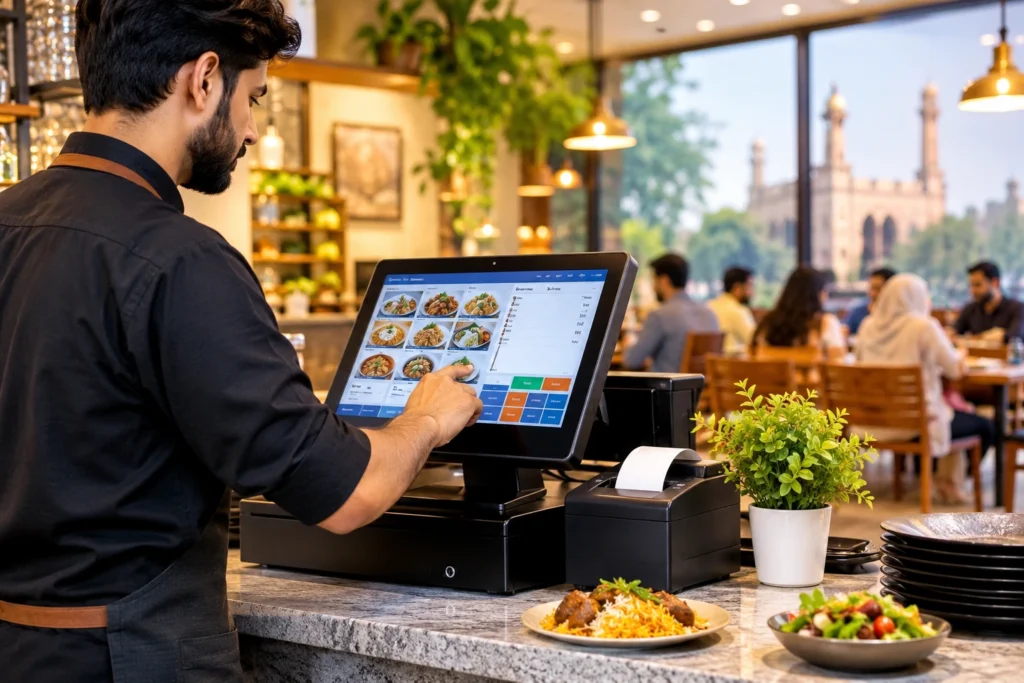
The right restaurant POS software in Karachi bills dine-in, takeaway and delivery on one screen, reports every invoice to the Sindh Revenue Board, tracks stock branch by branch and keeps billing when power or internet drops. This guide shows you how to compare options and test them before you pay.
Karachi restaurants face a different set of pressures from the rest of Pakistan: provincial sales tax on services, heavy delivery volume, multi-branch growth and frequent power interruptions. A generic “best POS” list does not cover them, so the checks below do.
What Should Restaurant POS Software in Karachi Do?
Restaurant POS software is a billing and order-management system that records every sale, sends orders to the kitchen, applies tax and discounts, takes payment and updates stock and sales reports. A retail till only prints bills. A restaurant POS also has to handle tables, modifiers, kitchen tickets, recipes and delivery.
For a Karachi outlet, a useful POS system in Karachi does five jobs well:
- Bills dine-in, takeaway, delivery and WhatsApp orders from one queue
- Produces tax-ready invoices that match the rules your outlet falls under
- Sends KOT or KDS tickets to the right kitchen station with modifiers
- Deducts ingredients when a dish is sold, so food cost is visible
- Shows head office every branch, every shift, from one login
If a system only does the first job, you have a billing tool, not a restaurant management system for Karachi. Most of the pain owners describe later (missing stock, disputed discounts, late reports) comes from the other four jobs
SRB, FBR and Sales Tax: What Karachi Restaurants Must Check
Sales tax on restaurant services in Sindh is collected by the Sindh Revenue Board (SRB), not by FBR. SRB runs its own point of sale reporting system. According to Business Recorder, SRB’s POS integration connects participating restaurants to the tax system for real-time transaction reporting, and customers can check an invoice by scanning the QR code or using the eSRB mobile app or the SRB website.
SRB notified its POS system on 21 February 2022, naming the persons who must integrate, and it has warned that restaurants and cafes that suppress sales or avoid integration face legal action. Whether your own outlet is covered depends on that notification and your registration, so confirm it with SRB or your tax adviser. Do not rely on a vendor’s word alone.
Rates matter too, because your POS must print the right tax on every bill. The table below summarises what was reported for restaurant services in Sindh. Rates and conditions can change with each budget, so verify them before you configure your system.
Item | What has been reported | What to ask your POS vendor |
Standard Sindh sales tax on restaurant services | 15% from 1 July 2024 (raised from 13%) | Can the system apply 15% by default and change it when the rate changes? |
Reduced rate for digital payments | 8% where the customer pays by debit or credit card, mobile wallet or QR code | Does the bill switch rate by payment method, and does the report split cash from digital? |
Standard rate on digital payments | Allowed only with SRB permission under rule 42(1)(b) of the Sindh Sales Tax on Services Rules, 2011 | Can we configure an outlet-level exception if SRB approves one? |
Latest budget | Sindh’s 2026-27 budget was presented with no new taxes, according to Dawn’s budget report | Will the vendor update tax settings for us when rates change, and how fast? |
FBR is separate. Its POS rules apply to registered persons it has notified, and its integration runs through a licensed integrator. If you also operate outside Sindh, or your group has a federal registration, ask which authority applies to which outlet and get the answer in writing. See how CherryBerry RMS handles the federal side on its FBR POS invoicing system page.
Why a Karachi Restaurant POS Is Different
The same feature list can fail in Karachi for local reasons. Use this table as a testing guide during demos rather than as a claim that any vendor already passes every row.
Karachi situation | What the POS should do | How to test it in a demo |
Several outlets across areas such as DHA, Clifton and Gulshan-e-Iqbal | Branch-level menus, prices, stock and permissions, with a head office view | Open two branches and a head office login at once; change a price in one place |
High delivery share, including Foodpanda and your own channels | One order queue for counter, phone, WhatsApp, app and delivery platforms | Place one order from each channel and watch them reach one kitchen list |
Power cuts and unstable internet | Keep billing and printing during an outage, then sync without duplicate bills | Pull the internet cable mid-order, finish two bills, reconnect and check the reports |
Mixed cash and digital payments (cards, JazzCash, Easypaisa, Raast QR) | Record each payment method and apply the matching tax rate | Settle one bill by cash and one by QR and compare the printed tax lines |
Ramadan, Eid and weekend rushes | Stay fast at peak load and give hourly sales reports | Enter 30 orders in a row and time the checkout |
Cloud kitchens with no dine-in | Channel intake, prep queue and rider dispatch without table features | Run delivery-only orders through to rider assignment |
Urdu or Roman Urdu menu names | Print receipts and kitchen tickets in the language your staff read | Print a ticket with Roman Urdu item names |
Core Features to Compare Before You Choose
Multi-branch reporting and control
Karachi groups often grow from one outlet to several quickly. Ask whether each branch can have its own menu, opening hours, prices and user roles while head office sees consolidated and branch-level reports. A cloud based POS software setup usually makes this easier, because every branch reads the same live data. Read how a cloud-based POS system for restaurants works across branches before you shortlist.
Kitchen tickets, KOT and KDS
A kitchen order ticket (KOT) or kitchen display system (KDS) should show modifiers, notes and order status. Test what happens when a printer fails, when an item is cancelled after sending, and when a delayed order needs to stand out. CherryBerry’s kitchen management page describes how confirmed orders reach the kitchen, and the kitchen display system guide explains the workflow in more detail.
Stock control and food cost
Item counts alone do not protect your margin. Ingredient-level recipes deduct stock when a dish is sold, which lets you compare what should have been used with what was actually used. Ask the vendor for stock counts, wastage entries, purchase receiving and reorder levels. The restaurant inventory management software page shows how sales, recipes and stock connect.
Delivery, online and WhatsApp orders
Delivery decides profit for many Karachi outlets, so orders from every channel should land in one place. Check how menu and price changes sync, how orders are assigned to riders and how delivery status is tracked. See how order management software, a restaurant rider app and WhatsApp AI ordering fit into one workflow.
Power backup and offline behaviour
Load-shedding is a daily planning issue, not a rare event. Plan for it at two levels: hardware (a UPS for the terminal, printer and router) and software (what the POS does when the connection drops). Ask which functions work offline, how long they last and how offline bills receive invoice numbers once you reconnect. Never accept “works offline” without watching it happen.
Digital payments and day-end reconciliation
Because digital payments can attract a lower tax rate in Sindh, your reports should separate cash, card, wallet and QR sales. Ask whether the system records JazzCash, Easypaisa and Raast QR payments as separate tenders and whether the day-end report reconciles them. Support differs by vendor and by payment provider, so test the exact methods you accept.
Which POS Setup Fits Your Karachi Business?
Business type | Priority features | Demo test |
Cafe or bakery | Fast checkout, combos, loyalty, weight-based items, wastage tracking | A rush-hour queue with discounts and mixed payments |
Quick service or fast food | Quick order entry, kitchen printing, delivery handoff | Takeaway and delivery tickets printed at the right station |
Full-service restaurant | Table plans, split bills, course handling, modifiers | A dine-in order from table to kitchen to settled bill |
Cloud kitchen | Channel intake, prep queue, rider dispatch, recipe stock | Orders from three channels reaching one prep queue |
Multi-branch chain | Branch menus and prices, permissions, consolidated reports | One head office login showing every branch |
How Much Does Restaurant POS Software Cost in Karachi?
Prices vary widely, and vendors often quote different things under the same word “POS”. Treat any single price you see online as incomplete until you know what it includes. Ask every vendor for a written quotation in PKR that separates one-time costs from recurring ones.
Cost item | One-time or recurring | Question to ask |
Software subscription or licence | Recurring | What does it include per branch and per terminal? |
Hardware (terminal, printers, drawer, KDS screens) | One-time | Which models are supported and who supplies them? |
Setup and menu entry | One-time | Is data migration included? |
Tax and invoicing integration | One-time or recurring | Is SRB or FBR integration included, and who maintains it? |
Training and support | Included or paid | What are the support hours, including weekends and evenings? |
Extra branches, users and modules | Recurring | What does each additional branch or user cost? |
Renewal and exit | Recurring | What is the renewal price, and can we export our data? |
Use this formula to compare quotes fairly: year-one cost = (monthly subscription x 12) + hardware + setup + training + integrations + extra users or branches. A low monthly fee can hide expensive setup, hardware or renewal charges.
How to Choose a POS System for Your Karachi Restaurant
- List your channels: counter, phone, WhatsApp, your own app and delivery platforms.
- Confirm your tax position with SRB or your adviser, and note whether FBR rules also apply to you.
- Write down what must work on day one and what can wait three months.
- Shortlist two or three vendors and give each the same demo script on your own menu.
- Run the offline test: disconnect the internet, bill two orders, reconnect and check the sync.
- Compare written PKR quotations using the year-one formula.
- Check support hours, training, data export and renewal terms before signing.
Skip no step. The offline test and the tax-rate check are the two that expose problems most often.
Mistakes Karachi Restaurants Make When Buying a POS
- Choosing on monthly price alone and ignoring hardware, setup and renewal charges
- Accepting a “tax compliant” label without seeing a live invoice and the integration route
- Buying a retail POS for a restaurant that needs KOT, modifiers and table plans
- Skipping the power-cut test and discovering the problem during a Friday night rush
- Forgetting that cash and digital sales may carry different tax rates
- Signing without a data export clause or a written go-live plan
Where CherryBerry RMS Fits for Karachi Restaurants
CherryBerry RMS is a cloud-based restaurant management platform, so POS, kitchen, inventory, delivery and ordering sit in one system instead of five separate tools. Based on its published product pages, a Karachi owner can evaluate it on these points:
- A cloud POS that shows any branch and any shift from one login, with the connection health of each branch monitored
- Orders entered once at the counter or synced from online ordering and WhatsApp channels, with tickets routed to the kitchen and ingredients deducted from stock
- Kitchen management, inventory and procurement workflows on the same platform
- A rider app for delivery assignment, plus table reservations for dine-in
- FBR invoice numbers and QR codes on receipts through its FBR invoicing module
One point deserves a direct question. CherryBerry’s published pages describe FBR invoicing, but this guide has not verified SRB integration for Sindh outlets. If you operate in Karachi, ask for written confirmation of SRB status for your outlet type during the demo, alongside the other checks in this guide. That is the same standard to apply to every vendor on your list. You can also compare the national picture in the best POS software in Pakistan guide, or see the restaurant POS software price in Pakistan page for cost factors.
Demo Checklist for Karachi Restaurant Owners
- Use your own menu with modifiers and add-ons
- Send a dine-in order to the kitchen as a KOT and settle it by cash
- Settle another bill by QR or wallet and compare the tax line
- Place a WhatsApp order and a delivery order and check the single queue
- Sell a dish and confirm that stock deducts
- Disconnect the internet and keep billing
- Open head office and branch reports under one login
- Ask for SRB and FBR integration proof for your outlet, in writing
Ready to run these tests on your own setup? Book a free demo with CherryBerry RMS and bring your menu, branch list and order channels.
Key Takeaways
- Check your tax position with SRB first, and ask any vendor for a live invoice and written integration proof.
- Make sure the POS applies the right Sindh rate and splits cash from digital sales in reports.
- Test offline billing and plan a UPS for the terminal, printer and router.
- Choose by branch control, kitchen routing, stock deduction and one order queue, not by monthly price alone.
- Run the same demo script on your own menu with every shortlisted vendor.
Frequently Asked Questions About Restaurant POS Software in Karachi
What is the best restaurant POS software in Karachi?
The best choice is the system that passes a live demo on your own menu, branches and tax setup. For most Karachi outlets that means tax-ready invoicing, KOT or KDS, ingredient-level stock, delivery and WhatsApp orders, branch reports and tested offline billing. Shortlist two or three vendors and run the same script on each.
Is SRB POS integration mandatory for restaurants in Karachi?
SRB notified its POS system in February 2022 and named the persons who must integrate, and it has warned that restaurants avoiding integration face action. Whether your outlet is covered depends on that notification and your registration, so confirm it with SRB or a tax adviser.
What sales tax do Karachi restaurants charge?
Sindh’s standard sales tax on restaurant services was raised to 15% from 1 July 2024, with a reduced 8% reported for payments by card, mobile wallet or QR code. Rates and conditions can change, so check the current position with SRB before you configure your POS.
How can customers verify an SRB invoice?
According to Business Recorder, customers can scan the QR code on the invoice or check the SRB invoice number through the eSRB mobile app or the SRB website. Your POS receipt should print the invoice number and QR code clearly.
How much does restaurant POS software cost in Karachi?
It depends on branches, terminals, modules, hardware, support and the tax integration included. Ask for a written PKR quotation that separates one-time from recurring costs, then compare vendors using the year-one cost formula in this guide.
Does a restaurant POS work without internet in Karachi?
Some systems keep billing and printing offline and sync later, while others depend on the connection. Test it yourself: disconnect the internet, bill two orders, reconnect and check for duplicates and correct invoice numbers. Pair the test with a UPS for the terminal, printer and router.
Can one POS handle Foodpanda, WhatsApp and dine-in orders together?
Some can. Ask the vendor to show how each channel reaches the POS and kitchen, how menu and price changes sync, and how delivery orders are assigned to riders. Integrations vary by vendor and plan.
Can a POS manage multiple restaurant branches in Karachi?
Many cloud POS platforms can. Confirm that each branch can run its own menu, prices, stock and permissions while head office sees consolidated and branch-level reports under one login.
What should a cloud kitchen in Karachi look for in a POS?
A cloud kitchen has no dine-in, so it should prioritise channel order intake, a prep queue, rider dispatch and recipe-level stock. Ask for a demo of delivery-only orders from several channels.
Which payment methods should a Karachi POS support?
At minimum cash and card, plus the wallets and QR options your customers use, such as JazzCash, Easypaisa and Raast QR. Ask whether each method is recorded separately and reconciled at day end, since support differs by vendor and provider.
Can I switch POS software without losing my data?
Ask for data export in a standard format such as spreadsheet files, plus a written migration plan. Confirm who owns the data and what happens to it when the contract ends.