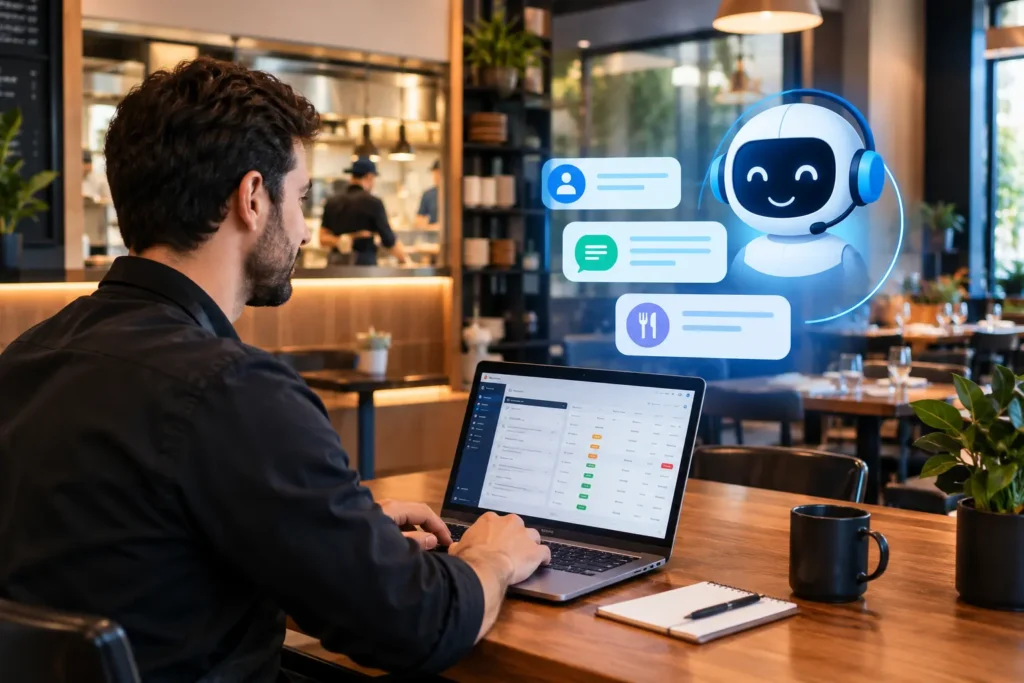
AI customer support for restaurants means using artificial intelligence to answer guests’ questions, take orders and bookings, send order updates, and route problems to staff across WhatsApp, website chat, social media, and increasingly the phone. This kind of AI-powered customer support works at any hour, handles many conversations at once, and passes anything sensitive to a person.
That is the short definition. The longer story is why so many restaurants are paying attention now. Most of a restaurant’s customer conversations are the same ten questions repeated hundreds of times: “Are you open?” “Do you deliver to my area?” “How much is the family deal?” and “Where is my order?” Those messages arrive on WhatsApp, Instagram, and the phone, usually at the exact moment the kitchen is busiest. Somebody has to answer them, and that somebody is usually also plating food or seating a table.
This guide explains what AI customer support actually does in a restaurant, which channels it covers, what should stay with your staff, where it fits alongside your call center and online ordering app, what to check before you choose a system, and how to roll it out without annoying the customers you are trying to keep. If your main interest is WhatsApp ordering specifically, we have a separate step-by-step guide on the AI WhatsApp chatbot for food ordering.
What Is AI Customer Support for Restaurants?
AI customer support for restaurants is a set of tools that use conversational AI to handle guest conversations that staff would otherwise answer by hand. It covers three jobs: answering questions (hours, menu, delivery areas, deals), completing tasks (orders, reservations, order status), and triaging problems (complaints, refunds, allergy questions) so the right person deals with them quickly.
In practice, it takes two main forms. The first is an AI restaurant chatbot that works in text channels such as WhatsApp, Instagram, and your website. The second is an AI voice agent that answers phone calls. Most restaurants start with the chatbot, because that is where most customer messages already arrive.
What Is an AI Restaurant Chatbot?
An AI chatbot for restaurants is a conversational assistant, built on natural language processing, that understands what a customer is asking in plain language and responds with the right answer or the right action. “Action” is the important word. A modern chatbot does not just reply with text. It can send a menu, place an order into the POS, log a reservation, check an order status or hand the conversation to a person.
It lives wherever your customers already message you:
- WhatsApp, through the official WhatsApp Business API
- Instagram direct messages and Facebook Messenger
- A chat widget on your website or online ordering app
For many restaurants, WhatsApp is the channel that matters most. Customers already use it to ask about deals, send a screenshot of a menu item, or share a location pin for delivery. An AI restaurant WhatsApp chatbot simply takes over the restaurant’s side of those conversations.
Rule-Based Chatbots vs Conversational AI
Not every chatbot is an AI chatbot, and the gap between scripted menus and true AI-based customer service shows up fast in a real conversation.
- Rule-based (button or keyword) chatbots follow a fixed script. Press 1 for the menu; press 2 for timings. They are predictable, and they break the moment a customer types “bhai do zinger burger aur ek pepsi bhej do”.
- Conversational AI chatbots use natural language processing to read intent. They understand typos, mixed English and Roman Urdu, regional dish names, and follow-up questions such as “make that three” after an order is quoted.
- Customer support AI agents go one step further. They carry out multi-step tasks on connected systems, such as checking stock before confirming an item or pushing the order into the kitchen display.
For a restaurant, the practical test of any chatbot AI is simple. Type a messy, real order into the demo. If it needs you to tap buttons in the right sequence, it is a menu tree, not an AI restaurant chatbot.
What It Can Do Across the Guest Journey
Most vendor pages list features. It is more useful to walk the path a customer actually takes, because the most useful AI applications for customer support in a restaurant follow that path, and the AI has a different job at each stage.
Before the Visit or Order: Answering Questions Instantly
This is the customer service core. The chatbot answers the repeat questions: opening hours (including Ramadan timings), delivery areas and charges, whether a branch has family seating, what is included in the deal, and whether there is parking. It answers in the language the customer wrote in, at 11 pm on a Sunday, without anyone picking up a phone.
Ordering: Taking the Order and Sending It to the Kitchen
Customers browse the menu inside the chat, pick items, customise them, and confirm the address and payment method (cash on delivery is still standard here), and the order appears in the POS and kitchen display the same way a counter order does. Nobody retypes it from a WhatsApp screen. The full flow is covered in our WhatsApp AI ordering app guide.
Reservations and Waitlists
The chatbot collects the date, time, party size, and any notes (a birthday, a high chair), checks availability, confirms, and sends a reminder before the booking. Changes and cancellations happen in the same thread, which is what makes a table reservation system usable for customers who never want to call.
During the Order: Status Updates Without “Where Is My Order?” Messages
Confirmed, preparing, out for delivery, delivered. Each stage triggers an automatic message, which removes the single most common inbound message any delivery restaurant receives.
After the Order: Feedback, Complaint Triage, and Re-Engagement
A short feedback request goes out after delivery. A happy customer gets a link to leave a Google review. An unhappy one is routed to a manager immediately, before the complaint lands on social media. Later, the same customer record is used for an Eid deal broadcast or a “we miss you” offer, sent through approved WhatsApp marketing templates.
What It Should Not Do
The limits matter as much as the features. It should not guarantee a dish is allergen-free in a shared kitchen, should not invent menu items or prices it has not been given, and should not try to settle a refund dispute on its own. The best setups treat these as escalation points, not failure points.
How AI Customer Support Works
Here is what happens between “Hi” and a resolved conversation.
- The customer messages. From a saved number, a click-to-WhatsApp ad, a QR code on the table, or the link in your Instagram bio.
- The chatbot reads intent. Natural language processing classifies the message as a menu question, an order, a complaint, a booking, or a status check.
- It pulls the answer from restaurant data. The menu catalogue, branch timings, delivery zones, the live order record in the POS, and and the reservation calendar. This is why integration matters more than the AI model itself. An unconnected chatbot can only talk; it cannot look anything up.
- It responds or acts. Sends the menu, quotes the total, confirms the booking, triggers a status update.
- It hands off when needed. Complaints, large catering orders, allergy questions, and anything it cannot resolve confidently go to a human, with the conversation history attached so the customer does not repeat themselves.
- It records everything. Every conversation adds to the customer profile: name, number, address, past orders, and preferences. That record is what makes re-engagement possible later.
How It Stays Accurate (and Avoids Making Things Up)
Owners rightly worry that an AI will invent a price or a deal. Customer support AI is only trustworthy when you limit what it is allowed to answer from. A well-built system answers only from a knowledge base you control: the live menu and prices, branch timings, delivery zones, deal terms, and your policies. If the answer is not in that knowledge base, the AI should say it will check and pass the question to staff, rather than guess.
That also means the AI is only as current as your data. When a price changes or an item sells out, update it in one place, ideally the POS, so the chatbot, the app, and the counter all show the same thing.
Where Restaurants Feel the Difference First
Ordering gets the attention, but customer service is where most restaurants feel the difference first.
Think about the pattern on a Friday evening. The phone rings, WhatsApp pings, an Instagram DM arrives, and all three are asking about the same deal. The cost is not only staff time. It is the orders that never happen because the message was answered forty minutes late, and the customer went with the place that replied first.
An AI restaurant chatbot for customer service handles:
- Repeat questions: hours, location, delivery coverage, deal details, item availability
- Order-related support: order status, changes before dispatch, confirming an address
- Reservation support: availability, changes, cancellations, reminders
- Feedback and complaints: collecting feedback, flagging negative responses to a manager
- Multilingual replies: English, Urdu, and Roman Urdu in the same thread, matching how the customer writes
What it does not replace is judgement. A regular customer who is upset about a cold order wants a person, and the chatbot’s job is to get that person into the conversation quickly, with the context already in front of them.
Chat, WhatsApp, and Voice: Which Channels It Covers
Text Channels: WhatsApp, Instagram, Messenger, and Website Chat
Text is where AI customer support is most mature, whether a guest meets an AI chatbot online through your website or messages you on WhatsApp. Customers can send a location pin, a screenshot, or a voice note, and the conversation stays on record for both sides. For most restaurants, WhatsApp usually carries the bulk of this volume, so it is the sensible place to start.
Your Restaurant’s WhatsApp AI Chatbot vs Meta AI in WhatsApp
Customers sometimes mix up two different things. Meta AI is Meta‘s own general assistant built into WhatsApp; people use the Meta AI chatbot in WhatsApp to ask general questions, and it knows nothing about your menu, prices, or orders. A restaurant’s WhatsApp AI chatbot runs on your own business number through the WhatsApp Business API, answers from your restaurant’s data, and can take real orders and bookings. When you promote your number, make it clear that customers should message your restaurant directly.
Phone Calls: AI Voice Agents vs IVR
An IVR is the familiar “press 1 for orders” menu. It routes calls but does not understand them. An AI voice agent, essentially an AI customer service agent on the phone line, answers the call, understands spoken requests, and can answer common questions or take a simple order before passing the caller to staff. Voice AI is improving quickly, but accents, background noise, and mixed Urdu and English are still harder for voice systems than for text, so test it with real calls before relying on it.
Many restaurants handle phone customers better with trained people. Restaurant call center services give callers a real agent, with call routing so orders, reservations, and questions reach the right person, while AI handles the messaging channels. Both can feed the same POS and customer record.
One Customer Record Across Channels
Omnichannel customer support only works if the channels share data. A customer who ordered on WhatsApp yesterday and calls today should not have to repeat their address. Ask any provider how chat, phone, and app orders end up in one customer profile.
AI Customer Support vs Human Staff: Who Should Handle What
Using AI for customer service is not about removing people from the job. It is about stopping them from answering the same question for the hundredth time, so they have time for the conversations that need them.
Good Jobs for AI
- Opening hours, location, parking, and delivery areas
- Menu, prices, deals, and item availability
- Taking standard orders and confirming address and payment
- Reservations, changes, cancellations, and reminders
- Order status updates
- Collecting feedback after an order
Jobs That Should Stay With Staff
- Complaints about food quality or a late order
- Refunds, compensation, and billing disputes
- Allergy and dietary safety questions
- Large catering, corporate, and event orders
- VIP or regular customers who ask for a person
When the AI Should Hand Over to a Human
Set clear triggers. A customer support AI agent should pass the conversation to staff when a customer asks for a person, uses angry or upset language, mentions an allergy or a refund, places an unusually large order, or asks the same thing twice without getting an answer. The handover should include the full chat history, and someone should be responsible for picking it up within an agreed time, even late at night.
Where It Fits With Your Call Center, Online Ordering, and POS
Most guides skip this part, but it’s the piece that determines whether AI actually helps or just adds another mess to manage.
A chatbot is one more channel, not a replacement for the others. Some customers will always prefer to call. Others will keep using your branded app. The chatbot picks up the growing number of people who would rather just send a message.
What matters is where those conversations and orders land afterward. Run the chatbot on its own, and you end up with three separate queues- WhatsApp, phone, and app, with staff manually copying orders between them. Run it as part of the same restaurant management system, and every channel feeds into one POS and one kitchen queue instead.
Here’s how the pieces connect in a unified setup:
- Cloud POS: every chatbot order, phone order, and dine-in bill flows into the same sales and inventory records through the cloud-based POS system.
- Restaurant call center: phone customers get a trained agent through restaurant call center services; chat customers get the AI. Both pull from one shared customer record, so an agent can see a caller’s last WhatsApp order.
- Online ordering app: App customers keep using the online ordering app as normal. The chatbot simply catches the customers who never downloaded it.
- Kitchen display: every channel lands in one prioritized ticket queue on the kitchen management system, regardless of where the order came from.
- Table reservations: chat-based bookings and walk-ins sync to the same floor plan, no double-booking risk.
- Rider dispatch: a chatbot order goes out through the same rider app as any other delivery.
There’s one more piece for restaurants that have to report sales to the tax authority: tax compliance. An order taken by a chatbot is still a sale. If your outlet falls under FBR point-of-sale invoicing, that order needs a valid invoice number and QR code just like any other. A chatbot sitting outside a compliant system is exactly the gap an auditor looks for, which is why the FBR POS invoicing system and the chatbot need to run on the same platform.
Benefits of AI Customer Support for Restaurants, Without the Hype
You will find plenty of pages promising specific percentages for AI for customer support. We would rather describe the mechanics, so you can judge the fit for your own restaurant.
- Fewer missed conversations. Every message gets an answer in seconds, including after closing time, which is when a surprising number of bookings and next-day orders are made.
- Staff time goes back to the floor. The repeat questions stop interrupting the person running the counter.
- Fewer order errors. A structured menu plus a confirmation step means fewer “I said no mayo” calls after delivery.
- A customer list you own. Marketplace orders give you a name on a receipt. Chatbot orders build a database you can reach again, which matters more as commission-based delivery platforms take a cut of every order placed through them.
- Peak-hour capacity. One phone line is one conversation at a time. A chatbot holds hundreds at once, which is the difference on Chaand Raat, 14 August, or a cricket final.
- Consistent answers across branches. Update the menu once, and every branch’s chatbot says the same thing.
How to Choose an AI Customer Support System: A Restaurant Checklist
Most comparison articles are written for large chains with their own IT teams. Here is what actually matters when you are evaluating AI customer support solutions for an independent restaurant or a growing group of branches.
1. Does It Run on the Official WhatsApp Business API?
Unofficial WhatsApp automation (tools that run on a phone with the regular WhatsApp Business app) puts the number at risk of being blocked. The official API, provided through Meta, is built for volume, supports approved message templates, and gives you the verified business tick. Ask the provider to show you their Meta Business verification.
2. Can It Understand Roman Urdu and Mixed-Language Messages?
Test it. Send “aj kya deal hai” and “2 large pizzas bhej do, ghar ka address bhej raha hoon. ” If it replies with an English menu and asks you to choose a number, it is not ready for your customers.
3. Does It Integrate With Your POS and Kitchen?
Ask what happens to an order after the customer confirms. If the answer involves someone reading WhatsApp and typing into the POS, you have bought a notification tool, not an ordering system. Native integration with the POS, kitchen display, and inventory is the minimum. Our guide to online ordering POS integration explains what that connection should look like.
4. How Does It Handle Cash on Delivery and Address Confirmation?
COD remains the default for a large share of delivery orders here. The chatbot should confirm the order total, delivery address, and payment method before the ticket reaches the kitchen, which cuts the orders that get cancelled at the door.
5. Are Chatbot Orders FBR-Ready?
If you are a registered Tier-1 retailer, the chatbot’s orders need to flow into an FBR-integrated invoicing system. Ask to see a sample invoice generated from a WhatsApp order.
6. What Are the Handoff Rules?
Who receives a complaint? What happens with a catering order for 200 people? What if a customer asks about a nut allergy? The provider should let you define escalation triggers and show you the handoff in a live demo.
7. Can You Update the Menu Yourself?
Prices change, items run out, Ramadan deals come and go. Menu and timing updates should take minutes from a dashboard, not a support ticket.
8. Is Multi-Branch Supported?
One number or one per branch, a shared menu, branch-specific timings and delivery zones, one dashboard. If a second branch is on your plan, ask about this now.
9. What Does It Really Cost?
There are three components: the platform subscription, Meta‘s per-conversation charges on the WhatsApp Business API, and setup or onboarding. Meta publishes its WhatsApp Business Platform pricing, which varies by message category and country. Ask whether those API charges are bundled or billed separately and whether there is a per-order fee on top.
10. Who Supports You After Launch?
Any customer support AI software needs tuning in its first weeks. A local onboarding team that can sit with your manager and fix awkward responses is worth more than a long feature list.
Rolling It Out: A Practical Plan
You do not need to automate everything on day one. Restaurants that roll out AI customer services well usually start with one channel and a short list of questions, then widen from there.
- Collect your top 20 questions. Pull a week of WhatsApp and Instagram messages. The same twenty questions will cover most of the volume. That list is the chatbot’s first job description.
- Clean up the source data. Menu with prices and variations, branch timings (including special schedules), delivery areas and charges, deal terms, and cancellation and refund policy. The chatbot can only be as accurate as what it is given.
- Write the rules of engagement. Tone (your brand voice, in Urdu and English), what it must never promise, when it escalates, and what information it collects for a booking or a catering enquiry.
- Connect the systems. POS, kitchen display, reservation calendar, rider dispatch. This is the step that turns a chatbot into an ordering channel.
- Promote the number. Table tents with a QR code, the Instagram bio, the Facebook page button, receipt footers, and click-to-WhatsApp ads. Customers will only message the number they can find.
- Run it with a human watching for two weeks. Review the conversations daily. Fix the answers it gets wrong. Tighten the escalation rules. Then let it run.
Common Mistakes Restaurants Make With Chatbots
- Launching with a stale menu. One wrong price and customers stop trusting it.
- Treating it as a replacement for staff rather than a filter for them. The chatbot handles volume; people handle judgment.
- No escalation path. A chatbot that loops a frustrated customer does more damage than no chatbot at all.
- Running it as a separate tool from the POS. Double entry creates the errors. The chatbot was meant to remove it.
- Ignoring after-hours messages. The biggest gain is often the 11 pm booking or the 9 am catering enquiry that used to sit unanswered.
- Over-messaging. WhatsApp marketing works because people read it. Daily broadcasts get your number muted or reported.
How to Measure Whether It Is Working
Pick a handful of numbers before launch and check them monthly:
- Average first response time (before vs after)
- Resolution rate: the share of conversations resolved without a human
- Orders and bookings placed through the chatbot
- Missed or unanswered messages after hours
- Order errors and cancellations at the door
- Repeat orders from customers in the chatbot database
- Customer satisfaction from post-order feedback and how quickly handed-over complaints are picked up
If response time and after-hours capture have improved but chatbot orders are flat, the problem is usually promotion, not the chatbot.
Customer Data, Privacy, and Trust
AI customer support collects names, numbers, addresses, and order history, so treat that data with care. On the official WhatsApp Business Cloud API, messages travel encrypted between the customer and the API, and Meta‘s Cloud API then decrypts them to pass them to the business, keeping message content for up to 30 days, according to Meta’s data privacy and security documentation. Ask your provider where customer records are stored after that, who on your team can see them, and how a customer can ask for their data to be removed. Only send marketing messages to customers who have agreed to receive them.
How CherryBerry RMS Approaches AI Customer Support
CherryBerry RMS builds its AI customer service solution into the WhatsApp AI ordering system, not as a standalone tool. The chatbot greets customers, shares the menu catalogue, answers questions in English, Urdu, and Roman Urdu, takes the order with cash on delivery, and sends real-time status updates. Confirmed orders go straight into the CherryBerry cloud POS and kitchen display; inventory and accounting update automatically, and the same customer record is shared with the restaurant call center team, so a phone caller and a WhatsApp customer are the same person in your system.
It runs on Meta‘s official WhatsApp Business Cloud API, supports multi-branch operations from one dashboard, and the local onboarding team handles API verification, POS integration, and staff training. For restaurants with FBR obligations, chatbot orders are reported through the same FBR POS invoicing system as every other sale. Callers who prefer the phone are handled by trained agents through CherryBerry’s 24/7 restaurant call center services.
If you want to see how it handles a real order in Roman Urdu, book a demo and send it one.
Frequently Asked Questions
What is AI customer support for restaurants?
It is the use of conversational AI to answer guest questions, take orders and bookings, send order updates, and route complaints to staff across WhatsApp, website chat, social media, and the phone. It works around the clock and hands sensitive conversations to a person.
Can AI answer restaurant phone calls?
Yes. AI voice agents can answer calls, respond to common questions, and take simple orders or bookings. Accents, noise, and mixed Urdu and English are still harder for voice AI than for text, so many restaurants use AI for messaging and trained call center agents for phone customers.
When should AI customer support hand a conversation to a human?
When the customer asks for a person, sounds upset, mentions an allergy or a refund, places an unusually large order, or repeats a question the AI has not answered. The handover should include the full chat history.
What is an AI restaurant chatbot?
An AI restaurant chatbot is software that uses conversational AI to talk with customers on WhatsApp, social media, or a website. It answers questions, shares menus, takes orders and bookings, sends order updates, and hands complex conversations to staff, without a person replying to each message.
How does an AI restaurant chatbot work?
It reads the customer’s message, identifies the intent (question, order, booking, complaint), pulls the answer from connected restaurant data such as the menu or POS, replies or completes the action, and escalates to a human when needed. Every conversation is saved to the customer’s record.
Can an AI chatbot take restaurant orders?
Yes. A properly integrated chatbot shows the menu, takes item selections and customisations, confirms the address and payment method, and pushes the confirmed order into the POS and kitchen display. Without POS integration, it can only collect the order as a message for staff to retype.
Can a restaurant chatbot handle reservations?
Yes. It collects the date, time, and party size; checks availability against the reservation system, confirms the booking, and sends reminders. Changes and cancellations happen in the same chat.
Does AI customer support replace restaurant staff?
No. It handles the repetitive, high-volume conversations and frees staff for the ones that need judgement: complaints, special requests, and large catering orders. A good setup combines the chatbot with a human handoff and, for phone customers, a call center.
What is the difference between a WhatsApp chatbot and a website chatbot?
A website chatbot only reaches people already on your site. A WhatsApp AI chatbot for restaurants reaches customers where they already message, can send order updates and offers proactively, and does not require an app download or an account. For most restaurants, WhatsApp is the higher-volume channel.
Does a restaurant chatbot understand Urdu and Roman Urdu?
A chatbot built for customers who write in Urdu and Roman Urdu should. Test it with mixed-language messages before you commit, because many global tools handle English well and Roman Urdu poorly.
How much does AI customer support for a restaurant cost?
Costs usually include a platform subscription, Meta‘s per-conversation charges on the WhatsApp Business API, and setup. Rates vary by provider and region, so ask for a full breakdown, including any per-order fees, before signing.
What happens when the chatbot cannot answer a question?
It should hand the conversation to a staff member with the chat history attached, or collect the customer’s details for a callback. It should never invent an answer about prices, ingredients, or policies.
Is customer data safe with a restaurant chatbot?
On the official WhatsApp Business Cloud API, messages are encrypted between the customer and Meta‘s Cloud API, which decrypts them for the business and keeps message content for up to 30 days. Ask your provider how customer records are stored after that, who can access them, and whether they follow a published privacy policy.
How is an AI chatbot different from a restaurant call center?
They serve different customers. A call center handles people who prefer to phone; the chatbot handles people who prefer to message. In an integrated system such as CherryBerry RMS, both feed the same POS, kitchen queue, and customer record.