


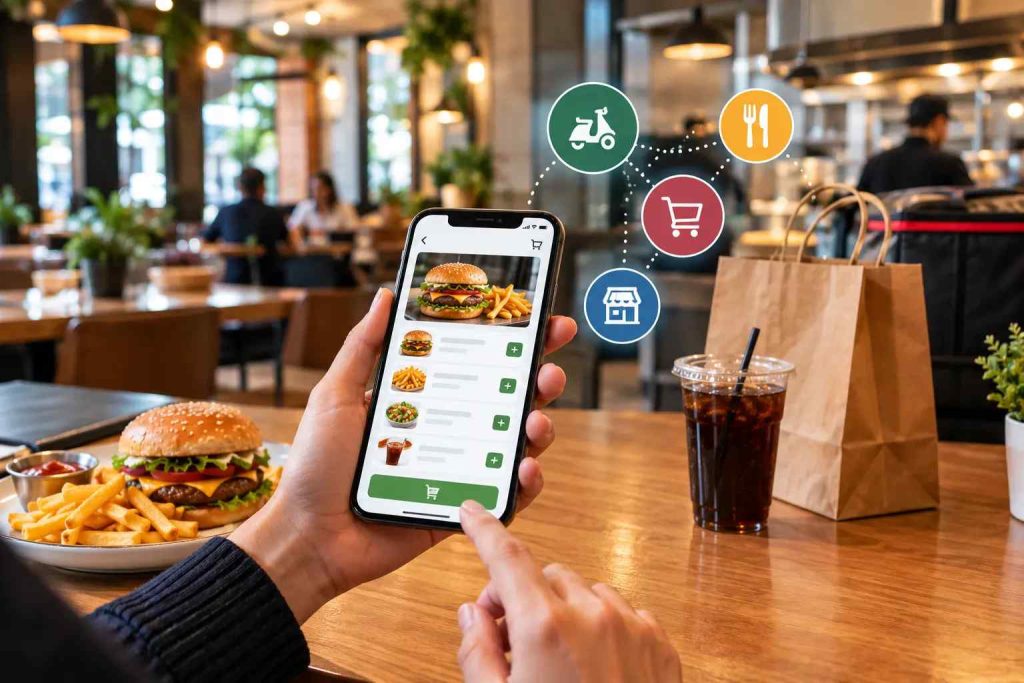
A Thursday-night rush is the best test of any ordering setup. Phones are ringing, a rider is waiting at the counter, a WhatsApp message is sitting unanswered, and someone has to work out whether “no onions” was meant for the curry or the burger. Online food ordering apps exist to take that pressure off your team.
This blog explains what online ordering apps for restaurants are, how they differ from delivery marketplaces, what they cost, and how to choose and launch one. The trade-offs are the same in any city where customers order from their phones.
What Are Online Ordering Apps for Restaurants?
Online food ordering apps are software that lets customers browse a restaurant’s menu, customise their items, pay and place an order from a phone or browser, with the order arriving straight in the restaurant’s POS or kitchen screen. They can belong to the restaurant (a direct ordering app) or to a marketplace such as DoorDash, Uber Eats or Foodpanda.
Think of a direct ordering app as your restaurant’s digital front door. Customers walk in without queueing or phoning, choose what they want, and the order reaches your kitchen without anyone re-typing it. It works like a waiter who never gets tired and never mishears “extra cheese”.
One distinction clears up a lot of confusion: an ordering app takes the order, and delivery is a separate job. You can pair an ordering app with your own riders, with a third-party fleet, or with pickup only.
Why Restaurants Are Moving to Online Ordering Apps
Three things are pushing restaurants this way, and the data backs the first one up.
- Customers now expect it. A report found that 7 in 10 limited-service customers say they would be likely to order through a smartphone app, and 8 in 10 delivery customers would order delivery that way.
- Operators see the payoff. The same report says 76 percent of operators believe technology gives them a competitive edge.
- Staff time is limited. Every minute a cashier spends repeating an order on the phone is a minute not spent on guests in the room.
Online Ordering Apps vs. Delivery Marketplaces: The Commission Maths
Marketplaces are useful for one thing above all: they put you in front of people who have never heard of you. They charge for it. DoorDash’s published merchant pricing shows commissions of 15, 25 and 30 percent on delivery orders depending on the plan, 6 percent on pickup, and commission-free orders when a restaurant uses its own online ordering product. Rates in other markets and on other platforms differ, so check your own agreement.
Here is what those percentages mean on a $20 order:
Where the order came from | Commission | You keep before food and labour costs |
Marketplace, lower plan | 15% ($3) | $17 |
Marketplace, mid-plan | 25% ($5) | $15 |
Marketplace, top plan | 30% ($6) | $14 |
Your own online ordering app | None per order | $20, less payment processing and your software fee |
That is a simplified calculation, not a quote from any platform. It leaves out marketing spend, promotions, and card fees, which change the picture on every side.
This doesn’t mean you should quit the marketplaces. Use them to be discovered, and use your own online ordering app to keep the customers who already like you. That second group is where your margin lives.
Three Types of Online Food Ordering Apps
Website ordering
Customers order from your website in any browser, with nothing to download. It suits someone at their desk who wants lunch delivered, and it is the easiest place to start. Regulars can save favourite orders and addresses.
Mobile ordering apps
A branded app sits on the customer’s phone. It can send push notifications about your deals, remember past orders and make reordering a two-tap job. It takes more effort to get people to install it, which is why it works best for restaurants with a loyal, repeat crowd.
Hybrid and messaging channels
Most restaurants end up mixing channels: a web app that works on desktop and mobile, a QR code on the table, and ordering over WhatsApp for customers who would rather chat than install something. What matters is that every channel feeds the same order queue, so nothing is handled twice.
Features Every Online Ordering App Should Have
The list below separates what you should insist on from what is nice to have.
Real-time menu management
Ran out of the lamb curry? Switch it off in seconds so no one orders a dish you cannot make. Got a slow-afternoon deal? Push it live the same minute. The menu customers see should always match the kitchen.
Customisation and modifiers
People have specific requests. “Less spicy”, “extra sauce” and “no onions” should be selectable options, not free text your team has to interpret.
POS and kitchen display integration
Online orders should land in the same queue as dine-in orders and appear on the kitchen display, so no one re-enters anything. This is the feature that separates a proper system from a tablet that beeps.
Order tracking
Customers can see when an order is accepted, being prepared, out for delivery, or ready to collect. It reduces “where is my food?” calls more than any other single feature.
Delivery and rider management
Whether you use your own riders or a third-party fleet, assignment and status should live in the same system as the order.
Payments
Cards, wallets and, where customers expect it, cash on delivery. Checkout should take seconds, because every extra step loses orders.
Customer profiles and one-tap reordering
Saved addresses and past orders turn a regular’s second order into a two-tap job.
Analytics
Best sellers, peak hours, average order value and areas that order most. It replaces guessing with numbers.
How an Order Travels From Phone to Kitchen to Doorstep
In a connected setup such as CherryBerry RMS, one order follows this path:
- A customer orders through your website, app or WhatsApp.
- The order lands in the POS queue next to dine-in and takeaway orders.
- The kitchen display shows it with every modifier, so nothing is misread.
- When the food is ready, the delivery system can alert your riders automatically.
- The customer sees each status change and sales and stock update without manual entry.
The point of the path is that nobody types anything twice. Each re-typing step is where mistakes and delays creep in.
Benefits of Online Ordering Apps
More accurate orders
Customers enter their own choices and can double-check before paying. Your kitchen gets a clear ticket instead of a hurried phone note, which means fewer remakes, refunds and bad reviews.
More orders, and bigger ones
Ordering is easier when nobody is waiting on the line. People browse at their own pace, see photos and add a side or dessert they would not have mentioned to a cashier. Customers who avoid phone calls, often younger ones, also become reachable.
Lower cost per order
Every order that arrives through your own app instead of a marketplace avoids a per-order commission. If just 100 orders a month of $20 move from a 25 percent marketplace to your own app, that is $500 in commission you no longer pay. This is an illustration, so run it with your own numbers.
Customer data you own
Every order tells you who buys what and when. You can see best sellers, quiet hours and which neighbourhoods order most, and you can thank or re-engage customers directly.
A calmer kitchen and front counter
When orders arrive in one queue, your team stops juggling phones, tablets and sticky notes. Peak hours feel more controlled.
Wider reach and faster feedback
Delivery-radius settings let you serve neighbourhoods that would never drive to you, and rating prompts after delivery give you honest feedback while the meal is fresh.
What Changes From Market to Market
The basics are universal, but a few market realities shape the setup:
- Traffic turns commutes into ordering time. Customers order from the car so food is ready when they reach home, which rewards accurate ready-time estimates.
- WhatsApp is already where people talk to restaurants. Letting them order there, with the order landing in your POS, meets them where they are.
- Cash on delivery is still common in many markets. Your app should support it and reconcile it against rider handovers.
- Marketplaces and your own riders often coexist. A single order queue keeps both under control.
How to Choose an Online Ordering App
Use this checklist when you compare options:
- Does it connect to your POS and kitchen display, or is it a standalone tablet?
- Does it support the channels your customers use: website, app, QR and WhatsApp?
- How does it charge: a flat subscription, a per-order fee, or both?
- Can you manage several branches, menus and delivery zones from one dashboard?
- Do you own your customer data, and can you export it?
- What onboarding and training do you get, and how fast is support?
- Is customer data protected with secure servers and encryption?
What Does an Online Ordering App Cost?
There are usually three costs. The software itself is charged as a subscription, a setup fee or both. Payment processing takes a small percentage of each card payment. Delivery, whether your own riders or a partner, is the third. Marketplaces add a fourth: per-order commission, as shown above.
CherryBerry RMS is subscription-based, and the price depends on your number of branches and modules. Ask any vendor for a written quote that names every fee, and compare it against what you pay in commissions today.
How to Launch in 5 Steps
- Set your goals. Decide which channels to launch first and what share of online orders you want to take direct.
- Prepare your menu. Good photos, clear descriptions, modifiers and accurate availability do more for sales than any feature.
- Connect your systems. Link POS, kitchen display, payments and delivery before you go live.
- Test with your team. Place dummy orders across every channel and follow each one to the door.
- Move your customers. Put a QR code on tables and receipts, offer a first direct-order incentive, and train staff to mention it.
Five Mistakes to Avoid
- Launching without POS integration, so staff re-type every order.
- Publishing a menu with weak photos and no modifiers.
- Skipping staff training before the first rush.
- Dropping every marketplace overnight instead of shifting orders gradually.
- Never telling customers your own app exists.
Metrics to Track in the First Month
Metric | Why it matters |
Share of online orders taken direct | Shows whether customers are moving over |
Average order value | Shows whether menu and upsells work |
Repeat-order rate | Shows loyalty and app stickiness |
Order error and refund rate | Shows whether integration is saving mistakes |
Time from order to ready | Shows kitchen load and accuracy of ready-time estimates |
Checkout completion rate | Shows whether the ordering flow has friction |
Conclusion: Start With the Order Flow, Not the App
Online ordering apps are worth it when they make an order cheaper, more accurate and easier to repeat. The app itself matters less than the path behind it: POS, kitchen, rider and reports connected so nobody types anything twice.
Use marketplaces to be discovered and your own app to keep the customers who already like you. Start with one or two channels, measure for 30 days, and add more once the basics are running smoothly.
If you want to see how the pieces fit, explore CherryBerry RMS online food ordering apps and how they connect to the cloud POS and rider app, or talk to our team.
FAQs About Online Ordering Apps
What is an online ordering app for restaurants?
It is software that lets customers view a menu, customise items, pay and place an order from a phone or browser. The order goes straight into the restaurant’s POS or kitchen display, so staff do not re-enter it. It can be owned by the restaurant or run by a marketplace.
How do online ordering apps work?
A customer places an order on a website, app or messaging channel. The system sends it to the POS and kitchen display, updates the customer on its status and, for delivery, alerts a rider. Payments, stock and sales reports update alongside it.
Will I lose customers if I stop using third-party delivery apps?
You do not have to stop. Marketplaces help new customers find you, so many restaurants keep a presence there and steer regulars to their own app with better prices or exclusive deals. Shift orders gradually and watch your numbers.
How much do delivery marketplaces charge restaurants?
DoorDash’s published US rates are 15, 25 or 30 percent on delivery orders depending on the plan, and 6 percent on pickup. Other platforms and markets differ, so read your own agreement.
How much does an online ordering app cost?
Expect a software subscription, sometimes a setup fee, and payment processing on card orders. Delivery costs are separate. Direct apps usually avoid per-order commission. Ask for a written quote that lists every fee.
Do I need technical skills to manage an online ordering platform?
No. Modern systems are built for restaurant teams. You update menus, manage orders and read reports from a simple dashboard, and a good provider supplies training and support.
Is an online ordering app suitable for small restaurants?
Yes. Even small eateries benefit from fewer phone calls, fewer order mistakes and steadier peak hours. Start with website or WhatsApp ordering and add channels as you grow.
How do online ordering apps help with customer retention?
They record order history and contact details, so you can reward repeat customers and send timely offers. Saved favourites and one-tap reordering also make coming back easier. [Confirm which loyalty and notification features CherryBerry RMS includes.
How can I get customers to order through my app instead of calling?
Make it easier than calling. Offer a first-order incentive, put a QR code on tables, receipts and packaging, and train phone staff to point callers to the app. Then tell customers about it wherever they already find you.
Is my customer data safe on an online ordering platform?
Reputable platforms use secure servers and encryption, and on your own platform the customer data belongs to you rather than to a marketplace. Ask any provider how data is stored, backed up and exported.
Can I manage multiple branches from one ordering system?
Yes. Multi-branch systems let you run menus, prices, delivery zones and reports for every location from one dashboard, while still allowing different timings and promotions per branch.
How long does setup take, and does my staff need training?
Setup depends on your menu size, branches, and integrations and is usually measured in days, not months. Staff need short training on the order screen and kitchen display.