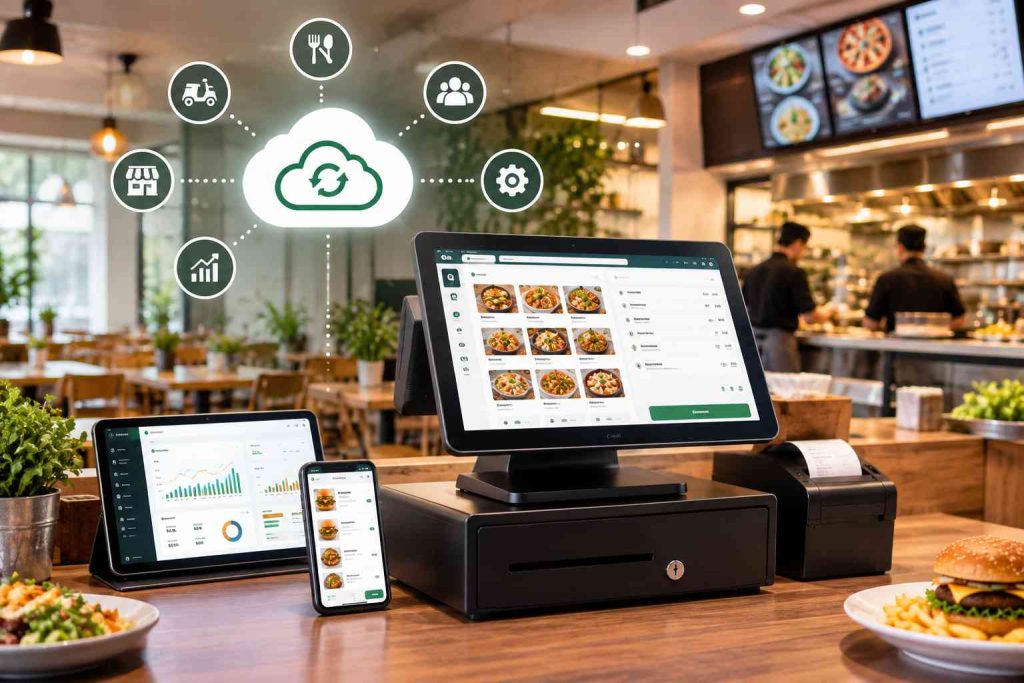
Most point-of-sale systems can take an order, accept a payment, and store the receipt. The real difference between a basic checkout tool and a genuinely useful cloud POS system for restaurants shows up in everything around that transaction: kitchen coordination, inventory, delivery, tax compliance, and reporting.
This is a checklist for restaurant owners who are actively comparing vendors. If you want a plainer explanation of what a cloud POS actually is and how it works before you get to the checklist, see our related guide, 10 Features To Look For In Cloud-Based POS Systems For Restaurants.
Features to Consider When Choosing a Cloud POS System for Restaurants
1. Multi-Branch, Real-Time Cloud Access
If you run, or plan to run, more than one location, confirm the system gives you real-time access to sales, menus, and reports across every branch from a single login, not a separate install per location. This is the core promise of a cloud-based restaurant POS, covered in more detail on CherryBerry RMS’s own Cloud POS page.
2. FBR & PRA Tax Compliance
Restaurants classified as Tier-1 retailers are required to report sales to the Federal Board of Revenue (FBR) in real time, with an invoice number and QR code generated automatically at checkout; restaurants operating under provincial sales tax also need PRA reporting. Ask any vendor directly whether FBR compliant POS Pakistan support is built in or bolted on as an afterthought; CherryBerry RMS’s Cloud POS covers both out of the box.
3. Unified Order Aggregation Across Channels
Orders coming in through phone calls, your own ordering app, walk-ins, and channels like WhatsApp all need to land in the same system, in the same format, without a staff member manually re-typing anything. Manual re-entry from separate systems is a reliable way to miss orders and lose revenue. CherryBerry RMS connects its Restaurant Call Center, Online Ordering Apps, and WhatsApp AI Ordering into one order queue for exactly this reason.
4. Kitchen Display & Kitchen Management
Once an order is placed, it needs to reach the kitchen clearly and instantly, ideally on a kitchen display system rather than a printed ticket that can be lost or smudged. This is one of the most commonly cited POS features in restaurant technology reviews, and it is also its own dedicated capability on CherryBerry RMS through Kitchen Management.
5. Table & Reservation Management
For dine-in restaurants, check whether the system can handle bookings and table status digitally instead of a paper diary at the host stand, including tracking which tables are occupied, reserved, or ready to turn over. CherryBerry RMS covers this through its Table Reservation module.
6. Inventory Control
Daily inventory counts, whether at open or close, are how you control food cost and know what to prep for the next service. A POS with inventory tracking built in, covering waste, variance, and stock levels, replaces error-prone pen-and-paper counts. CherryBerry RMS handles this through Restaurant Back Office, alongside accounting and procurement.
7. Self-Service Kiosk Ordering
If your format suits it (high-volume, quick-service, or fast-casual), a kiosk that lets customers place their own orders can speed up service. If you offer this, make sure the kiosk shares the same menu, pricing, and order queue as your main POS in real time rather than running as a separate system.
8. Delivery & Driver Tracking
If you run your own delivery fleet rather than relying entirely on third-party marketplaces, real-time driver tracking lets customers see where their order is and lets you assign and route deliveries efficiently from the counter. CherryBerry RMS’s Rider App is built specifically for this, without the commission, a marketplace app would take on every order.
9. Customer Data & Loyalty Tracking
A POS collects a large amount of data on who orders what and how often. Confirm the system can turn that into usable customer records for loyalty programs and repeat-order promotions, rather than letting that data sit unused in transaction logs.
10. Food Safety & Hygiene Tracking
Cleaning schedules, hygiene checks, and temperature logs are part of running a compliant kitchen. A POS with built-in checklists and digital record-keeping makes it easier to produce documentation on demand, including for a health inspector, instead of searching for a paper log.
11. Real-Time Sales Reporting & Analytics
You cannot manage what you cannot see. Look for dashboards covering hourly sales, best- and worst-selling items, and performance by branch, updated in real-time reporting rather than an end-of-day export. This is one of the most consistently requested POS features across the market, and it is core to CherryBerry RMS’s own Cloud POS.
Choosing the Right Cloud POS System for Your Restaurant
A good cloud POS system for restaurants gives you real-time access to your data from anywhere, keeps that data backed up and secure, and works on the devices you already have. The features above are the difference between a system that just processes payments and one that actually runs your restaurant.
CherryBerry RMS covers this full checklist, including FBR and PRA compliance, in one connected platform used by restaurants including Bonfire, Dairy Queen, and Crazy Tacos.
Frequently Asked Questions
What is a cloud POS system for restaurants?
A cloud POS system for restaurants is a point-of-sale platform that stores sales, menu, and reporting data online instead of on a single in-store server, so it can be accessed from any device or branch with an internet connection.
What features should I look for before choosing a cloud POS system?
Beyond basic order-taking and payments, look for multi-branch access, FBR and PRA tax compliance, kitchen and table management, delivery tracking, real-time reporting, and support for the payment methods your customers actually use locally.
Is a cloud-based restaurant POS system FBR and PRA compliant?
It depends on the vendor. CherryBerry RMS’s Cloud POS generates the FBR invoice number and QR code automatically for Tier-1 retailers and also supports PRA reporting, but this should be confirmed directly with any system you are evaluating.
Can a cloud POS system handle orders from multiple channels like WhatsApp and delivery apps?
Yes, if it is built to. CherryBerry RMS combines call-in orders, its own online ordering app, and WhatsApp AI Ordering into a single order queue, rather than requiring staff to check several separate systems.
Is a cloud POS system suitable for multi-branch restaurants?
Yes. A cloud POS system is specifically built for this: real-time sales, menu changes, and reporting can be managed centrally across every branch from one login instead of visiting each location’s own on-site system.