A restaurant POS increases sales in five measurable ways: it eliminates order errors that trigger comps and remakes, prompts staff to upsell at the moment of ordering, consolidates every online and in-house channel into one kitchen queue, prevents stockouts that force you to refuse orders, and speeds up table turns so you fit more covers into the same hours. The reporting layer then tells you which of those five is costing you the most, so you fix the expensive one first.
Most restaurant owners can tell you their food cost to within a percentage point. Ask the same owner what a misread order ticket costs them over a month, and you get a shrug.
That gap is the whole story. The losses restaurants track obsessively are the ones that sit still and wait to be counted: ingredients, wastage, and staff hours. The losses that actually decide your month move too fast to see. The table that waited eleven minutes for a bill and skipped dessert. The delivery order that sat unnoticed on a second tablet. The four customers turned away because nobody knew the chicken had run out.
None of those appears on a P&L as a line item. They appear as a quiet, permanent ceiling on what your dining room can earn.
Only one thing in your building sees all of them. Your point of sale system touches every order, every shift, every item leaving the pass, and every payment that comes back, which means it is either quietly making you money or quietly leaking it. Most owners never find out which.
So here is exactly how a modern restaurant POS lifts sales, in the specific, unglamorous, daily ways that add up to a better month.
Your Till Is Not a Cash Register: What a Restaurant POS Actually Does
It starts working long before anyone pays
A retail till wakes up when somebody pays. A restaurant one wakes up the moment an order exists, whether that is at table nine, on your website, in a WhatsApp thread, or at the counter.
From there it fires a kitchen order ticket (KOT) through to the Kitchen Display System (KDS), tracks prep, issues digital receipts, and writes the sale into your reports without anyone retyping it. That gap between a payment tool and a proper restaurant point-of-sale (POS) system is where most of the sales lift lives.
POS vs RMS: the difference that costs operators money
A POS handles the selling. A restaurant management system wraps that selling in everything around it. Plenty of operators shop for the first and discover six months later that they needed the second, and migrating twice is miserable.
| What it covers | Standalone POS | Restaurant Management System |
| Taking orders and payments | Yes | Yes |
| Kitchen routing and KDS | Usually | Yes |
| Inventory Management by recipe | Rarely | Yes |
| Table reservation and floor plan | Sometimes | Yes |
| Accounting Integration and procurement | No | Yes |
| Multi-branch management | Limited | Yes |
8 Ways a Restaurant POS Turns Daily Operations Into Extra Sales
1. Kill the order errors quietly eating your margin
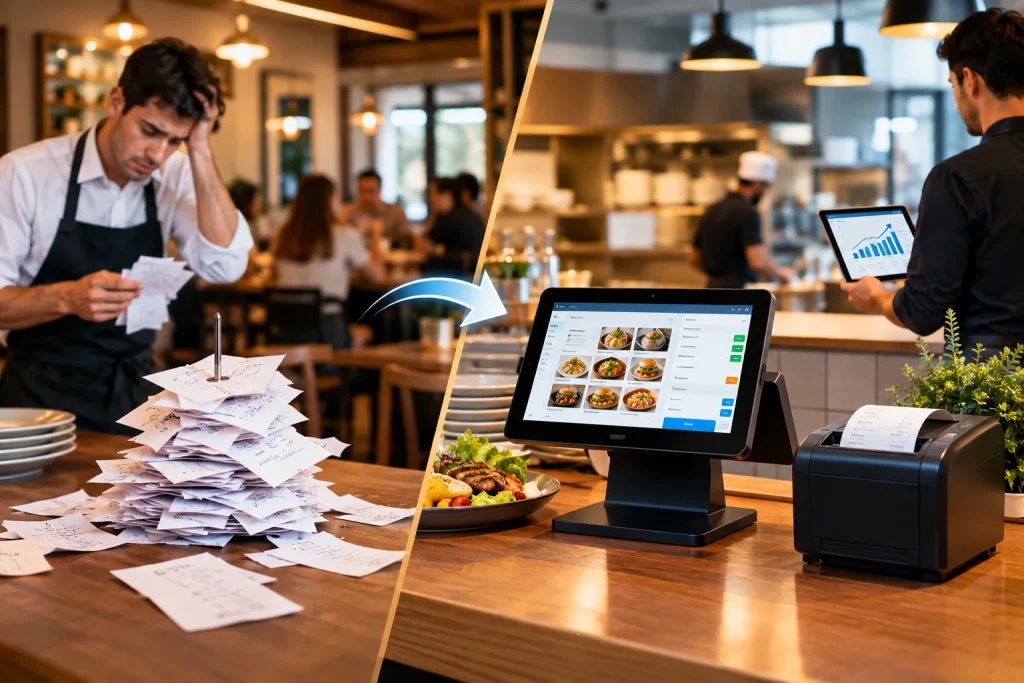
Handwritten tickets get misread. The kitchen makes the wrong thing. You comp the dish, remake it, and the table loses its appetite for another round of drinks.
Modifier management plus a connected order management flow means the ticket the kitchen sees is exactly what the guest said, down to “no onions, extra sauce.” Fewer remakes is margin straight back in your pocket.
2. Turn every bill into a prompt to sell more
Good restaurant POS software nudges staff with suggested add-ons at the exact moment the order is taken: the drink, the side, the dessert, and the upgrade.
Your newest server starts upselling like your most experienced one, because the system is doing the remembering. Across a few hundred covers a week, a small lift in attach rate becomes real money.
3. Stop losing online orders between channels
Your website, your own app, WhatsApp, and two aggregators like Uber Eats or DoorDash — if those all land in different places, somebody eventually misses one, and that customer does not come back.
POS integration pulls every channel onto a single screen. A connected restaurant order management system puts online ordering, dine-in, and delivery management into one queue, one kitchen, and one set of numbers at the end of the night.
4. Find out what is actually selling, not what you assume
Sales reporting and peak hour analysis tell you which six items are carrying your menu and which twelve are just tying up cash in the store room.
Cut the dead weight, push the winners, and staff for the rush that really happens. That is business analytics doing an honest day’s work instead of producing a dashboard nobody opens.
5. Never refuse an order because you ran out
Running out of chicken at eight in the evening is not an inventory problem. It is a sales problem, because every order you turn away is revenue walking out of the door.
Restaurant inventory management software built on recipe-based inventory management deducts ingredients as dishes sell, and low stock alerts warn you before the walk-in is bare. Pair that with food cost monitoring, and you stop guessing at your margins.
6. Bring regulars back before they drift
A customer loyalty program built into the till means points apply themselves, with no card, no app download, and no server forgetting to ask.
Meanwhile, Customer Relationship Management (CRM) quietly builds customer profiles in the background, so you can run targeted promotions for people who have already paid you once. That is the cheapest marketing that exists.
7. Turn tables faster without rushing anyone
Split billing, multiple payment methods, digital payments, and table-side ordering knock several minutes off the end of every single meal.
Minutes at the end of a meal are seats. Seats are covers. Covers are sales. It is not complicated; it is just invisible until you measure it.
8. Keep selling when the internet dies
This is the one nobody asks about until the day it matters. A restaurant POS allows you to keep taking orders and printing bills when the connection drops through any other internet-connected device.
Without it, a two-hour outage during peak service is a two-hour closure. Ask every vendor to demonstrate this live rather than describe it in a sales call.
Which Food Businesses Get the Biggest Lift From an Upgrade?
Cafes and coffee shops
High volume, low ticket, and a queue that punishes every slow transaction. Speed at the counter is the whole game, which is why owners searching for the best POS software for cafes should weigh transaction speed and modifier handling far above reporting depth.
Fast food and quick service
Order accuracy and throughput decide your evening. POS software for fast food earns its keep through fast menu management, clean combo handling, and a Kitchen Display System (KDS) that keeps the line moving without anyone shouting.
Cloud kitchens and delivery-first brands
You have no dining room, so every order arrives through a channel you do not own. A cloud-based restaurant POS software setup that consolidates aggregators, your own app, and messaging orders is not a luxury; it is the entire operation.
Full-service restaurants
Here the wins come from table management, course timing and split billing. Solid restaurant billing software plus table reservation handling is usually worth more than any marketing spend you could make with the same money.
Multi-branch groups and franchises
Consistency is the challenge, not speed. You want one menu source, one price list and comparable reports across sites, which is where an AI-powered restaurant POS with demand forecasting justifies the higher tier.
The Numbers That Should Settle the Argument
The National Restaurant Association projects industry sales of 1.55 trillion dollars in 2026 with roughly 100,000 jobs added, and its own summary points squarely at operators investing in technology that boosts efficiency and strengthens guest connections.
Operators have also stopped being nervous about the smarter end of the toolkit. Another industry survey found 86 percent of operators say they are comfortable using AI in their business, with marketing automation and real-time insights leading the use cases.
Read together, the Restaurant Technology conversation has moved on. It is no longer “should we,” it is “which one, and how fast can we train the team.”
How Much Does a Restaurant POS System Cost?
The honest answer is that it depends, and anyone quoting a flat figure before asking about your setup is guessing at your expense. A point of sale system for restaurants is priced on scale and modules, not on a sticker.
What genuinely moves the restaurant management software price:
- Number of terminals and branches you are running
- User seats and whether you need role-based access control
- Add-on modules such as online ordering, a rider app, or call centre support
- Hardware, meaning the POS terminal, receipt printer, and cash drawer
- Onboarding, training and the level of support you expect
Most credible vendors run tiered plans: a starter tier for a single outlet, and a premium tier that unlocks multi-location control once you grow. If you are shopping for a POS system for a small restaurant, start low and upgrade when a second branch forces the issue. Paying for franchise features on day one is money set on fire.
What Separates the Best Restaurant POS From the Rest
Once you have shortlisted two or three point-of-sale system options for restaurants, the differences stop being about features and start being about reliability. Run every candidate against this list:
- Best Restaurant POS platforms keep working during peak hours, without excuses
- Cloud POS with real-time reporting, so you can check sales from home
- For menu management, you can edit yourself without raising a support ticket
- API Integration with payments, accounting and delivery partners
- Two-factor authentication and automatic cloud backup
- Multi-branch management from one centralized dashboard
- Support in your language, during the hours you actually trade
The tempting shortcut is choosing on price alone. The expensive mistake is choosing something that cannot take an order when the connection drops.
How to Switch Without Losing a Single Day of Sales
Migrations go wrong for boring reasons, and the reason is almost always timing rather than technology. Moving to a new restaurant point-of-sale (POS) system is a scheduling exercise first and a software exercise second. Do it in this order:
- Export your menu, modifiers and prices bef
- Run the new system in parallel for a week on a single terminal
- Train staff on a quiet weekday, never on a Friday
- Move inventory management last, once orders are flowing cleanly
- Keep the old system readable for ninety days in case you need history
Most restaurant POS switches that go badly because somebody flipped everything over on a busy night to save a week. Do not be that person.
Key Takeaways
- The sales lift comes from four places: fewer errors, higher attach rate, fewer refused orders, and faster table turns
- Decide early whether you need a POS or a full restaurant management system; migrating twice costs more than buying right once
- Match the tier to your size now, not the size you hope to be in three years
- Ask for a live demonstration of every vendor claim, especially aggregator integrations
The Bottom Line: Small Percentages, Compounded
A till records what already happened. A restaurant POS shapes what happens next: how quickly orders reach the kitchen, how often a guest is offered the thing they would have said yes to, how much stock you waste, and how many regulars come back this month instead of next.
None of these gains is dramatic in isolation. They are small percentages of errors, table turns, attach rates, and stockouts. Stack them across a year and they are the difference between a business that is busy and one that is profitable.
If you would rather have all of that in one connected platform than stitched together from five, that is exactly what CherryBerry RMS is built for: cloud POS, kitchen management, online ordering, table reservations, a rider app and WhatsApp AI ordering under a single dashboard. Contact us to see how it fits your operation.
Frequently Asked Questions
What is a POS system?
It is the system that records a sale and everything attached to it: what was ordered, who took it, how it was paid and what it cost you to make. A restaurant version adds the kitchen, the floor plan and your stock, so one order updates several things at once instead of one.
How does a POS system work in a restaurant?
An order is entered at a terminal, tablet or ordering channel. The system routes it to the kitchen, deducts ingredients from stock, calculates the bill with tax, takes payment and writes the transaction into your reports, all in the seconds between the guest ordering and the kitchen starting.
Can a POS system manage online orders?
Yes, and this is one of the strongest arguments for upgrading. A connected order management system pulls website, app and messaging orders into the same queue as your dine-in tickets, so the kitchen works from one screen and your sales figures stay in one place.
How is a POS different than an RMS?
A POS is focused on the transaction. An RMS covers the transaction plus inventory, staff, reservations, procurement and reporting. If you only ever need billing, a POS is enough. If you want to know your food cost by dish, you need the broader system.
How does POS inventory management work?
You enter recipes once, listing the ingredients and quantities per dish. Every time that dish sells, the system deducts those ingredients automatically. Over a week you get a live picture of consumption, waste and cost per plate, without anyone counting jars at midnight.
Will a POS actually increase my sales, or just track them?
Both, and the tracking is what drives the increase. Faster service means more covers, prompted upsells raise average order value, loyalty brings people back sooner, and fewer stockouts mean fewer refused orders. None of those are dramatic alone, but they compound.
How long does setup usually take?
A single outlet with a clean menu can often be live within a few days. Multi-branch setups with existing data, integrations and staff training take two to four weeks. The menu build is almost always the slowest part, so start it early.