


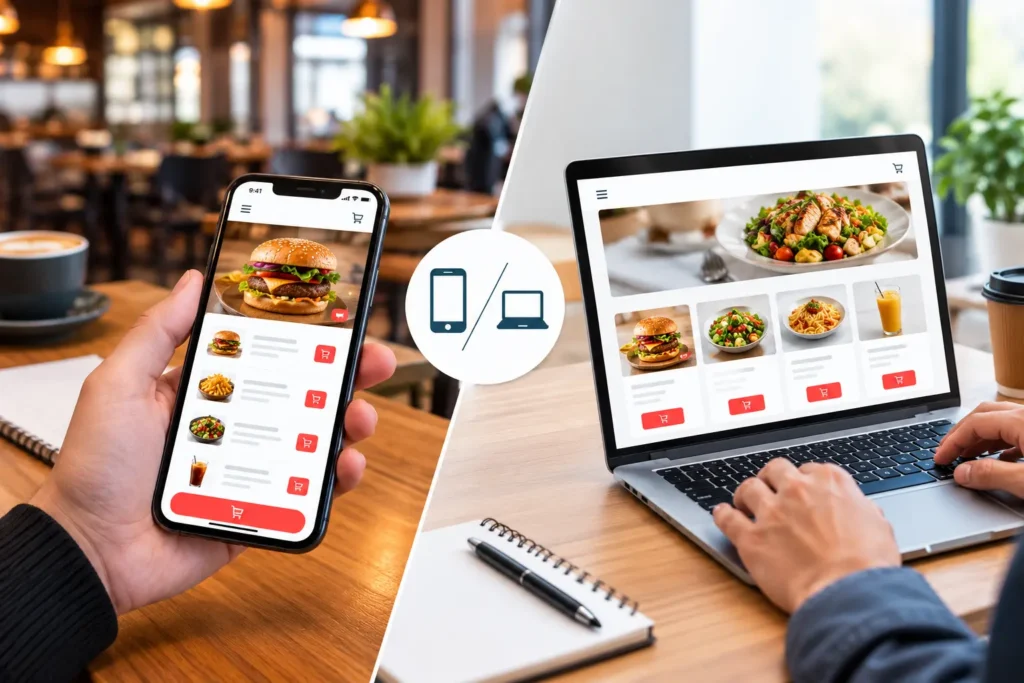
A web-based ordering app opens from a link, so it reaches new customers, shows up on Google, and updates instantly. A mobile ordering app is installed from an app store, so it suits regulars who want push notifications and one-tap reorder. Most restaurants in Pakistan should start with web ordering and add an Android app once repeat orders justify it.
A mobile online ordering app is installed from Google Play or the App Store. A web-based online ordering app opens in the phone’s browser from a link, with nothing to install. Both let customers browse your menu, pay, and track an order; they differ in how customers reach them, what they cost, how they update, and which phone features they can use.
This guide walks through those differences one by one, explains what they mean for a restaurant in Pakistan, and gives you a simple way to decide whether you need web ordering, a mobile app, or both.
New to direct ordering? Our overview of restaurant online ordering apps covers the basics, and if most of your orders already arrive in chat, our guide to taking restaurant orders on WhatsApp shows how that works.
What Is a Mobile and Web-Based Online Ordering App?
A mobile and web-based online ordering app is a restaurant’s own direct online ordering channel, offered in two forms: an app that customers install on their phones and an ordering website that works in any browser. Both pull from the same menu, prices and stock levels, and both send orders to the same kitchen, so the restaurant keeps every order commission-free instead of paying a marketplace cut.
The mobile ordering app (installed from an app store)
A mobile food ordering app is built for Android, iOS, or both and distributed through Google Play and the App Store. Once installed, it sits on the customer’s home screen, remembers their address and past orders, and can send push notifications about deals and order status. It suits customers who order from you often and want the fastest possible reorder.
The web-based ordering app (your ordering website)
A web-based food ordering system is a website designed for ordering rather than reading. The customer taps a link from Google, Instagram, a QR code on the table, or a WhatsApp message; the menu opens in the browser, and they check out without creating an account or downloading anything. One version serves every phone, tablet, and laptop, which is why restaurant website ordering is usually the first digital channel a business switches on.
The middle option: a progressive web app (PWA)
A progressive web app is a web-based ordering app that behaves like an installed one. Mozilla’s developer documentation defines a PWA as an app built with web technologies that gives the experience of a platform-specific app: it can be added to the home screen, launch without the browser bar, cache content for offline browsing, and show push notifications through the phone’s own notification system. For a restaurant, that means one codebase, no app store listing required, and most of the app feel that regular customers like. Not every browser supports every PWA feature, so test it on the phones your customers actually use before relying on it.
A progressive web app does not become installable by default. Chrome, for example, offers to install a site only when it is served over HTTPS, has a web app manifest that names the app and lists 192 and 512 pixel icons, a start URL, and a display mode, and the visitor has tapped the page and spent at least 30 seconds on it. Other browsers have similar rules with minor differences, so ask your vendor to show the install prompt working on a real phone.
Native, cross-platform, and web builds: what “app” can mean
Vendors use the word app for three different builds, and the build changes the cost. A native app is written separately for Android and iOS, which gives the deepest access to phone features but means two builds to maintain. A cross-platform app is written once with a framework such as Flutter or React Native and published to both stores, which can narrow the cost gap but still needs store accounts, store review, and updates for new operating system versions. A web app, including a PWA, runs in the browser and needs none of those. When you compare quotes, ask which of the three you are being offered.
How Are Mobile and Web-Based Online Ordering Apps Different?
The eight differences below are the ones that change cost, reach, or daily operations. Each starts with the short answer.
1. Reach: install versus link
A web ordering page is one tap away: the customer sees a link, opens it, and orders. A mobile ordering app has to be found in the store, downloaded, installed, and often signed into before the first order. For a new customer, those are four extra steps, and each one loses a few people. For a regular customer, the installed app is a shortcut they use every week, so the same steps turn into an advantage.
2. Discovery: Google versus the app store
An ordering website can rank in Google Search, sit on your Google Business Profile as the “Order online” link, and be shared as a plain URL in a WhatsApp group, an Instagram bio or a Facebook post. A mobile app is found almost entirely by people who already know your name and search the store for it. That is why, for most restaurants, first orders come through the web and repeat orders come through the app.
Discovery also depends on speed. Google’s Core Web Vitals guidance asks for the main content to load within 2.5 seconds, an interaction to respond in under 200 milliseconds, and a layout shift score under 0.1, and says these align with what its core ranking systems seek to reward. Before you sign with a vendor, ask to see the Core Web Vitals results for a live restaurant ordering page. Getting the link onto your Google Business Profile and Instagram bio is part of digital media marketing for restaurants, so plan the ordering page and the promotion together.
3. Launch and updates: instant versus reviewed
A change to a web-based ordering system goes live the moment you publish it: a new price, a Friday deal, Ramadan timings. A mobile app update has to pass store review first. Apple says it reviews all apps and app updates, typically clearing at least half of submissions within 24 hours and 90% within 48 hours, and Google Play runs its own policy checks. Menu items and prices usually live on the server, so those still change instantly inside an app. It is new features, design changes, and bug fixes that wait in the queue, and a rejected submission can push a launch back by days.
4. Phone features: what an installed app does better
An installed app has the deepest access to the phone: dependable push notifications, saved payment details, fingerprint or face login, location for the delivery address, and one-tap reorder of a customer’s usual. A web app can do some of this (modern browsers support web push and saved addresses), but support varies by device and browser, so the customer ordering experience is less consistent. If reorder speed and reminders are your main growth lever, this is where the app earns its cost.
On iPhone, WebKit, the browser engine behind Safari, announced Web Push for Home Screen web apps in iOS and iPadOS 16.4. Under that announcement, the customer first has to add your ordering site to the Home Screen, and the permission prompt must appear in response to a tap, such as a Notify me button. So do not assume a web notification will reach every iPhone customer, and keep WhatsApp or SMS as the fallback for order-status updates.
5. Offline use: a myth worth clearing up
Neither option takes an order without internet. An installed app can show a cached menu and saved favourites when the signal drops, and a PWA can do the same through a service worker, but placing the order, taking the payment, and sending the ticket to the kitchen all need a connection. The claim that mobile apps “work offline” is true for browsing, not for ordering.
6. Speed and data: who pays for the download
An app downloads once and then loads its screens from the phone, so it feels quicker on repeat visits. The trade-off is the download itself: tens of megabytes on a mobile data plan plus storage space on the phone. A web ordering page fetches what it needs on each visit, which costs a little data every time but nothing up front. On budget Android phones with limited storage, the download is often the exact step where a first-time customer gives up.
7. Cost: one codebase or three
A web-based ordering platform is one product that runs everywhere. A mobile app usually means an Android build, an iOS build, and the shared backend behind both, plus store accounts: Google Play charges a one-time US$25 registration fee and requires identity verification, and the Apple Developer Program costs US$99 a year. The higher cost is ongoing. Every operating system release, new screen size, and store policy change can require app work. A ready-made restaurant online ordering system bundles these costs into a subscription, but it is still worth asking the vendor what happens when Android or iOS changes.
8. Security and control: who keeps it patched
Both can be secure. Payments on either should run over HTTPS through a licensed payment gateway, and card details should never sit on the restaurant’s own server. The practical difference is control. A web system is patched for every customer at once, while app users may keep running an old version until they update. The idea that apps are “more secure” than websites by default is not accurate; security depends on how each one is built and maintained.
For installed apps, the OWASP Mobile Application Security project publishes the MASVS, a security and privacy standard for mobile apps. Its control groups include data storage, cryptography, authentication, network communication, and code quality. You do not need to read it, but a vendor building your mobile app should be able to say which of these areas it tests, and how often.
Mobile vs Web-Based Online Ordering App: Quick Comparison
- First order. Mobile app: install and sign up first. Web app: order straight from the link.
- Mobile app: app store search, mostly by existing customers. Web app: Google, Business Profile, social links, QR codes and WhatsApp.
- Mobile app: new features wait for store review. Web app: live on publish.
- Mobile app: reliable push notifications. Web app: web push where the browser allows it.
- Mobile app: browse a cached menu only. Web app: the same, if built as a PWA.
- Data and storage. Mobile app: one-time download that uses phone storage. Web app: a small load on each visit and no storage.
- Cost to build and maintain. Mobile app: two platforms plus store fees and ongoing updates. Web app: one codebase.
- Best for. Mobile app: regulars and loyalty. Web app: new customers and reach.
What the Difference Means for Restaurants in Pakistan
In Pakistan, web ordering should usually come first, because Android runs about nine in ten smartphones, close to three in ten devices are not smartphones, customers still like cash on delivery, and customers already use WhatsApp to ask about menus and deals.
The standard comparison assumes customers on new iPhones with unlimited data. Pakistan looks different, and it changes the answer in six ways.
Android comes first
StatCounter puts Android at 89.77% of Pakistan’s mobile operating system share in September 2026, with iOS at 10.18%. If you build a native restaurant ordering app, Google Play is the launch that matters. An iOS version can follow later, or stay on the roadmap only if your customer base is unusually iPhone-heavy, which is rare outside a few fine-dining brands.
Not every phone can run an app
The Pakistan Economic Survey 2025-26 reports 204.8 million cellular subscribers and 161 million broadband subscribers as of March 2026, with broadband penetration at 64.2%. It also records that smartphones make up 71.6% of the devices on the networks. That leaves close to three in ten devices that cannot run an app and are unlikely to open an ordering site, which is why phone orders through a restaurant call centre still belong alongside digital channels rather than being replaced by them.
Cash on delivery still wins the checkout
Many customers in Lahore, Karachi, Islamabad and Faisalabad prefer to pay the rider at the door. An ordering channel that offers cash on delivery alongside JazzCash, Easypaisa, cards and Raast bank transfers converts better than one built around card-only checkout, whichever form the channel takes. The mobile-versus-web decision does not limit your payment options; your payment gateway and your online payment integration do.
WhatsApp is already open
Customers ask about menus, deals, and delivery areas on WhatsApp all day. A web ordering link fits naturally inside that conversation, and a WhatsApp AI ordering system can take the whole order in the chat without a download. For many restaurants, this is the real “mobile” channel, not an app.
Marketplaces bring discovery, not loyalty
Foodpanda gives reach to customers who have never heard of you, but it keeps the customer relationship and charges on every order. A direct channel, web or app, is where repeat customers should land. Our comparison of third-party delivery apps and your own rider app covers the commission maths in detail.
Every channel must reach the tax system
Orders from the app, the website and the counter all need to flow into FBR- and PRA-compliant invoicing. That is a reason to choose an ordering layer that talks to the POS rather than one that sits beside it with its own tablet.
Which Should Your Restaurant Choose?
start with web ordering, add a mobile ordering app when repeat customers justify it, and run both through one restaurant order management system so the menu and the kitchen never split in two. Use the profiles below to find your fit.
Single-outlet restaurant or cafe
Web ordering first. Your customers are local, many are first-timers, and the ordering link can go on the table QR code, the Google listing, and the WhatsApp auto-reply the same day. Build the app later if a core of regulars keeps asking for it.
Multi-branch chain
Both, in sequence. Web ordering reaches each new branch’s neighbourhood from day one; the app holds the loyalty base together across branches with one account, one points balance and one reorder history. Run both from a single multi-channel ordering system so branch menus and prices stay in sync.
Cloud kitchen or virtual brand
Web ordering plus WhatsApp. A kitchen with no dining room lives on discovery, and nobody downloads an app for a brand they found ten minutes ago. An app only starts to pay once the brand is known and reorders are steady.
Quick-service with daily regulars
This is where a mobile app earns its cost. A biryani counter near offices, a shawarma shop beside a university, or a tea cafe with a lunchtime rush sees the same faces every day. One-tap reorder and a 12:30 push notification do real work here, and the web page stays for everyone else.
Three numbers to check before building an app
- Repeat share: what proportion of last month’s direct orders came from customers who had ordered before? A high share means an app will be used; a low share means you still need reach.
- Monthly direct order volume: an app needs enough orders to justify its build and upkeep, even on a subscription.
- Commission paid to marketplaces: if that figure is large, the fastest saving is moving regulars to direct ordering, which a web page can start doing this week.
How Both Channels Fit the Rest of Your Restaurant System
Whichever you choose, the ordering app is the front door, not the house. Its value depends on what sits behind it.
- Point of sale: every web or app order should land in the cloud-based POS as a normal order, with no re-typing.
- Kitchen: orders go straight to the kitchen display screen in the order they arrive, so an app order and a counter order are treated the same.
- Delivery: the customer’s live status (placed, preparing, out for delivery, delivered) comes from the rider app, not from the ordering page alone.
- Phone and WhatsApp: the call centre and the WhatsApp ordering channel feed the same queue, so a customer who switches channels sees the same prices.
- Reporting: one dashboard shows which channel each order came from, which is the only way to measure whether the app is paying for itself.
When a dish runs out, it should disappear from the app, the website, and the call centre screen at the same moment. That only works when every channel reads availability from one place, usually the POS or the restaurant inventory management software behind it, rather than from a menu copied separately into each channel.
CherryBerry RMS builds the customer-facing ordering layer in both forms, a branded mobile app and a web ordering site, on top of its order management software, so the choice between them is a rollout decision rather than a second system to buy.
A Four-Step Rollout That Works for Most Restaurants
Launch web ordering connected to your POS, collect customer phone numbers at checkout, measure for 60 to 90 days, and add an Android app only if repeat orders justify it.
- Launch web ordering connected to your POS. Put the link on your Google Business Profile, Instagram bio, table QR codes, and WhatsApp greeting. Offer cash on delivery and at least one mobile wallet from day one.
- Capture customer data and set up reorder prompts. Collect phone numbers at checkout, then use WhatsApp or SMS to bring customers back with a deal rather than relying on them to remember you.
- Measure for 60 to 90 days. Track repeat share, average order value, orders per channel, and the commission you no longer pay to marketplaces.
- Add the Android app when the numbers say so, and iOS after that if your customers use it. Keep the same menu, prices, and loyalty points across app and web so a customer never meets two versions of your restaurant.
If you want the integration side mapped out before step one, our guide to connecting online ordering to your POS walks through it, and the must-have features of a restaurant online ordering app covers what to check before you sign.
Mistakes to Avoid When Choosing Between a Mobile App and a Web Ordering System
- Building an app before you have an ordering website. The app has no reach on its own.
- Running two menus. A deal that exists in the app but not on the web (or the reverse) creates complaints and refunds.
- Launching iOS and Android together to look complete. In Pakistan, Android runs about nine in ten smartphones, so launch there first.
- Card-only checkout. It quietly filters out the customers who prefer cash on delivery or a mobile wallet.
- Forgetting store review. Plan app-side promotions a week ahead; server-side menu changes can wait until the day.
- Skipping POS integration. A tablet that staff re-type from is the problem you were trying to solve.
Key Terms Used in This Guide
- Native app: an app built separately for Android or iOS and installed from Google Play or the App Store.
- Cross-platform app: an app written once with a framework such as Flutter or React Native and published to both stores.
- Progressive web app (PWA): an ordering website that can be added to the home screen and behave like an installed app.
- Service worker: a script that runs in the browser and can cache pages, so part of a web app opens without a connection.
- Push notification: a message sent to a customer’s phone about an order or a deal, even when the app or site is not open.
- App store review: the check Apple and Google run on an app or update before it goes live.
- Direct ordering: orders placed on the restaurant’s own app or website instead of a marketplace such as Foodpanda, so the restaurant keeps the customer relationship and pays no marketplace commission.
- Repeat share: the proportion of direct orders that come from customers who have ordered before.
- Cash on delivery (COD): payment made to the rider in cash when the order arrives.
Conclusion: Pick the Channel Your Customers Will Actually Use
The difference between a mobile and web-based online ordering app comes down to reach versus retention. The web version reaches everyone and launches today; the app keeps your regulars close and costs more to build and maintain. In Pakistan, Android dominance, budget phones, cash on delivery and WhatsApp all push the first move toward web ordering, with an Android app added once repeat orders justify it. Whichever you choose, connect it to the POS, the kitchen and the riders from the start.
Book a free demo to see how CherryBerry RMS runs web and app orders through one system for restaurants across Pakistan.
Key Takeaways
- A mobile ordering app is installed from an app store; a web-based ordering app opens from a link. Both take the same orders.
- Web ordering wins on reach, discovery, instant updates, and cost. A mobile app wins on push notifications, saved details, and one-tap reorder for regulars.
- Neither works offline for ordering; offline support only covers browsing a cached menu.
- In Pakistan, Android holds around nine in ten smartphones, close to three in ten devices are not smartphones, and cash on delivery and WhatsApp shape how people order.
- Start with web ordering, measure repeat share for 60 to 90 days, then add an Android app if the numbers justify it.
- Whatever you choose, it must send orders into the POS, kitchen display, and rider app, not sit beside them.
Frequently Asked Questions
What is the difference between a mobile ordering app and a web-based ordering app?
A mobile ordering app is installed on the customer’s phone from Google Play or the App Store and can use phone features such as push notifications and saved logins. A web-based ordering app runs in the browser from a link, needs no installation, and updates instantly. Both take the same orders and send them to the same kitchen.
Is a web-based ordering system better than a mobile app for a restaurant?
For reaching new customers, yes: a web link converts first-time visitors with fewer steps and can be found through Google. For keeping regulars, a mobile app usually performs better because of one-tap reorder and notifications. Most restaurants do best starting with web ordering and adding an app later.
Do I need both a mobile app and an ordering website?
An online ordering app for restaurants often ends up in both forms, with the website handling discovery and the app handling loyalty. A single-outlet restaurant or a new cloud kitchen can run on web ordering alone for a long time. Let your repeat-order share decide, not a competitor’s app.
Can customers place orders offline with a mobile ordering app?
No. An installed app or a progressive web app can show a saved menu without a connection, but placing the order, taking payment, and sending it to the kitchen all need internet. Offline support is for browsing, not ordering.
How much does a mobile ordering app cost compared with a web ordering system?
A web ordering system is one codebase, so it costs less to build and maintain. A native app adds Android and iOS builds, store accounts (Google Play’s one-time US$25 registration fee and Apple’s US$99 yearly developer membership), store review time, and ongoing updates for new operating system versions. On a restaurant online food ordering software subscription, these costs are bundled, but ask how platform updates are handled.
Does a web-based ordering app work on every phone?
It works on any smartphone with a modern browser, including low-cost Android devices with little free storage. It will not work on feature phones, which still make up a share of devices in Pakistan, so keep a phone-order option for those customers.
What is a progressive web app, and is it enough for a restaurant?
A progressive web app (PWA) is an ordering website that can be added to the home screen, open full screen, cache the menu, and send push notifications where the browser supports them. For most single-outlet restaurants, it delivers the app-like experience regulars want without an app store listing. High-frequency brands may still want a native app for the most reliable notifications and saved payment details.
How do updates work for a mobile ordering app versus a web app?
Web app changes go live as soon as they are published. Mobile app changes to features or design must pass app store review first; Apple reports that most submissions are reviewed within 48 hours. Menu items and prices stored on the server update instantly in both.
Does choosing mobile or web limit the payment methods I can offer in Pakistan?
No. Cash on delivery, JazzCash, Easypaisa, cards, and Raast transfers can all be offered on either channel. What matters is the payment gateway your ordering platform integrates with and whether cash on delivery is switched on at checkout.
Can a web-based ordering system send notifications like an app?
Partly. Modern browsers support web push notifications and a PWA can use them, but customers must allow them, and support differs between browsers and devices. For order-status updates, many restaurants rely on WhatsApp or SMS messages, which do not depend on browser permissions.
How do mobile and web orders reach the kitchen?
Through the restaurant’s order management system. Both channels send the order to the same POS and kitchen display screen, so the kitchen sees web and app orders in one queue in the order they arrive, and the rider app picks up delivery orders from the same place.