


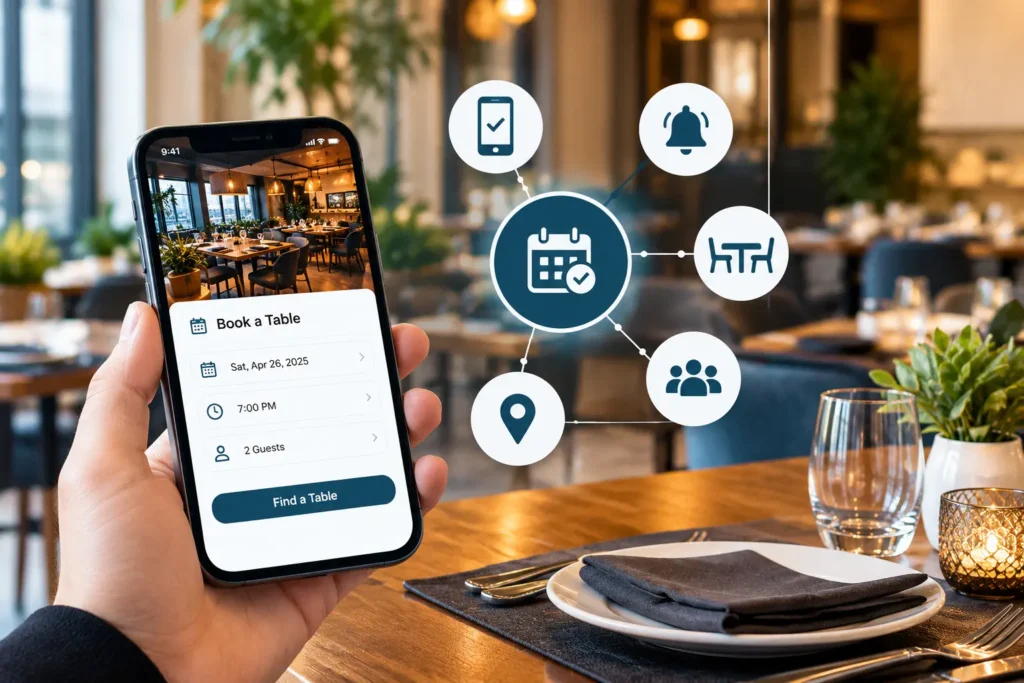
Restaurant table reservation in Lahore works best when one system does five things: it collects every booking in one calendar, shows live table availability, reminds guests to cut no-shows, manages walk-ins on a waitlist and connects to your POS.
Restaurant table reservation in Lahore has outgrown the phone call and the paper register. On a Friday night in Gulberg or DHA, one missed message can leave a table empty for one party and a queue building for another. A restaurant table reservation system fixes that by putting every booking, table and guest into one live view.
This guide covers the five features that matter most, how each one plays out in a Lahore restaurant, and how to choose a system that fits your business.
The Five Features at a Glance
- Online booking on every channel
- Real-time table availability and smart table allocation
- Automated reminders, easy changes and no-show control
- Walk-in and waitlist management
- POS integration, guest data and multi-branch visibility
What Is a Restaurant Table Reservation System?
A restaurant table reservation system is software that lets guests book a table online and lets staff manage those bookings, table availability and guest details from one screen. It replaces the phone, the notebook and scattered WhatsApp messages with a single live record of who is coming, when, and where they will sit.
You will also hear it called a table booking system, restaurant reservation software or a restaurant booking system. The difference between a real system and a simple booking form is control. A form collects requests and leaves you to sort them out. A system manages your actual tables, time slots and party sizes, blocks double bookings and updates availability the moment something changes. The better ones also connect to your POS, so a booking turns into a seated table and then a bill without anyone re-typing it.
Why Restaurant Table Reservation in Lahore Needs More Than a Phone and a Notebook
Lahore dining is driven by peaks. Weekends, family dinners, iftar during Ramadan, Eid and wedding season push demand into a few busy hours, and bookings arrive by phone, WhatsApp, Instagram messages and walk-ins all at once. A notebook cannot keep those channels in step.
The usual failures are easy to recognise:
- Two staff members promise the same table to different parties.
- A WhatsApp booking gets buried while the team is serving.
- Nobody knows whether table 12 will free up in ten minutes or forty.
- Repeat guests are treated like strangers because no one recorded their preferences.
- A booked table sits empty because the guest forgot and nobody reminded them.
Guests also look at Google Maps and Instagram before they decide where to eat. A visible booking link at those moments is how restaurants around Gulberg, DHA, MM Alam Road or Fort Road Food Street turn interest into a confirmed table. If you want a deeper look at the problems online booking solves, read our guide to an online restaurant reservation system in Lahore.
5 Essential Features of a Restaurant Table Reservation System in Lahore
Whatever the size of your restaurant, these five features separate a working reservation system from a digital notebook.
1. Online Booking on Every Channel
Guests should be able to book in under a minute from wherever they find you: your website, a mobile app, the link in your Instagram or Facebook bio, your Google Business Profile, or a phone call where staff enter the booking straight into the system. Every one of those routes must feed one calendar.
That single calendar matters more than any individual channel. If the website and the phone each keep their own list, double bookings are only a matter of time. Capture the basics every time: name, phone number, party size, date, time and special requests such as a birthday cake, a high chair or an allergy.
Many Lahore guests still prefer to message rather than fill in a form. That is fine, provided staff log those WhatsApp bookings in the system straight away so availability stays accurate for everyone else.
2. Real-Time Table Availability and Smart Table Allocation
Real-time table availability means the system shows which tables are open, reserved, occupied or being cleaned, and updates the instant anything changes, so staff and guests never work from a guess.
Smart table allocation goes a step further. It matches party size to table size, combines tables for big groups such as family gatherings and iftar parties, and leaves a sensible buffer between seatings. It stops you putting a couple at your only eight-seater when a family of eight is due in half an hour. A floor view on the host’s tablet makes this visible at a glance, and when your kitchen can see expected arrivals, prep and staffing follow. Our module for restaurant kitchen management shows how that link works.
3. Automated Reminders, Easy Changes and No-Show Control
Automated confirmations and reminders cut no-shows by giving guests a nudge and an easy way to change or cancel, which frees the table for someone else instead of leaving it empty.
The scale of the problem is documented abroad. The Resos No-Show Index 2026, covering 3.77 million reservations at 2,417 restaurants between August 2025 and July 2026, found an average recorded no-show rate of 2.33%. A delivered SMS reminder was associated with a 16% lower rate, and 56% of cancellations arrived within 24 hours of the reservation time or after it had already begun. Resos is clear that these are descriptive associations, and 54% of its data comes from the UK, so read them as a benchmark, not a Lahore forecast.
The cost is real too. Research by OpenTable, reported by Restaurant Online in October 2026, put the average cost of a no-show for a table of two at £55.70 and found that 60% of operators had turned away other bookings because of no-shows. Restaurateurs in that research most often named confirmation reminders (43%), cancellation windows (36%), deposits (32%) and SMS reminders (29%) as effective.
In practice, look for these capabilities:
- An automatic confirmation the moment a booking is made
- A reminder before the visit, sent to the guest and visible to staff
- A simple way for guests to change the time, party size or date without calling
- A clear cancellation window you can set yourself
- Optional deposits for large groups or peak nights, where your payment setup allows it
- A flag on guests who repeatedly miss bookings
4. Walk-In and Waitlist Management
A waitlist feature lets staff add walk-ins to a digital queue with an estimated wait time, so reservations and walk-ins share the floor instead of competing for it.
Lahore restaurants see plenty of walk-ins, especially families who arrive without booking. If your system only handles reservations, the host ends up juggling two lists. A combined view shows booked tables, free tables and the queue together. When a booking is cancelled or a party leaves early, the next group on the waitlist can be seated at once. Quote waits you can keep: an honest 25 minutes is better than a hopeful 10 that turns into 40.
5. POS Integration, Guest Data and Multi-Branch Visibility
POS integration links a reservation to the table’s order and bill, so a booking becomes a seated table, then an open order, then a closed bill without anything being entered twice.
Three things follow from that link:
- Faster turnover. Table status updates when the bill is settled, so the next booking or waitlist party can be seated without a floor check.
- Guest memory. Profiles hold visit history, favourite dishes, allergies and special occasions, so a returning guest is recognised and a birthday is not missed.
- Useful reports. Peak hours, busiest days, no-show patterns, table turnover and repeat guests show you when to staff up, when to run offers and which nights to protect with deposits.
If you run more than one outlet, a single dashboard that shows bookings and table status across branches saves the owner a lot of phone calls. In Pakistan, also check that the POS behind the reservations handles tax invoicing. In Punjab, the Punjab Revenue Authority (PRA) oversees sales tax invoicing for restaurants through its Electronic Invoice Monitoring System (e-IMS), and as Dawn reported in December 2024, it was linking e-IMS to restaurant POS systems. FBR publishes its own POS legal provisions. Which rules apply to your outlet depends on how it is registered, so confirm with the authority or your tax adviser. Our cloud-based POS works with FBR-integrated invoicing and supports reporting to PRA, and you can see how a connected POS lifts sales in How Restaurant POS Software Boosts Your Food Sales.
Manual Booking vs Digital Table Reservation
Manual booking works for a small, quiet restaurant. It starts to break when you add channels, branches or weekend crowds. Here is how the two approaches compare:
Area | Manual (phone, notebook, WhatsApp) | Digital reservation system |
|---|---|---|
Booking channels | Whoever picks up the phone or reads the message | Website, app, social link and phone in one calendar |
Double-booking risk | High at peak hours | Blocked by live availability |
Confirmation | A manual call or message, often skipped | Automatic after booking |
Reminders | Rarely sent | Automated before the visit |
Table visibility | Staff memory and a walk around the floor | Live status for every table |
Walk-ins and waitlist | A scribbled list | Digital queue with wait estimates |
Guest history | None, or in one waiter’s head | Profile with visits and preferences |
Reporting | None | Peak hours, no-shows, repeat guests |
Multiple branches | A separate book per outlet | One dashboard across outlets |
Which Features Matter Most for Your Type of Restaurant?
All five features help every restaurant, but the priority changes with the business.
Cafes and small restaurants
Table booking software for small restaurants should be quick to set up and easy for one host to run. Prioritise online booking, reminders and a simple waitlist.
Family restaurants
Family groups mean large parties, combined tables and long stays. Smart table allocation and accurate time slots matter most, plus notes for high chairs and special requests.
Fine dining
Fine dining reservation management is about the guest experience: special requests, allergies, occasion notes, deposits for peak nights and a firm cancellation window.
Hotels with restaurants
Hotel restaurants juggle in-house guests, outside diners and events. Look for clear table status, group bookings and a POS that can post charges cleanly.
Restaurant chains and franchises
Multi-location reservation management needs one dashboard, consistent booking rules across branches and reports you can compare outlet by outlet.
Marketplace Listing or Your Own Reservation System?
A marketplace or booking platform helps new guests discover you, while your own reservation system controls the booking, the guest data and the experience. Most Lahore restaurants benefit from both, as long as bookings from every source land in one calendar.
- Marketplace or listing platform: good for discovery, offers and reaching guests who have never heard of you. You share the guest relationship and follow the platform’s rules.
- Your own system: guests book directly from your website, Google Business Profile and social links. You keep their contact details and history, and you set the rules on cancellations and deposits.
If you take bookings from a third-party platform, enter them into your own system the same day so one table is never sold twice. Ordering is a separate channel: if guests also order by WhatsApp, see how WhatsApp AI ordering fits alongside table booking.
How to Choose a Restaurant Table Reservation System
Choose a system by testing it against your busiest night: it should show live availability, stop double bookings, remind guests, handle walk-ins and connect to your POS.
Use this checklist when you compare options:
- Shows live table status on a staff phone or tablet
- Blocks double bookings across website, app and phone entries
- Lets guests change or cancel without calling
- Sends confirmations and reminders by SMS or WhatsApp, not only email
- Supports cancellation rules and, if you need them, deposits
- Manages walk-ins and a waitlist with wait-time estimates
- Connects to your POS and supports FBR or PRA tax invoicing
- Keeps guest history and shows no-show patterns
- Lets you keep and export your own guest data
- Runs several branches from one dashboard
- Is clear about pricing: a flat subscription, or any fee per cover or commission on bookings
- Comes with setup, staff training and local support
Then ask each vendor to show you three things in a demo: a fully booked Friday where one table runs 20 minutes over, how a cancellation reaches the waitlist, and exactly what a guest receives after booking. Ask for a written quote that includes onboarding and support.
How to Set Up Table Reservations in Your Restaurant
Setting up table reservations takes five steps: map your tables, set your booking rules, connect your booking channels, train your hosts and test one full service before you tell your guests.
- Map your floor. Enter every table with its seats and note which tables can be combined for large parties and family groups.
- Set your booking rules. Choose your time slots, how long a table is held, a cancellation window and, if you want them, deposits for large groups or peak nights.
- Connect your channels. Put the booking link on your website, Google Business Profile, Instagram and Facebook, and decide who enters WhatsApp and phone bookings and when.
- Train your hosts. Anyone who takes a booking, in person or by phone, enters it in the system and never in a notebook.
- Test a full service. Run one busy shift on live bookings, check that reminders go out and that table status updates after every bill, then share the booking link.
How CherryBerry RMS Handles Restaurant Table Reservation
CherryBerry RMS is cloud-based restaurant management software from Lahore that combines table reservations with a POS, kitchen and back office. Our restaurant table reservation system gives you:
- Online booking through your website, app or by phone
- Automated reminders for guests and staff
- A live view of bookings and table status
- Party size and guest notes on the host stand
- POS sync with the cloud-based POS
- Wait-time estimates for walk-ins
- A multi-branch dashboard
- Special-request handling for fine dining
- Setup, onboarding, staff training and support
It runs from one location to many, and you can manage it remotely from anywhere.
Frequently Asked Questions
What is a restaurant table reservation system?
It is software that lets guests book tables online and lets staff manage bookings, table availability and guest details in one place. Good systems prevent double bookings, send reminders, handle walk-ins and connect to the POS.
Why does a restaurant in Lahore need online table reservation?
Lahore restaurants face sharp peaks on weekends, during Ramadan and Eid, and in wedding season. Online reservation keeps phone, WhatsApp and social bookings in one calendar, which cuts double bookings and empty tables.
What features should a restaurant booking system have?
The five essentials are online booking on every channel, real-time table availability, automated reminders with easy changes, walk-in and waitlist management, and POS integration with guest data and reports.
How can I reduce restaurant reservation no-shows?
Send automatic confirmations and reminders, make changing or cancelling easy, set a cancellation window and use deposits for large groups or peak nights. The Resos No-Show Index 2026 found an average no-show rate of 2.33% and a 16% lower rate where an SMS reminder was delivered.
How do I prevent double bookings?
Use one shared calendar for every channel and let live table availability block a slot the moment it is taken. Log phone and WhatsApp bookings in the system immediately instead of keeping a separate list.
Can a small cafe use table reservation software?
Yes. A small cafe benefits from online booking, reminders and a simple waitlist, and cloud software needs no special hardware beyond a tablet or phone for the host.
Does reservation software work with a restaurant POS?
It can. With POS integration, a booking links to the table’s order and bill, table status updates when the bill is settled, and reports reflect both reservations and sales. In Lahore, also check that the POS handles tax invoicing for PRA or FBR.
How do I manage walk-ins and advance bookings together?
Use a combined floor view with a digital waitlist. Reserved tables stay protected, walk-ins get an honest wait estimate and the next party is seated as soon as a table frees up.
Final Thoughts
Restaurant table reservation in Lahore is no longer a nice extra. When bookings arrive from five directions and the weekend rush lasts three hours, a live, connected system is what keeps tables full and guests happy. Start with the five features above, test any system against your busiest night, and choose one that connects to your POS so every booking carries through to the bill.
Ready to move on from the notebook? Book a free demo and see how CherryBerry RMS handles your busiest night.